Author: Kip Ramos

  • WiFi 7 Router Modem Combo: What It Is and Who Needs It

    At a glance

    • What it is: A WiFi 7 router modem combo puts modem and Wi-Fi router functions in a single home gateway.
    • What’s new: Wi-Fi CERTIFIED 7 adds 320 MHz channels in the 6 GHz band.
    • Who it is for: Households that want one box for internet access and home Wi-Fi.

    Do you need a WiFi 7 router modem combo, or is a separate modem and router still the less annoying setup? A combo is basically a gateway. One box takes the connection from your internet provider and hands it out to your devices over Wi-Fi. That answers the basic “what is wifi router and modem” question. It doesn’t tell you whether a given box will work with your U.S. provider. (Spoiler: that’s the part that matters most.) This piece is based on published specs and official documentation only. No device was tested for it.

    What a WiFi 7 Router Modem Combo Actually Does
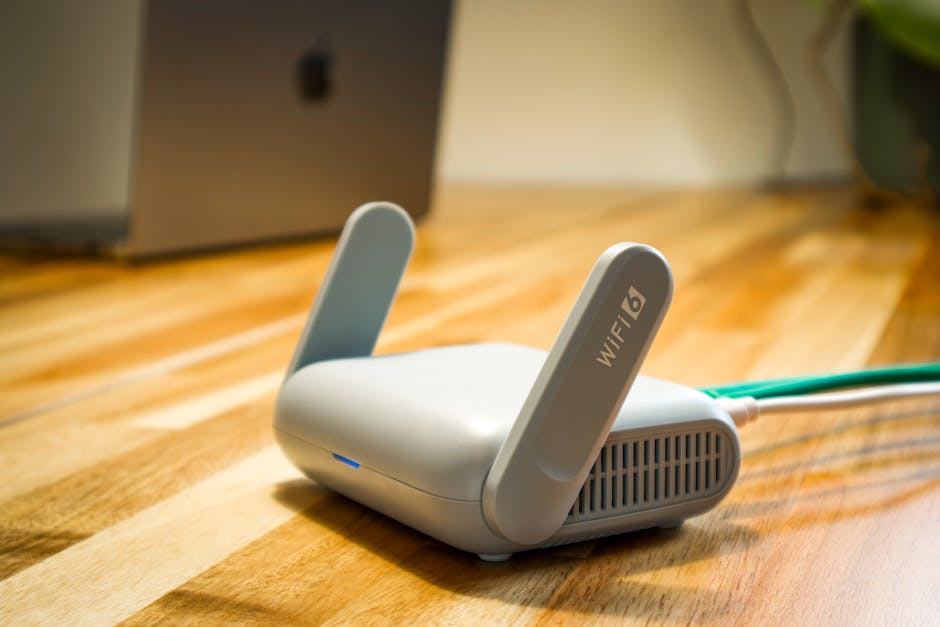
    Wi-Fi router sitting on a home office desk
    Photo by Pascal πŸ“· on Pexels

    A modem and a router do different jobs. The modem connects your home to the provider’s service. The router builds the local network that your phones, laptops, TVs and smart-home gear join. Put both in one case and you get the familiar provider-gateway idea. The difference is that the Wi-Fi side may now support Wi-Fi CERTIFIED 7.

    So what is a Wi-Fi router, and how does it work? It moves traffic between devices on your local network and out to the internet connection. A box with a built-in modem also handles the connection to the provider. A WiFi 7 router modem combo tidies that arrangement up: less hardware, fewer power outlets and usually one admin interface. (“Usually” is doing real work in that sentence.) The exact setup, whether your provider approves the box and which settings you get all depend on the device and the provider.

    Wi-Fi CERTIFIED 7 is the Wi-Fi Alliance certification program for this generation of Wi-Fi. The alliance says it adds features meant to improve performance and connectivity in many kinds of environments. Its material highlights high speeds, deterministic low latency, more capacity and less interference. Those are things the Wi-Fi system can do. They are not a promise that every household gets the same result.

    Spec Teardown

    Specification What official documentation says Figures / numbers
    Certification generation Wi-Fi CERTIFIED 7 is the Wi-Fi Alliance certification program that follows Wi-Fi CERTIFIED 6. 7 (follows 6)
    Wide channels 320 MHz channels are available in the 6 GHz band. 320 MHz; 6 GHz
    Throughput vs. Wi-Fi 6 The alliance says 320 MHz channels provide twice the throughput of Wi-Fi 6. 2x Wi-Fi 6 (per the alliance)
    Performance claims High speeds and deterministic, low latency across a wide range of signal conditions. Also expanded capacity and reduced interference. Multi-gigabit per second device speeds
    Device scope The alliance has extended Wi-Fi CERTIFIED 7 to 20 MHz-only devices. 20 MHz
    Market context The alliance tracks 6 GHz chipset shipments in 2026 across Wi-Fi 6E and tri-band Wi-Fi 7. 6 GHz; 2026

    The useful headline is not “Wi-Fi 7 is faster.” (Marketing departments have that one covered, thanks.) The useful headline is that Wi-Fi CERTIFIED 7 can use 320 MHz channels in the 6 GHz band, and the Wi-Fi Alliance says those channels deliver twice the throughput of Wi-Fi 6. That’s a specific technical advantage. It isn’t a verdict on every router, every client device or every internet plan.

    A Wi-Fi 7 router also doesn’t automatically give you a Wi-Fi 7 experience. The device on the other end matters. The alliance’s material is about Wi-Fi CERTIFIED 7 devices and the 6 GHz band. It doesn’t say an older phone, laptop or adapter picks up Wi-Fi 7 features just because you swapped the router. That’s the practical answer to “what is wifi router and adapter”: the router creates the network, and the adapter in each device decides which of that network’s features the device can actually use.

    One more detail: the alliance has extended Wi-Fi CERTIFIED 7 to 20 MHz-only devices. That points to simpler, narrow-channel gear (think connected gadgets rather than laptops) being part of the same certification. So a “Wi-Fi 7” logo on a product doesn’t, on its own, mean that product uses 320 MHz channels. Read the spec sheet, not the box art.

    Setup Is the Boring Part That Decides Everything

    Modem and router connected for home internet service
    Photo by Jaycee300s on Pexels

    With a combined modem-router, provider compatibility comes before any Wi-Fi feature. A router can have great local-network specs and still be the wrong hardware if your provider won’t accept the modem side. The Wi-Fi Alliance documentation covers certification and radio capabilities. It doesn’t include a provider compatibility list, prices in USD, rental terms or activation steps for cable, fiber or fixed-wireless service.

    That matters in the U.S., where your provider may supply its own gateway, require a particular connection method or publish its own equipment rules. Check those rules before you go down the “wifi 7 router scp” rabbit hole. The Wi-Fi Alliance material doesn’t define that term. It may show up in shopping listings or search results, but the answer has to come from the maker’s and provider’s documentation, not a listing title.

    Here’s the order of operations I’d follow. Each step can rule a box out before the next one matters.

    Should a Wi-Fi 7 combo gateway be your next box?Flow diagram: Confirm your provider accepts the modem side β†’ Confirm the router supports 320 MHz channels in 6 GHz β†’ Check your phones and laptops for Wi-Fi 7 support β†’ Compare maker documentation before choosing. Note: Wi-Fi CERTIFIED 7 gains depend on compatible service, router, and client devicesConfirm your provider accepts the modemsideConfirm the router supports 320 MHzchannels in 6 GHzCheck your phones and laptops for Wi-Fi7 supportCompare maker documentation beforechoosingWi-Fi CERTIFIED 7 gains depend on compatibleservice, router, and client devices
    Diagram: Should a Wi-Fi 7 combo gateway be your next box?. Drawn from the official sources linked in this article; it adds no new data.

    What the Specs Confirmβ€”and What They Leave Out

    What the specs confirm What the specs don’t tell you
    Wi-Fi CERTIFIED 7 includes 320 MHz channels in the 6 GHz band. Whether your internet provider accepts a particular combo device.
    The Wi-Fi Alliance describes expanded capacity, reduced interference and multi-gigabit per second device speeds. What speeds your internet plan or your individual devices will actually deliver.
    Wi-Fi CERTIFIED 7 has been extended to 20 MHz-only devices. Whether every phone, laptop or adapter you own can use the wide-channel features.
    The alliance describes deterministic, low latency across a range of signal conditions. How your walls, mix of devices and service connection will affect real-world performance.

    A clean spec sheet is not a buying decision. The Wi-Fi Alliance confirms real capability at the Wi-Fi layer. It doesn’t confirm modem compatibility, provider activation, whole-home coverage or management features. It also doesn’t tell you how any specific Wi-Fi 7 router from Asus or another brand behaves. That takes documentation from the device maker and your internet provider, and neither is in the source material behind this piece.

    Combo Gateway or Separate Hardware?

    A combo makes sense when your provider supports it and you want a simpler setup. One device is easier to place, power and manage. Separate hardware still has a practical appeal, though. The provider connection and the Wi-Fi network are different jobs. Keep them in separate boxes and you can upgrade the Wi-Fi later without touching the provider side, and vice versa.

    If you’re renting a provider gateway today and your devices are mostly older, the 320 MHz headline won’t do much for you yet. If your household already has newer Wi-Fi 7 phones and laptops, the spec story gets more interesting, but only after the provider question is settled.

    The documentation doesn’t show that one arrangement is always better. It does show that Wi-Fi CERTIFIED 7 adds wide-channel capability over Wi-Fi 6, including 320 MHz channels in 6 GHz. The catch is simple: you need compatible service, compatible hardware and compatible client devices before those specs matter at home.

    Keep / Skip / Wait

    Verdict: Wait β€” Wi-Fi CERTIFIED 7 has real, documented capability, but nothing here confirms provider compatibility or model-specific combo support, so get those answers first.

    FAQ

    What is a WiFi 7 router modem combo?

    It’s a single device that combines the modem’s job (connecting to your provider) with the router’s job (running your local network) and supports Wi-Fi 7. Wi-Fi CERTIFIED 7 is the Wi-Fi Alliance certification program that covers the Wi-Fi side.

    Does Wi-Fi 7 mean every device gets faster internet?

    The official material makes no such promise. The Wi-Fi Alliance describes what Wi-Fi 7 can do, including 320 MHz channels in 6 GHz and multi-gigabit device speeds. It doesn’t say every device, home or internet plan will get the same result.

    What is the main Wi-Fi 7 benefit in the official documentation?

    The clearest spec is 320 MHz channels in the 6 GHz band. The Wi-Fi Alliance says those channels provide twice the throughput of Wi-Fi 6, along with more capacity and less interference.

    Should I look for a Wi-Fi 7 router from Asus?

    Only after you’ve confirmed the device type fits your internet service. The Wi-Fi Alliance material doesn’t cover any specific Asus product, provider approval or modem compatibility. Start with your provider’s equipment requirements, then compare the maker’s documentation.

    Related on Longview Desk


    This article was written by the site’s author with the assistance of AI tools, and reviewed before publication.
  • WiFi 7 Router Spectrum: What the Specs Mean

    At a glance

    • What it is: Wi-Fi 7 is a Wi-Fi generation introduced in 2024.
    • What’s new: It works across the 2.4 GHz, 5 GHz, and 6 GHz bands, with 320 MHz channels in 6 GHz.
    • Who it is for: It targets demanding uses such as ultra-high-definition streaming and AR/VR/XR.

    Will a WiFi 7 router Spectrum setup actually improve your home network, or is the label doing more work than the hardware? Short answer: Wi-Fi 7 describes the wireless link inside your home. Your internet equipment and your service setup are separate questions. A router can be excellent at moving traffic between local devices and still tell you nothing about whether it replaces provider equipment. (Marketing pages love blurring that line.)

    This article is based on specifications and documentation, not hands-on testing. The official Wi-Fi Alliance Wi-Fi CERTIFIED 7 overview says what Wi-Fi 7 can do at the Wi-Fi layer. It does not cover Spectrum compatibility, approved equipment, activation steps, U.S. retail pricing, or real in-home performance. So the honest answer to “wifi 7 router spectrum” has two parts, and only one of them comes from the spec sheet.

    What a WiFi 7 Router Spectrum Search Is Really Asking

    Wi-Fi router on a home office desk
    Photo by Pascal πŸ“· on Pexels

    First, what is a Wi-Fi router? It’s the box that connects your devices to each other and to your internet connection over Wi-Fi. Wi-Fi 7 is the generation of that wireless connection. Per the Wi-Fi Alliance, Wi-Fi 7 was introduced in 2024 and improves performance across the 2.4 GHz, 5 GHz, and 6 GHz bands.

    So what is a Wi-Fi router and modem, then? They do different jobs. The source documentation covers Wi-Fi capabilities. It says nothing about modem functions, provider certification, or Spectrum’s hardware policies. That means the “Wi-Fi 7” label doesn’t settle the “wifi 7 router modem combo” question. It tells you about Wi-Fi capability. It doesn’t tell you whether a device can work as the modem for a particular U.S. cable provider.

    For a U.S. household, that leaves a simple split. First, figure out which equipment provides the internet connection. Then check whether the router and your devices can use the Wi-Fi bands and features on offer. A Wi-Fi 7 badge is not a provider-approval badge. That’s obvious once you say it, but it’s exactly where shopping-cart logic tends to fall apart.

    Spec Teardown

    Specification What official documentation says Figures / numbers
    Generation Wi-Fi CERTIFIED 7 was introduced in 2024. 2024
    Supported bands Wi-Fi 7 improves performance across the 2.4 GHz, 5 GHz, and 6 GHz bands. 2.4 GHz; 5 GHz; 6 GHz
    Wide channels 320 MHz channels are available in the 6 GHz band. 320 MHz; 6 GHz
    Throughput Those 320 MHz channels provide twice the throughput of Wi-Fi 6, enabling multigigabit device speeds. Twice Wi-Fi 6
    Modulation 4K QAM delivers 20% higher transmission rates than Wi-Fi 6’s 1024 QAM. 4K QAM; 20%; 1024 QAM
    Named use cases AR/VR/XR, immersive 3D training, and ultra-high-definition video streaming. 3D

    Here’s the useful part of that table. Wi-Fi 7 adds tools for capacity, and they matter most when your local wireless network is the bottleneck. Think lots of active devices, demanding wireless apps, or newer gear that can actually reach the 6 GHz band. The Wi-Fi Alliance specifically promises higher throughput, lower latency, and greater reliability for demanding applications.

    The less useful reading is “Wi-Fi 7 makes every internet plan faster.” The documentation never says that. Features like 320 MHz channels and 4K QAM depend on a compatible Wi-Fi environment. They don’t guarantee a result on every device, in every room, or over every provider connection.

    What the Specs Confirm, and What They Don’t

    Home devices connected to a wireless network
    Photo by Jakub Zerdzicki on Pexels
    What the specs confirm What the specs don’t tell you
    Wi-Fi 7 operates across 2.4 GHz, 5 GHz, and 6 GHz. Whether a given Spectrum setup supports a particular router or modem arrangement.
    320 MHz channels are available in the 6 GHz band. Whether your phone, laptop, or streaming box can use those channels.
    4K QAM gives 20% higher transmission rates than Wi-Fi 6’s 1024 QAM. What rate you’ll actually see in a real room or on your internet plan.
    Wi-Fi 7 targets demanding apps such as ultra-high-definition streaming and AR/VR/XR. Whether any specific app will perform better in your home.

    The no-nonsense version: the specs set a ceiling on features, not a forecast for your living room. A new router may offer three bands on paper while an older phone, laptop, or smart-home gadget runs on a different band or an earlier Wi-Fi generation. The source documentation includes no device-compatibility list, so claiming a universal benefit would be fiction.

    As for “wifi 7 router scp”: that term doesn’t appear in the official Wi-Fi Alliance material, so don’t treat it as a Wi-Fi feature. Stick to the questions that matter. Which bands and Wi-Fi generation does the router support? What can your devices use? What does your internet provider’s setup require?

    How the Decision Flow Works

    Start by separating your internet access equipment from your local Wi-Fi. Then compare what the router offers with what your devices can actually use. The official documentation supports the Wi-Fi part of that chain. Provider approval and activation details have to come from the provider.

    Wi-Fi 7 router decision flowFlow diagram: Identify your internet equipment β†’ Check router band support β†’ Check each device’s Wi-Fi support β†’ Weigh features against your needs. Note: Official Wi-Fi documentation describes capability, not Spectrum compatibility.Identify your internet equipmentCheck router band supportCheck each device’s Wi-Fi supportWeigh features against your needsOfficial Wi-Fi documentation describescapability, not Spectrum compatibility.
    Diagram: Wi-Fi 7 router decision flow. Drawn from the official sources linked in this article; it adds no new data.

    That order is deliberately boring, and boring keeps you from buying a headline feature before checking whether the rest of your setup can use it. If the draw is 6 GHz and 320 MHz channels, “does the router say Wi-Fi 7?” isn’t enough. You need to know whether your devices support those capabilities. The Wi-Fi Alliance overview doesn’t list qualifying devices, so check each device maker’s official specs rather than a retailer’s catch-all “compatible” line.

    Wi-Fi 7 Versus Earlier (and Later) Generations

    According to the Wi-Fi Alliance, Wi-Fi 6 arrived in 2018 with higher data rates, greater capacity, better performance in crowded places, and improved power efficiency. It also brought Wi-Fi into the 6 GHz band, alongside the 2.4 GHz and 5 GHz bands. Wi-Fi 5, introduced in 2014, offered higher capacity, better power management, lower latency, and multi-gigabit-per-second data rates.

    Two side notes from the same source. Wi-Fi HaLow, introduced in 2017, runs in sub-1 GHz spectrum for range of roughly 0.6 mile (1 km) and strong wall penetration. That’s a different tool from a home Wi-Fi 7 router. And the Alliance already describes Wi-Fi 8 as the next generation, focused on reliability. (So “newest” has a shelf life.)

    That’s the context that matters: “newest” isn’t the same as “necessary.” Wi-Fi 7’s documented advantages are real. But if your active devices don’t support them, the router still works as a router, just without every advertised benefit reaching every device. No brochure can negotiate around that.

    Keep / Skip / Wait

    If you’re deciding based on Spectrum modem approval or guaranteed speed gains, the official Wi-Fi documentation doesn’t settle either one. I’d confirm provider requirements and device support first.

    Verdict: Wait β€” The Wi-Fi 7 specs are strong, but they don’t confirm a Spectrum equipment match or a better result in your home.

    FAQ

    What is a WiFi 7 router?

    It’s a router that uses Wi-Fi 7 for local wireless networking. Per the Wi-Fi Alliance, Wi-Fi 7 improves performance across the 2.4 GHz, 5 GHz, and 6 GHz bands and supports 320 MHz channels in 6 GHz.

    Is a WiFi 7 router the same as a modem?

    The Wi-Fi 7 documentation doesn’t answer that. Wi-Fi 7 describes wireless networking features. It doesn’t cover modem functions, Spectrum approval, or whether any router can replace your modem.

    What is a WiFi router and how does it work at home?

    A router gives your devices a local network connection over Wi-Fi. With Wi-Fi 7, compatible devices can use the 2.4 GHz, 5 GHz, or 6 GHz bands. Real performance depends on your whole setup, and the official material doesn’t promise any specific household result.

    Does Wi-Fi 7 make Spectrum internet faster?

    Not necessarily. The Wi-Fi Alliance describes higher throughput, lower latency, and greater reliability at the Wi-Fi layer. It doesn’t promise a particular internet speed, provider compatibility, or performance outcome.


    This article was written by the site’s author with the assistance of AI tools, and reviewed before publication.
  • New Phone and Carrier: What to Ask Before You Port

    At a glance

    • What it is: Getting a new phone and carrier often means starting service with a new provider and porting your existing number.
    • What’s new: FCC rules require simple ports to be processed in one business day.
    • Who it is for: People changing providers in the same geographic area who want to keep their number.

    Getting a new phone and carrier at once, and wondering whether your old number can come along without a service gap? Usually it can. The Federal Communications Commission says that if you switch providers and stay in the same geographic area, you can keep your existing number. The process is called porting, and the order you do it in matters. The new company goes first and the old company goes last. This piece is based on specs and official documentation, mainly the FCC’s consumer guide on porting. No phone or carrier was tested for it.

    Carrier ads make switching sound like a big upgrade. In practice it’s a handoff between two companies (and it works as long as nobody cancels anything too early).

    Two Changes at Once: The Phone vs. the Number

    Smartphone showing a mobile carrier setup screen
    Photo by Matheus Bertelli on Pexels

    A new phone and carrier switch is really two separate projects that happen to land on the same day.

    • The device: the physical phone, whether it works on the new network, and how it gets activated.
    • The number: your existing number moving from the old provider to the new one.

    The FCC guidance covers the second project. It doesn’t cover the first. Nothing in the official documentation says a particular phone will work on a particular network, and that’s the gap carrier marketing likes to blur. Device compatibility, account requirements and activation steps are questions for the company taking over your service. The FCC sets the rules for the number.

    The FCC also says porting works between wireline, IP and wireless providers. That means a landline number or an internet-based phone number can move to a mobile carrier too, which matters if you’re folding a home line into a new cell plan.

    Spec Teardown

    Here’s what the FCC’s porting guidance actually commits to, broken out like a spec sheet. Every row comes from the same official source.

    Official documentation item What it says Figures / numbers
    FCC porting guide: starting the port Contact the new company to start porting, and give it your phone number plus any other information it requires. 10-digit phone number
    FCC porting guide: processing time FCC rules require simple ports to be processed in one business day. 1 business day (simple ports)
    FCC porting guide: what counts as “simple” Simple ports generally don’t involve more than one line or complex adjustments to telephone switching equipment. Not more than 1 line
    FCC porting guide: wireless-to-wireless timing When you move between wireless providers, you may be able to use your phone within a few hours. A few hours (may vary)
    FCC porting guide: emergency calling Before porting, ask the new company whether your 911 service will be affected during the process. 911 (ask first)
    FCC porting guide: unpaid bills Once you request service from a new company, the old company can’t refuse to port your number, even if you owe a balance or termination fee. No dollar amount specified

    The one-business-day rule is the strongest commitment in the table, and it only applies to simple ports. A family plan with several lines, or a setup that needs switching-equipment changes, may not qualify. If that describes you, don’t treat “one business day” as a deadline you can count on. Ask the new company what timeline applies to your account.

    The “few hours” figure is softer still. The FCC says you may be able to use your phone within that window. Treat it as possible, not promised.

    The unpaid-balance rule is also easy to misread. The old company can’t use the debt to block your port, but the debt doesn’t go away. You still owe the balance or termination fee. The old company just doesn’t get to hold your number hostage over it (which is a rule I like a lot).

    The Order of Operations

    Person moving a phone number to a new mobile carrier
    Photo by Monstera Production on Pexels

    The most important instruction in the FCC guidance: don’t cancel service with your current company before you start service with the new one. If you cancel first, the number you wanted to keep may not be there to port. Here’s the sequence the documentation supports. Contact the new company to start the port, give it your 10-digit number and anything else it asks for, ask about 911 service during the transfer, and only deal with the old account once the port is underway.

    Keeping your number with a new phone and carrierFlow diagram: Keep your current service active β†’ Contact the new company to start the port β†’ Give your 10-digit number and requested info β†’ Ask whether 911 service is affected β†’ Cancel old service only after the port. Note: FCC rules require simple ports to be processed in one business day.Keep your current service activeContact the new company to start theportGive your 10-digit number and requestedinfoAsk whether 911 service is affectedCancel old service only after the portFCC rules require simple ports to be processedin one business day.
    Diagram: Keeping your number with a new phone and carrier. Drawn from the official sources linked in this article; it adds no new data.

    Two more questions to ask the new company. First, long-distance: the FCC says your new wireless company will likely provide it, and tells you to verify that. “Likely” means you should check. Second, ask about the new phone itself. Will it work on their network, and how does activation work? The FCC guide doesn’t answer that, so get the answer from the carrier before you open the box.

    What the Specs Confirm and What They Don’t

    Here are the caveats from above in one place. The left column is what the FCC documentation actually says. The right column is what you’ll need to get from your new provider.

    What the specs confirm What the specs don’t tell you
    You can keep your number when you switch providers and stay in the same geographic area. Whether your new phone works with the new provider’s service.
    Simple ports must be processed in one business day. Whether your particular transfer counts as simple.
    Wireless-to-wireless changes may let you use your phone within a few hours. Exactly when your account will be active.
    The old company can’t refuse a port over an outstanding balance or termination fee. How that balance or fee will be settled.
    You should ask whether 911 service will be affected during porting. What will actually happen to 911 service during your transfer.
    Your new wireless company will likely provide long-distance service. Whether that holds for your specific plan.

    Reader scenarios

    • If you’re moving to a new geographic area: the FCC says you may not be able to keep your current number when you change providers. Check this before you count on keeping it.
    • If you’re moving a landline number to a cell phone: there may be a period when you have two phones with the same number. Ask the new wireless company whether you can keep using the landline during the one-day transfer.
    • If you still owe your old carrier: the balance can’t block the port once you’ve requested service from the new company. Plan to pay it separately.
    • If you’re moving several lines: that may not count as a simple port, so ask about timing up front.

    Keep / Skip / Wait

    The FCC rules are clear and work in your favor. You keep your number if you stay in the same area, simple ports have a one-business-day processing rule, and an unpaid bill can’t block the port. Only one step needs patience: canceling the old service. Leave it running until the new company has started the port and answered your questions about 911 service and whether your phone will work on its network.

    Verdict: Wait β€” the FCC says to start new service before you end the old one, so don’t cancel first.

    FAQ

    What does “new phone and carrier” mean for my number?

    It usually means getting a different phone and switching to a different service provider at the same time. The number part is called porting. The FCC says you can keep your existing number if you switch providers and stay in the same geographic area.

    Can I keep my number when I switch phone carrier?

    Generally, yes, if you stay in the same geographic area. According to the FCC, porting works between wireline, IP and wireless providers. If you’re moving to a new geographic area, you may not be able to keep your number.

    Should I cancel my old carrier before activating the new one?

    No. The FCC says not to end service with your current company before you start service with the new one. Contact the new company first and let it start the port.

    How long does a phone number transfer take?

    FCC rules require simple ports to be processed in one business day. Simple ports generally don’t involve more than one line or complex switching-equipment changes. If you’re moving between wireless providers, you may be able to use your phone within a few hours. More complex transfers can take longer, so ask your new provider.

    Related on Longview Desk


    This article was written by the site’s author with the assistance of AI tools, and reviewed before publication.
  • How to Switch Phone Carriers Without Paying Verizon

    At a glance

    • What it is: FCC guidance on keeping your phone number when you change service providers.
    • What’s new: Your old company cannot refuse a port because of an outstanding balance or termination fee.
    • Who it is for: People switching providers while staying in the same geographic area.

    Can you switch phone carriers without paying Verizon before your number moves? The FCC’s answer is narrower than the marketing version, but it’s real: once you request service from a new company, your old company cannot refuse to port your number, even if you owe an outstanding balance or a termination fee. That is the rule that matters for anyone figuring out how to switch phone carriers without paying Verizon first. It is not a promise that the bill disappears. This is based on specs and documentation, not hands-on testing.

    Spec Teardown

    Phone user reviewing number transfer details
    Photo by Alexey Demidov on Pexels

    The official source is the FCC’s Porting: Keeping Your Phone Number When You Change Providers guide. Think of it as the boring-but-important wiring diagram for a switch phone carrier move. It doesn’t sell a plan, rank networks, or promise a bill outcome (refreshing, honestly). It lays out who starts the port, what information you’ll need, and what can happen during the transfer.

    Official documentation item What the FCC says Why it matters for a Verizon switch
    Number portability If you switch providers and remain in the same geographic area, you can keep your existing number. Porting works between wireline, IP and wireless providers. Keeping the number is possible, but geography matters.
    Who starts the process Contact the new company to start porting your number. Start with the new carrier, not Verizon.
    Existing service Do not terminate service with your existing company before initiating new service with another company. Don’t cancel Verizon first if the number is what you want to keep.
    Information requested Give the new company your 10-digit phone number and any additional information it requires. The new provider runs the request but may need more than the number.
    Outstanding balance or fee Your old company cannot refuse to port your number, even if you owe money for an outstanding balance or termination fee. A balance doesn’t give the old provider a veto over the port.
    Simple-port timing FCC rules require simple ports (which generally involve no more than one line and no complex switching changes) to be processed in one business day. Multi-line or complex requests may not count as simple ports.
    Wireless timing For changes among wireless providers, you may be able to use your phone within a few hours. “May” is a possibility, not a timetable.
    Emergency service Before porting, ask your new company whether your 911 service will be affected. Not a detail to wave away while chasing a lower bill.
    Long distance Your long distance service will likely be provided by your new wireless company, which you should verify. One more thing to confirm, not assume.

    The direct answer: port first, sort the bill separately

    For anyone asking how to switch phone carriers without paying Verizon up front, the FCC-backed sequence is plain: keep the old service active, ask the new company to start the port, and hand over the information it requires. If the old company is Verizon, the FCC rule says it cannot refuse the port because you have an outstanding balance or a termination fee.

    That is not an FCC instruction to ignore a bill. The guide says the old company cannot refuse the port even if you owe money. It does not say the balance disappears, that a fee is removed, or that the new carrier covers it. Those are separate questions, and this FCC page offers no carrier-specific payment policy. No amount of “switch now” confetti changes that.

    And skip the destructive route of canceling first. The FCC explicitly says not to terminate existing service before initiating new service. If you want to keep the number, the port is the mechanism. Canceling first turns a manageable transfer into a needless mess (a classic own-goal).

    Porting flow from the FCC guidance

    Person comparing mobile carrier options on a phone
    Photo by Andrey Matveev on Pexels

    The new carrier is your starting point. Keep the current service in place, ask the new provider to start the port, give it your phone number and anything else it requests, and ask about 911 service during the change. If you’re moving to a new geographic area, ask whether your number can come with you rather than assuming it will.

    FCC number port decision flowFlow diagram: Keep current service active β†’ Ask new company to start port β†’ Give required number details β†’ Ask about 911 service. Note: Porting eligibility can depend on geographic areaKeep current service activeAsk new company to start portGive required number detailsAsk about 911 servicePorting eligibility can depend on geographicarea
    Diagram: FCC number port decision flow. Drawn from the official sources linked in this article; it adds no new data.

    Two more wrinkles from the same guide. If you’re porting from a wireline phone to a wireless phone, there may be a period when you have two phones with the same number, so ask the new wireless company whether you can keep using the wireline number during the one-day transfer. And the FCC notes that some customers may be unable to port their number to a new provider, which is one more reason to confirm eligibility before you lean on the switch.

    Keep / Skip / Wait

    Verdict: Wait β€” start the port only after the new company confirms your number is eligible and explains any 911-service effect.

    What the specs confirm, and what they leave hanging

    This is where the “without paying Verizon” phrasing needs cleanup. The FCC documentation gives a strong rule about port access. It doesn’t give a full account-closeout script, a carrier-by-carrier policy guide, or a guarantee that every detail of a new phone and carrier move will be seamless.

    What the specs confirm What the specs don’t tell you
    An old provider cannot refuse a number port because of an outstanding balance or termination fee. Whether that balance or fee is waived, reduced, or paid by anyone else.
    You contact the new company to start the port. The exact additional information the new company will ask for in your case.
    You should not terminate existing service before initiating new service. Any carrier’s specific account-closing process.
    Simple ports must be processed in one business day; wireless changes may let you use your phone within a few hours. The exact completion time for your port, or whether it qualifies as simple.
    You should ask the new company whether 911 service will be affected. What the 911 effect will actually be for your transfer.
    Moving to a new geographic area may prevent you from keeping your number. Whether your specific number stays portable after a particular move.

    How to make the switch without wrecking the number

    Treat the number as the priority. If keeping it matters, don’t terminate the existing service. Contact the new provider, say you want to port your current number, and give it the 10-digit number plus whatever else it requests. The FCC puts the opening move with the new company, which neatly blocks the common instinct to call the old provider and cancel before the number has anywhere to go.

    Next, ask direct questions grounded in the FCC guidance:

    • Can I keep this number if I’m moving to a new geographic area?
    • Will my 911 service be affected during the transfer?
    • Does my request count as a simple port, or does it involve more than one line?
    • Will you provide my long distance service?
    • If I’m coming from a landline, can I keep using it during the transfer?

    Finally, keep the billing question in its own lane. The FCC rule stops a provider from using an outstanding balance or termination fee as grounds to refuse the port. It does not say you can switch phone carrier service with zero financial follow-up. The cleanest reading: the number can move even when a balance exists; the documentation doesn’t say the balance vanishes.

    FAQ

    Can Verizon stop me from porting my number if I owe money?

    Under the FCC guidance, once you request service from a new company, your old company cannot refuse to port your number because of an outstanding balance or termination fee. The guide does not say that balance or fee is waived.

    Should I cancel Verizon before I switch phone carriers?

    No. The FCC says not to terminate service with your existing company before initiating new service with another company. Contact the new company to start the porting process.

    How long does a phone-number port take?

    FCC rules require simple ports to be processed in one business day, and you may be able to use your phone within a few hours when moving between wireless providers. The guide doesn’t promise a specific time for every request.

    Can I keep my number if I move?

    Maybe not. The FCC says that if you move to a new geographic area, you may not be able to keep your current number when changing providers. Ask the new company before starting.

    The takeaway is pleasantly unglamorous: don’t cancel first, let the new carrier start the port, provide the required details, and ask about geography and 911. The FCC rule takes away the old provider’s power to block the transfer over an unpaid balance or termination fee. It doesn’t turn a port into a magic eraser.

    Related on Longview Desk


    This article was written by the site’s author with the assistance of AI tools, and reviewed before publication.

  • Switch Phone Carriers No Money Down: FCC Facts

    At a glance

    • What it is: Number porting lets you keep your phone number when you change providers in the same geographic area.
    • What’s new: FCC guidance says an old company cannot refuse a port because of an outstanding balance or termination fee.
    • Who it is for: People changing wireline, IP, or wireless providers while staying in the same geographic area.

    Can you switch phone carriers with no money down and still keep your current number? The FCC’s answer helps, but it covers less than the search phrase suggests. Federal porting rules are about moving a phone number between providers. They don’t set the upfront price of a new phone and carrier plan. If a carrier advertises nothing due at activation, that carrier has to supply the pricing details. The FCC’s porting guide covers what happens to the number, what the new company needs from you, and what the old company can’t do. That difference matters (marketing loves to blend separate things into one shiny promise).

    This piece is based on FCC specs and documentation, not on testing a switch. The short version: “switch phone carriers no money down” is not an FCC porting category. You may be able to move your service and keep your number. The FCC documentation doesn’t confirm any carrier’s device price, upfront payment, financing terms, activation charges, or promo conditions.

    What “No Money Down” Does and Doesn’t Mean Here

    Phone displaying a carrier transfer screen
    Photo by Alexey Demidov on Pexels

    For a U.S. customer, switching service raises several separate questions. Can the number move? Do you still owe money to the old provider? Can the old provider hold up the switch over that money? What does the new provider require before it starts service? The FCC page answers parts of the first three. It sets no universal rule that a carrier must provide service, a phone, or a plan without an upfront payment.

    The main FCC protection is stronger than many people realize. Once you request service from a new company, the old company cannot refuse to port your number because you owe an outstanding balance or a termination fee. That doesn’t make the balance or fee disappear. It only means the old company can’t use it to block the port. Those are very different outcomes.

    So if your real question is “Can I leave while I still owe my current provider?”, the FCC guide says the debt doesn’t let the old company refuse the port once you’ve requested new service. If your question is “Will the new phone and carrier cost nothing upfront?”, this guide doesn’t answer it. Don’t let a porting right get repackaged as a pricing promise.

    Spec Teardown

    Every row below comes from the FCC consumer guide on porting. The middle column pulls out the hard figures, since there are only a few.

    Porting item Key figure What the FCC documentation confirms
    Keeping a number Same geographic area You can keep your existing number when switching providers if you stay in the same geographic area.
    Provider types 3 types Porting can happen between wireline, IP, and wireless providers.
    Who starts the transfer New company You contact the new company to begin. Don’t end service with your existing company before starting new service.
    Information required 10-digit number The new company needs your 10-digit phone number and any other information it requires.
    Outstanding balance $0 needed to unblock the port Once you request new service, the old company cannot refuse the port because of an outstanding balance or termination fee.
    Simple-port timing 1 business day; 1 line FCC rules require simple ports to be processed in one business day. A simple port generally involves no more than one line and no complex changes to switching equipment.
    Wireless to wireless A few hours Between wireless providers, you may be able to use your phone within a few hours.
    Wireline to wireless 2 telephones, 1 number There may be a period when two telephones have the same number. Ask whether your wireline number keeps working during the transfer.
    Emergency service 911 Before porting, ask the new company whether your 911 service will be affected.
    Long distance Verify with new carrier Your new wireless company will likely provide long-distance service. Confirm this with them.
    Moving away New geographic area If you’re moving to a new geographic area, you may not be able to keep your current number.

    One note on the “$0” cell: it only means you don’t have to pay the old balance before the old company releases the number. It says nothing about whether you still owe it. The new provider runs the process. You contact the new company, give it your number and the account details it asks for, and it starts the transfer. The FCC specifically warns against canceling your existing line first. Your number may be portable, but a dead line in the middle of a switch isn’t a clever shortcut (no matter how a sales pitch frames it).

    FCC number-porting flowFlow diagram: Confirm you are staying in the same geographic area β†’ Keep your existing service active β†’ Contact the new company to start the port β†’ Provide your 10-digit number and requested info β†’ Ask whether 911 service will be affected. Note: Porting rules cover the number transfer, not carrier pricing.Confirm you are staying in the samegeographic areaKeep your existing service activeContact the new company to start theportProvide your 10-digit number andrequested infoAsk whether 911 service will be affectedPorting rules cover the number transfer, notcarrier pricing.
    Diagram: FCC number-porting flow. Drawn from the official sources linked in this article; it adds no new data.

    Where the Documentation Stops

    Person comparing phone service options
    Photo by cottonbro studio on Pexels

    The FCC guide is strong on process and silent on retail details. It doesn’t name a cheapest carrier, list device payment options, compare plans, or say whether a given carrier will accept a given phone. If you want a new phone and carrier with no upfront charge, keep two things apart: the carrier’s commercial terms and the FCC’s number-transfer protections.

    What the specs confirm What the specs don’t tell you
    An old provider cannot refuse a requested port because of an outstanding balance or termination fee. Whether that balance, fee, or any other amount is wiped out, deferred, or still due under the old provider’s terms.
    FCC rules require simple ports to be processed in one business day. Wireless changes may allow phone use within a few hours. The exact completion time for your transfer, or whether your transfer counts as simple.
    Customers who stay in the same geographic area can keep an existing number when changing providers. Whether your specific move or address change will stop you from keeping your number.
    The new company starts the port and asks for the information it needs. The new company’s upfront price, device terms, service charges, or promo requirements.
    You should ask whether 911 service will be affected during the port. Whether 911 service will actually be affected in your transfer.

    A Practical FCC-First Switch Plan

    Start with the number, not the ad copy. If keeping your current number matters, first confirm you’re staying in the same geographic area. Then contact the new company and ask it to start service and the port. Give it your existing 10-digit phone number plus anything else it asks for.

    Keep your old service active while this happens. The FCC is clear: don’t end your existing service before you’ve started new service. Ask the new company about 911 service during the process, and check who will provide long-distance service after the change. Those questions aren’t glamorous, but neither is finding out that a “simple” switch left you without a working phone.

    Moving a landline number to a cell phone? The FCC notes there may be a period when two phones share the same number. Ask your new wireless company whether your current wireline number will keep working during the transfer. (This is the step most people skip, and it’s the one most likely to cost you a missed call.)

    If you’re searching “how to switch phone carriers without paying Verizon,” this FCC guide has no Verizon-specific pricing, balance, device, or account instructions. The porting principle still applies: an old company cannot refuse to port a requested number because you owe an outstanding balance or termination fee. The guide doesn’t say that what you owe the old company is canceled.

    FAQ

    What does “switch phone carriers no money down” mean under FCC rules?

    The FCC guide doesn’t define “no money down.” It covers number porting, which means moving a phone number from one provider to another. It sets no universal upfront pricing for service or phones.

    Can I keep my number when I switch phone carrier?

    Generally, yes, if you’re switching providers and staying in the same geographic area. The FCC says porting can happen between wireline, IP, and wireless providers. If you move to a new geographic area, you may not be able to keep your current number.

    Can my old provider block a port because I owe money?

    Once you request service from a new company, the FCC says the old company cannot refuse to port your number because of an outstanding balance or termination fee. The guide doesn’t say the debt or fee is erased.

    How long does a phone-number port take?

    FCC rules require simple ports to be processed in one business day. Between wireless providers, you may be able to use your phone within a few hours. More complex transfers can take longer, so ask the new company about your request. The full details are in the FCC porting guide.

    Keep / Skip / Wait

    The porting protections are clear. The FCC documentation doesn’t confirm no-money-down pricing or any carrier’s new-phone terms, so the “free switch” part of the promise is still unproven.

    Verdict: Wait β€” get the new carrier’s actual upfront terms in writing before you treat a porting right as a no-cost switch.

    Related on Longview Desk


    This article was written by the site’s author with the assistance of AI tools, and reviewed before publication.

  • Is Switching Phone Carriers Easy? FCC Porting Basics

    At a glance

    • What it is: Phone number porting lets you keep your number when you change providers.
    • What’s new: FCC rules require simple ports to be processed in one business day.
    • Who it is for: People switching providers while staying in the same geographic area.

    Is switching phone carriers easy if you want to keep your current number? Usually the paperwork can be simple: start service with the new provider, give it your 10-digit number and any other information it asks for, and let that provider start the port. But “easy” doesn’t mean automatic (marketing departments love to blur that line). The Federal Communications Commission says keeping your number depends partly on staying in the same geographic area. Its first rule is very specific: do not cancel your old service before you start new service.

    That’s the plain answer to the what-is question. Switching cell phone carriers means moving your service from one provider to another. If you keep your old number, that move is called porting. The FCC says porting can happen between wireline, IP, and wireless providers. This piece is based on FCC specs and official documentation, not on a trial run with any carrier.

    Spec Teardown

    Phone user reviewing carrier transfer details
    Photo by Alexey Demidov on Pexels
    FCC porting item What the official documentation says
    Keeping a number If you switch providers while staying in the same geographic area, you can keep your existing phone number.
    Where porting applies Porting can be done between wireline, IP, and wireless providers.
    Who starts the process Contact the new company to start the porting process.
    Information to provide Give the new company your 10-digit phone number and any additional information it requires.
    Old service Do not end your existing service before starting service with the new company.
    Outstanding balance Once you request service from a new company, the old company cannot refuse to port your number, even if you owe an outstanding balance or termination fee.
    Simple-port timing FCC rules require simple ports to be processed in one business day.
    Wireless timing When you switch between wireless providers, you may be able to use your phone within a few hours.
    Emergency calling Before porting, ask the new company whether your 911 service will be affected.

    The useful bit: you start with the new company. Don’t call the old carrier to cancel and then expect a clean transfer. That’s backwards. Under the FCC guidance, the new provider starts the port request, and you keep the old service active while it happens.

    That order also explains why “keep your number” isn’t a universal promise. If you move to a new geographic area, you may not be able to keep your current number. The FCC is upfront about that, and a carrier sales page should be too. A “keep your number” banner needs that geographic caveat next to it, ideally in large type (large type is rarely where fine print ends up).

    The FCC process is short, but ask a few practical questions before you treat it as a quick errand: Is this a simple port? Will 911 service be affected? Will the new wireless company handle your long-distance service? None of these are glamorous. They still matter more than a confetti animation on an order page.

    What the FCC Process Actually Covers

    What is the process of switching phone carriers, according to the FCC? Keep your old service active. Contact the new company to start service and the port. Give it your 10-digit number and any other information it requests. Then confirm the details that can matter during the change, including 911 and long-distance service.

    FCC phone-number porting flowFlow diagram: Keep your old service active β†’ Contact the new company to start the port β†’ Provide your 10-digit number and required info β†’ Ask about 911 and long-distance service. Note: Do not terminate old service before starting new service.Keep your old service activeContact the new company to start theportProvide your 10-digit number andrequired infoAsk about 911 and long-distance serviceDo not terminate old service before startingnew service.
    Diagram: FCC phone-number porting flow. Drawn from the official sources linked in this article; it adds no new data.

    For simple ports, FCC rules require processing in one business day. “Simple” matters here. The FCC describes simple ports as ones that generally don’t involve more than one line or more complex adjustments to telephone switching equipment. If your switch isn’t simple, don’t treat the one-business-day rule as a guarantee. It applies to that defined category, not to every possible account setup.

    For moves between wireless providers, the FCC says you may be able to use your phone within a few hours. “May” is doing honest work in that sentence. It’s not an exact activation time, and the documentation doesn’t give a schedule for every provider or account setup.

    What the Specs Confirmβ€”and What They Leave Open

    Customer looking at mobile service options in a store
    Photo by Andrea Piacquadio on Pexels
    What the specs confirm What the specs don’t tell you
    If you stay in the same geographic area, you can keep your existing phone number. Whether you can keep your number after a particular move to a new geographic area.
    The new company starts the porting process once it has your number and the required information. Exactly what additional information a particular new company will require.
    FCC rules require simple ports to be processed in one business day. Whether your transfer counts as a simple port.
    Wireless-to-wireless changes may let you use your phone within a few hours. An exact timeframe for every wireless transfer.
    Once you request new service, the old company cannot refuse the port because of an outstanding balance or termination fee. How that balance or termination fee gets settled.
    You should ask whether 911 service will be affected and who will provide long-distance service. Whether either service will actually be affected for your switch.

    This is where “is switching phone carriers worth it” becomes your call, not the FCC’s. The FCC documentation explains number porting. It doesn’t compare plans, coverage, phones, monthly charges, promotions, or account terms. It also doesn’t say whether a new phone and carrier beat your current setup. You’ll need information beyond the porting rules to decide that.

    If you’re searching “switch phone carriers no money down,” keep payment offers separate from number porting. This FCC source doesn’t cover device payments, deposits, financing, or no-money-down deals. What it does say: once you request service from a new company, the old company can’t use an outstanding balance or termination fee to refuse the port. That’s a porting rule. It doesn’t mean the balance goes away. Unglamorous distinction, but an important one.

    Keep Your Number Without Creating the Obvious Mess

    The cleanest reading of the FCC instructions is almost aggressively simple. Keep the old service active. Open service with the new provider. Give the new provider your number and the information it asks for. Ask about emergency calling. Check who will provide long-distance service. That’s the documented path.

    Moving from a wireline (landline) phone to a wireless one adds a wrinkle. The FCC says there may be a period when two phones have the same number. It suggests asking the new wireless company whether you can keep using your current wireline number during the one-day transfer process. That isn’t a flaw in the rule. The official guidance plans for it.

    One more point worth keeping: once you’ve requested new service, the old provider can’t refuse the port just because you owe money or a termination fee applies. That protects the transfer itself. It doesn’t make billing issues disappear. Don’t assume switching settles every remaining account question.

    Keep / Skip / Wait

    If you’re staying in the same geographic area, the FCC’s porting rules are solid: the new company starts the port, simple ports have a one-business-day rule, and an unpaid balance can’t block the transfer. I’d keep the number, start with the new provider, and ask about 911 before anything else.

    Verdict: Keep β€” FCC rules protect your right to keep your number when you switch within the same area.

    FAQ

    Is switching phone carriers easy when keeping the same number?

    It can be simple if your number is eligible and the new provider starts the request. The FCC says that if you change providers while staying in the same geographic area, you can keep your existing number. Do not cancel your old service before starting new service.

    What information is needed to switch phone carriers?

    The FCC says to give the new company your 10-digit phone number and any additional information it requires. The guidance doesn’t list one standard set of additional information that applies to every provider.

    Can a carrier block a number transfer because money is owed?

    No. Once you request service from a new company, the old company cannot refuse to port your number because of an outstanding balance or termination fee. The FCC guidance doesn’t say those charges are canceled.

    How long does switching cell phone carriers take?

    FCC rules require simple ports to be processed in one business day. When you switch between wireless providers, you may be able to use your phone within a few hours. Timing depends on whether your transfer is a simple port and on your specific situation.

    For the full consumer guidance, see the FCC’s Porting: Keeping Your Phone Number When You Change Providers page.

    Related on Longview Desk


    This article was written by the site’s author with the assistance of AI tools, and reviewed before publication.

  • Switch Phone Carrier and Keep Number: The FCC Process

    At a glance

    • What it is: Phone number porting lets you keep your existing number when you change service providers.
    • What’s new: The FCC says porting works between wireline, IP, and wireless providers.
    • Who it is for: People switching providers while staying in the same geographic area.

    Can you change carriers and keep your number without accidentally killing it in the process? Usually, yes, if you stay in the same geographic area and let the new company start the port. The FCC calls this “phone number porting,” and its most important instruction is gloriously unglamorous: do not terminate service with your old company before you start service with the new one. Everything below comes from the specs and the FCC’s consumer guide on porting, not from testing any carrier’s service.

    What It Means to Switch Phone Carrier and Keep Number

    Person reviewing phone service details before switching carriers
    Photo by Alexey Demidov on Pexels

    Switching cell phone carriers with your number intact is not “call the old carrier, cancel, and hope the number tags along.” The new company runs the transfer. You hand it your 10-digit phone number plus whatever additional information it asks for, and the companies handle the port between themselves.

    The FCC says porting can happen between wireline, IP, and wireless providers. So this is broader than mobile-to-mobile (a landline number can move to a cell phone, for instance). The FCC does flag one oddity there: during a wireline-to-wireless move, there may be a period when two telephones have the same number. Weird, but documented, and worth knowing before the house line becomes a mobile line.

    The geographic catch is just as plain. If you are moving to a new geographic area, you may not be able to keep your current number when changing providers. Numbers are portable in a lot of cases. They are not magic.

    Spec Teardown

    FCC documentation item What it means when you switch
    Eligibility Switch providers and remain in the same geographic area, and you can keep your existing number.
    Supported transfers Wireline, IP, and wireless providers.
    Who starts it The new company. Contact it to start the port.
    What you provide Your 10-digit phone number and any additional information the new company requires.
    Old service Do not terminate it before initiating new service with another company.
    Simple-port timing FCC rules require simple ports to be processed in one business day.
    Wireless-to-wireless timing You may be able to use your phone within a few hours.
    Fees Companies may charge to port; you can ask whether fees can be waived or negotiated.
    Unpaid balance Once you request service from a new company, the old one cannot refuse to port over an outstanding balance or termination fee.
    911 Ask the new company before porting whether 911 service will be affected.
    Long distance Likely provided by your new wireless company; verify it.

    That table is the useful part (the store-counter pitch is not). The order is the whole game: set up new service first, give the requested details, and leave the old account alone while the transfer moves. Canceling first is how a routine administrative handoff turns into a mess you created yourself.

    What Is the Process of Switching Phone Carriers?

    Mobile phone showing a carrier activation screen
    Photo by Jacob on Pexels

    The FCC’s documented flow is short. Keep the old service running, start with the new company, give it your number and the information it asks for, and ask about 911 before the port happens. Boring questions, yes. Still better than learning the answers after the switch.

    FCC phone-number porting flowFlow diagram: Keep your old service active β†’ Contact the new company to start the port β†’ Provide your 10-digit phone number β†’ Ask whether 911 service will be affected. Note: FCC rules require simple ports to be processed in one business day.Keep your old service activeContact the new company to start theportProvide your 10-digit phone numberAsk whether 911 service will be affectedFCC rules require simple ports to be processedin one business day.
    Diagram: FCC phone-number porting flow. Drawn from the official sources linked in this article; it adds no new data.

    On timing, FCC rules require simple ports to be processed in one business day. The FCC describes simple ports as ones that generally do not involve more than one line or more complex adjustments to telephone switching equipment. For changes among wireless providers, you may be able to use your phone within a few hours. Read that “may” carefully: it is a possibility, not a promise for every account.

    Moving a number from a wireline phone to a wireless phone? Ask the new wireless company whether you can keep using the wireline number during the one-day transfer process. The FCC says there can be a stretch when two phones share the number, so clarify it before activation instead of improvising.

    What the Official Specs Settle and Leave Open

    What the specs confirm What the specs don’t tell you
    The new company starts the port, and the old service should not be terminated first. Exactly what additional information a particular new company will require.
    Simple ports must be processed in one business day; wireless changes may allow use within a few hours. Whether your transfer counts as a simple port or needs more complex adjustments.
    Companies may charge to port, and you can ask about waiving or negotiating the fee. Whether a given company charges a fee or will agree to waive it.
    Moving to a new geographic area may mean you cannot keep the number. Whether your specific move and number qualify.
    You should ask whether 911 service will be affected during porting. How 911 service will actually behave during your transfer.

    That is why “is switching phone carriers easy” gets a conditional answer. On paper, a simple port is simple. But the FCC does not publish a universal checklist of account details, promise one timeline for every port, or say every number can follow you anywhere. The real answers come from asking the new company the specific questions its process requires.

    New Phone and Carrier: Keep the Two Decisions Separate

    A new phone and carrier often get bundled into one shopping trip (that is the point of the bundle). The FCC’s porting guidance, though, is only about moving the number between providers. Do not let the device decision blur the number decision. The essentials stay the same either way: the new company, your 10-digit number, any additional information it requires, and the old service still active while the transfer begins.

    One rule worth memorizing: once you request service from a new company, your old company cannot refuse to port your number, even if you owe money for an outstanding balance or termination fee. That does not erase what you owe. It just means the debt is not a reason to hold your number hostage. Two separate issues; treat them separately.

    Is Switching Phone Carriers Worth It?

    The FCC documentation cannot tell you whether a carrier change is worth it for your household. It can take the number-related guesswork off the table: keeping the number is often possible, the sequence is defined, and the open questions (fees, 911, long distance) are named for you.

    If you’re attached to your number, make porting a condition of the new-service conversation, not an afterthought once the old account is closed. Ask four things: can this number port, will there be a fee (and can it be waived), will 911 be affected during the process, and will long distance come from the new wireless company. No “seamless experience” talk required. Just the questions the FCC itself points to.

    Keep / Skip / Wait

    Verdict: Keep β€” Keep your number and your old service active, and let the new company start the port.

    FAQ

    Can I switch phone carriers and keep my number?

    Per the FCC, if you are switching providers and remaining in the same geographic area, you can keep your existing number. Porting can happen between wireline, IP, and wireless providers.

    Should I cancel my old phone service before switching?

    No. The FCC says not to terminate service with your existing company before initiating new service with another company. Contact the new company to start the port.

    How long does switching cell phone carriers take?

    FCC rules require simple ports to be processed in one business day. Among wireless providers, you may be able to use your phone within a few hours. Transfers with more than one line or more complex switching adjustments are not simple ports.

    Can my old carrier block a port if I owe money?

    No. Once you request service from a new company, the FCC says your old company cannot refuse to port your number over an outstanding balance or termination fee. The balance or fee itself still stands.

    Related on Longview Desk


    This article was written by the site’s author with the assistance of AI tools, and reviewed before publication.
  • Switch and Save Phone Carrier: What FCC Porting Covers

    At a glance

    • What it is: Changing service providers while the new company ports your existing phone number.
    • What’s new: FCC rules require simple number ports to be processed in one business day.
    • Who it is for: People switching providers who are staying in the same geographic area and want to keep their number.

    Can you switch carriers to cut your bill and still keep the number everyone already has? Short answer: the number part is well documented, but the “save” part is your homework. When people search “switch and save phone carrier,” they’re really asking two questions. The FCC answers one of them (number porting) clearly. It says nothing about which provider is cheapest (and that’s exactly the gap marketing departments love to blur).

    Plain disclosure up front: this piece is based on official specs and documentation, not on testing any carrier’s service. For U.S. readers, the place to start is number porting, which means moving an existing phone number from one provider to another. The FCC says porting can be done between wireline, IP, and wireless providers. If you stay in the same geographic area, you can keep your existing number when you change providers.

    What “Switch and Save Phone Carrier” Actually Means

    Person reviewing phone service options on a smartphone
    Photo by Polina β € on Pexels

    Job one is changing providers. Job two is paying less. The FCC is specific about job one: contact the new company, request service, and give it the number and any other information it needs to port the line.

    Job two is messier. The FCC notes that companies may charge you to port your number, and that you can ask whether those fees can be waived or negotiated. That is the only cost point the official guidance supports. A lower monthly price, a waived fee, or a promo might exist somewhere, but the documentation doesn’t establish any of it. So treat “save” as a question you put to the new company, not something switching does for you automatically.

    Is switching phone carriers easy? It depends. FCC rules require simple ports to be processed in one business day. Switching cell phone carriers (wireless to wireless) may let you use your phone within a few hours. But the FCC also flags the cases that can get complicated: moving to a new geographic area, and transfers involving more than one line or more complex adjustments to telephone switching equipment.

    Spec Teardown

    Official FCC item What the documentation says
    Keeping a number If you switch providers and stay in the same geographic area, you can keep your existing phone number.
    Supported transfer types Porting can be done between wireline, IP, and wireless providers.
    Who starts the port Contact the new company to start the porting process.
    Information required Give the new company your 10-digit phone number and any additional information it requires.
    Old service Do not end service with your existing company before starting new service with another company.
    Simple-port timing FCC rules require simple ports to be processed in one business day.
    Wireless-to-wireless timing You may be able to use your phone within a few hours.
    Porting charges Companies may charge to port; you can ask whether fees can be waived or negotiated.
    Outstanding balance Once you request service from a new company, the old company cannot refuse to port your number, even if you owe a balance or termination fee.
    911 service Before porting, ask the new company whether your 911 service will be affected.
    Long distance Likely provided by your new wireless company, which you should verify.

    The single most important rule is also the least glamorous: don’t cancel your old service first. The FCC specifically warns against it. Start with the new company, request the port there, and let the transfer run. Canceling first feels tidy (clean slate, one less bill), but under the federal guidance it’s exactly backwards.

    The balance rule matters too. Once you request service from a new company, your old company can’t refuse to port your number, even if you owe money on an outstanding balance or termination fee. That doesn’t make the debt go away. It means the debt can’t be used to hold your number hostage. Those are very different outcomes.

    So what is the process of switching phone carriers? Under the FCC guidance, it starts with the provider you’re moving to, not the one you’re leaving. The new company collects your information, starts the port, and is the one to ask about timing, fees, and 911 service during the switch.

    FCC number-porting flow when you switch providersFlow diagram: Keep your old service active for now β†’ Contact the new company to start the port β†’ Provide your 10-digit number and required info β†’ Ask whether 911 service will be affected. Note: FCC rules require simple ports to be processed in one business day.Keep your old service active for nowContact the new company to start theportProvide your 10-digit number andrequired infoAsk whether 911 service will be affectedFCC rules require simple ports to be processedin one business day.
    Diagram: FCC number-porting flow when you switch providers. Drawn from the official sources linked in this article; it adds no new data.

    What the Official Specs Confirm, and What They Leave Open

    Mobile phone displaying an incoming call screen
    Photo by Markus Spiske on Pexels
    What the specs confirm What the specs don’t tell you
    You can keep an existing number when changing providers in the same geographic area. Whether a particular new provider will cost less than your current one.
    Simple ports must be processed in one business day. Whether your specific transfer counts as simple.
    Wireless-provider changes may let you use your phone within a few hours. Exactly how long your own wireless port will take.
    Companies may charge to port, and you can ask about a waiver or negotiation. Whether a company will actually waive or negotiate the fee.
    The old company can’t refuse a port even if you owe a balance or termination fee. How the old company will collect what’s still owed.
    You should ask the new company whether 911 service will be affected. Whether 911 service will be affected in your transfer.

    That’s why getting a “new phone and carrier” at the same time isn’t automatically a one-click move. The FCC guidance covers the provider and number-porting side. It doesn’t cover device compatibility, handset unlocking, retail pricing, plan comparisons, or coverage. If any of those matter to you (and for most people at least one does), get current answers from the new company before you start the port.

    When Keeping Your Number May Not Work

    Number portability is strong, but it isn’t magic. The FCC says that if you’re moving to a new geographic area, you may not be able to keep your current number when you change providers. If the carrier switch is part of a bigger move, check this first.

    There’s also a wireline-to-wireless wrinkle. If you port a landline number to a wireless phone, there may be a period when two phones have the same number. Ask the new wireless company whether you can keep using the landline number during the one-day transfer process. It’s a narrow case, and exactly the kind of detail that gets buried under cheerful “switch today” banners.

    Then there’s long-distance service. The FCC says your new wireless company will likely provide it, and you should confirm that. Switching providers changes more than the logo on your bill.

    A quick reader scenario

    Say you’re staying in the same area and moving one line from one wireless provider to another. That’s about as close to the FCC’s “simple port” as it gets: the one-business-day rule applies, and you may be using your phone within a few hours. Now say you’re porting several lines while also moving across the country. The FCC’s own caveats now apply (more than one line, a new geographic area), so expect more questions and less certainty.

    Keep / Skip / Wait

    Get the new company’s answers on porting fees, whether you can keep the number where you live, and 911 service before you count a carrier switch as savings.

    Verdict: Wait β€” the FCC rules protect your number, but they don’t show that any particular switch saves you money.

    FAQ

    What is the process of switching phone carriers?

    Contact the new company first and request service. Give it your 10-digit phone number and any other information it requires. Don’t end your old service before the new service is set up. Before porting, ask the new company about fees and whether your 911 service will be affected.

    Can I switch phone carrier and keep my number?

    Per the FCC, yes, if you stay in the same geographic area. Porting works between wireline, IP, and wireless providers. If you’re moving to a new geographic area, you may not be able to keep the number.

    Is switching phone carriers easy?

    It can be for a simple port. FCC rules require simple ports to be processed in one business day, and changes between wireless providers may let you use your phone within a few hours. Ports involving more than one line or more complex switching-equipment adjustments may not fit that timeline.

    Can my old carrier block a number port because I owe money?

    No. Once you request service from a new company, the FCC says your old company can’t refuse to port your number, even if you owe an outstanding balance or termination fee. You may still owe the money, though. Being able to port your number doesn’t cancel the debt.

    For the official U.S. rules, read the FCC’s Porting: Keeping Your Phone Number When You Change Providers. It tells you what the transfer rules actually cover and, just as important, what “switch and save” advertising doesn’t prove.

    Related on Longview Desk


    This article was written by the site’s author with the assistance of AI tools, and reviewed before publication.

  • Switch Phone Carriers: What to Know Before Porting

    What It Means to Switch Phone Carriers

    Person reviewing phone carrier transfer details on a smartphone
    Photo by Monstera Production on Pexels

    To switch phone carriers is to move your mobile service from one provider to another. The part that matters isn’t the splash screen or the “limited-time” banner (those expire; your phone number sticks around). It’s moving your service and, if you’re eligible, your existing number.

    Moving the number is called porting. The Federal Communications Commission’s guide to keeping your phone number when you change providers says that if you switch providers and stay in the same geographic area, you can keep your existing number. Porting works between wireline, IP, and wireless providers.

    Short version: start with the new carrier. Don’t cancel the old service first. Give the new company your 10-digit number and whatever else it asks for, then let the port run. That’s the central rule. Skip it and a simple “switch phone carrier and keep number” plan gets messy fast.

    To be plain about it: this guide is based on FCC documentation, not on testing any carrier, phone, or plan. Plan pricing, device compatibility, coverage, promotions, and account requirements vary by provider, so check the official documentation for any carrier you’re considering.

    Spec Teardown

    Switching item What the FCC documentation says What it means in practice
    Keeping a number You can keep your existing number when switching providers if you stay in the same geographic area. If you’re moving, confirm eligibility with the new company before counting on your number.
    Who starts the port Contact the new company to start the porting process. Open the new service request first; don’t start by canceling the old one.
    Information required Give the new company your 10-digit phone number and any additional information it requires. Have the number and the requested account details ready before you start.
    Old service Don’t terminate service with your existing company before starting new service with another company. Keep the old line active until the transfer is underway.
    Porting fees Companies may charge you to port your number; you can ask whether fees can be waived or negotiated. Don’t assume you can “switch phone carriers for free.” Ask directly.
    Outstanding balance Once you request service from a new company, your old company can’t refuse to port your number, even if you owe a balance or termination fee. The port can go through, but the balance or fee doesn’t vanish. Those are two separate issues on the same account.
    Simple-port timing FCC rules require simple ports to be processed in one business day. Plan around one business day, not a vague “instant switch” promise.
    Wireless-to-wireless timing You may be able to use your phone within a few hours for changes among wireless providers. It can be quick, but the word “may” is carrying a lot of weight here.
    Wireline-to-wireless There may be a period when two phones share the same number. Ask whether your wireline number keeps working during the one-day transfer.
    911 service Before porting, ask your new company whether your 911 service will be affected. This is a real question, not paperwork filler. Get a clear answer.
    Long distance Your new wireless company will likely provide long-distance service, which you should verify. It’s a boring question that heads off confusion later.

    That table is the whole job in miniature. Switching carriers is a service transfer plus a number-port request, not just a new plan.

    What Is Needed to Switch Phone Carriers?

    Close-up of smartphone showing mobile service setup
    Photo by cottonbro studio on Pexels

    The FCC says the new provider needs your 10-digit phone number plus any additional information it requires. The exact list varies by company, so beyond what the FCC states, no honest checklist works for every carrier. The order of steps is clear, though.

    1. Choose the new provider and start service with it.
    2. Tell the new provider you want to port your existing number.
    3. Give it your 10-digit number and any other information it asks for.
    4. Keep the old service active while the new company starts the transfer.
    5. Ask whether your 911 service will be affected during the port.
    6. Ask whether there’s a porting fee and whether it can be waived or negotiated.
    7. Confirm which company will handle long-distance service after the switch.

    People tend to skip that last step because mobile plans usually come as a single package. The FCC still says your new wireless company will likely provide long distance and that you should verify it. Exciting? No. Useful? Yes.

    If you’re looking at a “new phone and carrier” bundle, treat the phone and the service switch as two separate decisions. The FCC guidance covers changing providers and porting numbers. It doesn’t say every phone works on every carrier, and it doesn’t say every promotion covers every situation. Read the new carrier’s requirements and terms before you assume a bundle makes switching painless.

    Can You Switch and Save Phone Carrier Costs?

    Maybe. But the FCC documentation doesn’t give a savings figure or a standard monthly price, and it doesn’t promise that switching is free. (Refreshing, honestly. I’ll take plain mechanics over sales talk any day.) What it does say: ports can come with fees, and you can ask whether those fees can be waived or negotiated.

    So “switch and save phone carrier” needs some translating. Savings is a comparison question. Porting is a service-transfer question. The FCC source backs up asking about a porting charge. It also confirms that an outstanding balance or termination fee doesn’t let your old provider refuse the port. It does not say those obligations disappear.

    That distinction matters. A new plan can look cheaper while your old account still has a balance or termination fee to settle. The port and the bill are connected in real life, but they fall under different rules. Keep them in separate mental drawers.

    Timing, Service Gaps, and the Number-Port Trap

    FCC rules require simple ports to be processed in one business day. A simple port generally involves no more than one line and no complex changes to telephone switching equipment. For wireless-to-wireless changes, you may be able to use your phone within a few hours.

    Still, pick your moment. If you depend on your number for work, family, account alerts, or emergency contact, start the process when a short interruption would do the least damage. And ask the new company how 911 service might be affected during the transfer (the FCC specifically tells you to ask). Ask plainly and expect a plain answer.

    Moving from a wireline phone to a wireless one adds a wrinkle. The FCC says there may be a period when two phones have the same number. Ask your new wireless company whether your current wireline number will keep working during the one-day transfer. That isn’t a flaw. It’s a detail worth understanding before you start.

    When Keeping the Same Number May Not Work

    According to the FCC, if you’re moving to a new geographic area, you may not be able to keep your current number when you change providers. At that point, “I’ll just port it” is no longer a plan. It’s a question for the new company.

    If the port runs into trouble, don’t cancel the old service out of frustration. The FCC’s guidance doesn’t change: the new company starts the port. If your number can’t move, the new provider is the one to explain what happened and what service it can set up instead.

    Keep / Skip / Wait

    If you’re staying in the same geographic area and have your 10-digit number and account details ready, go ahead and start with the new carrier. Hold off on canceling anything until the port is underway, and get answers on fees, timing, and 911 service first.

    Verdict: Wait β€” don’t cancel your old service until the new carrier has started the port.

    FAQ

    Can I switch phone carriers and keep my number?

    Generally yes, if you’re staying in the same geographic area. The FCC says you can keep your existing number when you change providers in that case. To start the port, give the new provider your 10-digit number and any additional information it asks for.

    Should I cancel my old carrier before switching?

    No. The FCC says not to terminate your existing service before starting service with the new company. Contact the new provider first and let it start the number port.

    Can I switch phone carriers for free?

    Don’t count on it. The FCC says companies may charge you to port your number, though you can ask whether the fee can be waived or negotiated. Nothing in the FCC documentation promises a free switch.

    How long does it take to switch phone carriers?

    FCC rules require simple ports to be processed in one business day, and wireless-to-wireless changes may let you use your phone within a few hours. Ask the new provider how long your port should take and whether your 911 service could be affected in the meantime.


    This article was written by the site’s author with the assistance of AI tools, and reviewed before publication.