Blog

  • Hyde Park NY Hotels and Inns: Choosing a Quiet Base

    At a glance

    • Where: Hyde Park, NY, home of the Roosevelt historic site, sits midway between New York City and Albany.
    • Why go: The Home of Franklin D. Roosevelt National Historic Site anchors a Hudson Valley region of museums, gardens, and historic houses.
    • What to plan: Check the National Park Service park map and policies, then confirm lodging details directly with each property.

    What do you actually want from Hyde Park NY hotels and inns when a city weekend needs more room to breathe? Usually the search is less about a single property than about choosing a sensible base: a place to sleep near the historic sites, a route north from New York City, and enough unclaimed time to let the Hudson Valley feel quieter than the departure lane. The National Park Service places the Home of Franklin D. Roosevelt National Historic Site midway between New York City and Albany, about a 1.5 hour drive from either direction.

    For a slow stay, think of lodging as the pause around the itinerary rather than the itinerary itself. The official sources used here do not identify or rate individual Hyde Park NY hotels and inns, so availability, prices, dining, and amenities vary by property. What they do establish is the setting: a small town with presidential history at its center and a wider Hudson Valley landscape of museums, historic houses, gardens, nature preserves, and culinary adventures.

    What “Hyde Park NY hotels and inns” means for a stay

    Historic estate exterior in Hyde Park New York
    Photo by Keith Ford on Pexels

    When you type this phrase, you are most likely looking for accommodations in or around Hyde Park, New York, rather than a hotel brand or a formal lodging district. The National Park Service lists the Roosevelt site at 4097 Albany Post Rd, Hyde Park, NY 12538. That answers the practical version of “what is Hyde Park NY zip code?” for visitors navigating to the park: 12538.

    The strongest reason to stay nearby is simple: you can make room for the site instead of treating it as a rushed stop. The National Park Service describes Hyde Park as a small town with much to do around the birthplace of Franklin D. Roosevelt, and it points outward to the Hudson Valley National Heritage Area.

    Readers searching “Hyde Park NYC” are often weighing an urban departure against a Hudson Valley base. Hyde Park, New York, is not a neighborhood of the city; it lies upriver. The official NPS directions describe the Roosevelt National Historic Site as about a 1.5 hour drive from New York City and approximately 5 miles (8 km) north of Poughkeepsie along Route 9.

    One Slow Day in Hyde Park

    Morning: leave New York City with an open schedule

    You pull away from New York City before the streets fill, trading the clipped rhythm of intersections for a long northbound drive. The window gradually gives you more sky than signage. According to the National Park Service directions, the Roosevelt National Historic Site is about a 1.5 hour drive from New York City. Treat that official estimate as an anchor, not a deadline: build in enough margin that arrival does not become another appointment to hurry through.

    Hyde Park sits midway between New York City and Albany, a position that makes it feel less like an isolated destination than a pause in the Hudson Valley. If you are choosing among Hyde Park NY hotels and inns, an overnight stay lets the drive become the beginning of the day rather than its whole shape.

    A slow day from New York City to Hyde ParkFlow diagram: New York City → Drive north to Hyde Park → Roosevelt historic site → Evening at your Hyde Park inn. Note: About a 1.5 hour drive from New York City, per the National Park ServiceNew York CityDrive north to Hyde ParkRoosevelt historic siteEvening at your Hyde Park innAbout a 1.5 hour drive from New York City, perthe National Park Service
    Diagram: A slow day from New York City to Hyde Park. Drawn from the official sources linked in this article; it adds no new data.

    Midday: orient yourself at the Roosevelt historic site

    You arrive at the Home of Franklin D. Roosevelt National Historic Site and let the place set the pace. Your shoulders drop a little as the engine goes quiet. Before you go, the National Park Service suggests orienting yourself with its online version of the park map. The site’s listed address is 4097 Albany Post Rd, Hyde Park, NY 12538, approximately 5 miles (8 km) north of Poughkeepsie along Route 9.

    This is the day’s clearest center of gravity: the birthplace of Franklin D. Roosevelt, with the national parks and the Presidential Library that the NPS highlights in Hyde Park. Rather than turning every hour into a checklist, leave space to read the map, follow park policies, and decide what deserves a longer look.

    Afternoon: widen the frame beyond one address

    You step back into town with the sense that Hyde Park is a threshold rather than a conclusion. The NPS notes that the Hudson Valley National Heritage Area beyond Hyde Park is home to museums, historic houses, gardens, nature preserves, and culinary adventures. That is useful context if you are searching for Hyde Park NY places to eat: the official source supports the region’s culinary appeal but does not name restaurants, hours, or menus. Check directly with individual businesses before building a meal around them.

    The same restraint applies to searches for a Hyde Park NY Stop and Shop. The official sources here do not confirm a particular store, address, or hours, so treat that phrase as something to verify on your own rather than as confirmed visitor information.

    Evening: return to your lodging base

    By evening, the value of a Hyde Park lodging base is not extravagance; it is permission to stop moving. You return to your hotel or inn without turning the drive back to New York City into the final event of the day. The light goes long over the valley, and the overnight becomes an interval on the map, one that gives historic places and the surrounding landscape more than a passing glance.

    Is a Hyde Park overnight the right fit?

    Hudson River view near Hyde Park New York
    Photo by Marta Wave on Pexels
    Good fit if Maybe skip if
    You want the Home of Franklin D. Roosevelt National Historic Site to be the focus of a Hudson Valley stay. You need an official source to select, compare, or rate individual lodging properties.
    You are driving from New York City and prefer to wrap a roughly 1.5 hour trip into an unhurried visit. You need confirmed lodging prices, amenities, vacancies, or booking terms before you can decide.
    You want a base for museums, historic houses, gardens, nature preserves, and culinary adventures in the wider region. You need a verified list of restaurants or grocery-store details before you travel.

    How to choose a lodging base without overplanning

    Begin with geography. The NPS places the Roosevelt National Historic Site at 4097 Albany Post Rd, Hyde Park, NY 12538, approximately 5 miles (8 km) north of Poughkeepsie along Route 9.

    Then separate confirmed trip facts from property-specific questions. The NPS can tell you where the historic site is, how it relates to New York City and Albany, and what kinds of regional experiences lie beyond town. A lodging provider has to answer the rest: room details, accessibility, parking, food, cancellation terms, and current rates. Confirm those directly before you commit.

    Finally, keep a little time unassigned. The NPS asks visitors to orient themselves with the online park map and to help keep the park clean and safe by following its policies. On a short trip that guidance matters: arrive informed, then let the day stay open enough for a garden, a museum, a historic house, a nature preserve, or a meal to become the next quiet turn.

    Practical box

    • Getting there: From New York City, the National Park Service directions place the Roosevelt National Historic Site about a 1.5 hour drive away; the site is approximately 5 miles (8 km) north of Poughkeepsie along Route 9.
    • Cost: Lodging rates and availability vary by property, and the official sources here list no prices; use the NPS Plan Your Visit page for current park information.
    • Season: Seasonal hours and conditions are not covered in the sources here and may vary; check the park’s Plan Your Visit page close to your travel date.

    FAQ

    What are Hyde Park NY hotels and inns best used for?

    They work best as a lodging base for Hyde Park and the surrounding Hudson Valley. The official NPS material identifies the Home of Franklin D. Roosevelt National Historic Site as the central destination and points to regional museums, historic houses, gardens, nature preserves, and culinary adventures.

    What is Hyde Park NY zip code for the Roosevelt historic site?

    The National Park Service lists the Home of Franklin D. Roosevelt National Historic Site at 4097 Albany Post Rd, Hyde Park, NY 12538.

    How far is Hyde Park from New York City?

    According to the National Park Service directions, the Roosevelt National Historic Site is about a 1.5 hour drive from New York City, midway between New York City and Albany.

    Does the National Park Service list Hyde Park NY places to eat or grocery stops?

    The NPS material describes culinary adventures in the wider Hudson Valley but does not list specific Hyde Park restaurants, grocery stores, or Hyde Park NY Stop and Shop details. Confirm current options directly with individual businesses before your visit.

    Related on Longview Desk


    This article was written by the site’s author with the assistance of AI tools, and reviewed before publication.


  • What Is Weight Training for Beginners? Choosing Your Load

    At a glance

    • The plan: CDC says adults need muscle-strengthening activity on at least 2 days each week.
    • What’s new: Reviews compared low- vs. high-load training and failure vs. non-failure sets.
    • This week: Practice moves for legs, hips, back, abdomen, chest, shoulders, and arms.

    Can light dumbbells, bands, or your own body weight really count as weight training when you’re just starting out? Yes. If you’ve been wondering what is weight training for beginners, the short answer is muscle-strengthening activity in which your muscles work against resistance. That resistance can come from dumbbells, a machine, resistance bands, or your body. The goal for a beginner isn’t a perfect workout. It’s a routine you can repeat that works the major muscle groups: legs, hips, back, abdomen, chest, shoulders, and arms.

    “Weight” doesn’t have to mean heavy plates in a gym. A chair squat done with control, a wall push-up, or a band row all make your muscles produce force. The rule here is repetition over perfection: choose a version you can control, repeat it on separate days, and change it only once the movement feels steady.

    What weight training means for a beginner

    Beginner pressing light dumbbells with steady control in a living room
    Photo by Patricia Bozan on Pexels

    If you’re figuring out how to start weight training for beginners, the simplest answer is to use resistance on the major muscle groups and then make the routine regular. The CDC adult activity guidance says adults need muscle-strengthening activity on 2 or more days a week that works all major muscle groups.

    Treat that guideline as a floor, not a reason to rush. Start with a few movements you can manage. Use resistance that lets you move with control, and keep your range of motion comfortable. End a set when your technique clearly changes. Exhaustion isn’t the goal.

    A systematic review and network meta-analysis looked at how combinations of load, sets, and frequency affect muscle strength and hypertrophy in healthy adults: Currier and colleagues, PMID: 37414459. It included randomized trials found in searches through February 2022. For a beginner, the useful point is that a training plan has several parts you can adjust. You don’t need to change all of them at once.

    How to choose a starting load

    Load is how much resistance a movement asks you to handle. A systematic review and meta-analysis by Schoenfeld and colleagues, PMID: 28834797, compared low-load training (60% or less of a 1-repetition maximum, or 1RM) with high-load training (more than 60% of 1RM). One detail matters a lot for beginners: in the trials it included, every set was performed to momentary muscular failure. The review compares loads under very hard effort. It doesn’t show how light loads perform when sets stop well short of failure.

    For your first month, that points to a practical approach rather than a formula:

    1. Pick a resistance you can move with steady control on every repetition.
    2. End the set before your technique changes.
    3. Repeat that load until the set feels routine.
    4. Then make one small change: a firmer band, a slightly heavier dumbbell, or another set.

    A simple movement menu

    Person doing a seated resistance-band row during a home strength session
    Photo by Anna Shvets on Pexels

    Build each session around a few movement patterns. The options below are examples of resistance exercise for beginners, not requirements. Pick the version that fits your space, equipment, and comfort.

    • Squat: Do a chair squat. Substitute: Hold a countertop for support.
    • Hip hinge: Hinge at the hips with your hands resting on your thighs. Substitute: Do a glute bridge on the floor.
    • Push: Do a wall push-up. Substitute: Do an incline push-up on a higher, stable surface.
    • Pull: Do a resistance-band row. Substitute: Do a seated band row with your legs extended, if that setup feels secure.
    • Shoulders: Do a light dumbbell overhead press. Substitute: Press while seated with a lighter band or dumbbell.
    • Abdomen: Do a standing brace: tighten your midsection gently and keep breathing normally. Substitute: Do a supported bird-dog with your hands on a stable surface.

    There’s no prize for choosing the hardest variation. The best starting move is the one you can repeat with a steady setup. If a move hurts, stop and switch to the substitute. Don’t force the pattern.

    4-Week Plan

    Week Focus Do this Keep it realistic
    Week 1 Learn the movements Choose a squat, hip, push, pull, shoulder, and abdomen option. Practice controlled repetitions. Use the easiest version that feels stable. End the set before your form breaks down.
    Week 2 Repeat the routine Do the same movements again on separate muscle-strengthening days. Keep setup simple. Put your equipment back in the same spot after each session.
    Week 3 Add a little practice Add a set to one movement, but only if your earlier sessions felt controlled. Keep the substitute moves ready for days when you’re short on energy or space.
    Week 4 Make the routine regular Keep working the major muscle groups on at least 2 days during the week. Write down which variations felt comfortable so next week is easier to start.

    The plan changes slowly on purpose. A routine you can repeat is more useful than constantly swapping exercises, resistance, or schedules. Keep the same core movements long enough to learn how they feel. Then make one small adjustment at a time.

    Beginner weight-training progression, Week 1 to Week 4Flow diagram: Week 1: learn moves for the major muscle groups → Week 2: repeat the same routine → Week 3: add a set only if ready → Week 4: train on at least 2 days. Note: CDC: muscle-strengthening activity should work legs, hips, back, abdomen, chest, shoulders, and arms.Week 1: learn moves for the major musclegroupsWeek 2: repeat the same routineWeek 3: add a set only if readyWeek 4: train on at least 2 daysCDC: muscle-strengthening activity should worklegs, hips, back, abdomen, chest, shoulders,and arms.
    Diagram: Beginner weight-training progression, Week 1 to Week 4. Drawn from the official sources linked in this article; it adds no new data.

    What research supports—and what it does not

    What the research supports What it does not show
    Training plans can vary by load, sets, and frequency, according to research in healthy adults. It doesn’t show that every beginner needs the same load, number of sets, or schedule.
    Low- and high-load programs have been compared in trials where every set was taken to momentary muscular failure. It doesn’t show how light loads compare when sets stop well short of failure.
    Researchers have compared training to failure with stopping short of failure for strength and hypertrophy. It doesn’t mean a beginner must train to failure to start resistance exercise.
    CDC guidance calls for muscle-strengthening activity that works all major muscle groups. It doesn’t require a gym, a barbell, or any specific branded program.

    A systematic review and meta-analysis compared training to muscle failure with stopping short of it: Grgic and colleagues, PMID: 33497853. Its subgroup analyses looked at factors such as training status (trained vs. untrained) and whether training volume was matched between groups. The beginner takeaway is modest: you can stop with clean technique still intact. You don’t need to turn every set into a test of how far you can push.

    How to make the routine stick

    Set up your routine so you have fewer decisions to make. Pick recurring days. Leave your shoes, bands, or dumbbells where you’ll see them. Keep a short list of moves rather than a big menu. If a full session won’t fit, do a few movements and pick the plan back up next time.

    After each session, ask yourself three quick questions. Was the setup stable? Could you control the movement? Which substitute worked best? Those notes are enough to guide your next workout.

    The Physical Activity Guidelines for Americans describe regular physical activity as key to improving health. Treat strength training for beginners as one part of that bigger picture. It doesn’t need to replace walking, rest, or other activities you enjoy.

    Who should check with a clinician first

    Check with a clinician before starting or changing a weight-training routine if you have a health condition, a recent injury, or pain when you move, or if you’re unsure which activities are right for you. If an exercise causes pain, dizziness, or other worrying symptoms, stop and get medical advice.

    FAQ

    What is weight training for beginners?

    It’s a beginner-friendly form of muscle-strengthening activity. It uses resistance such as body weight, bands, dumbbells, or machines. A practical routine works all the major muscle groups over the course of the week.

    What is resistance exercise for beginners?

    Resistance exercise is any movement in which your muscles work against resistance. Wall push-ups, chair squats, band rows, and controlled bodyweight moves all count.

    How often should beginners do strength training?

    CDC guidance says adults need muscle-strengthening activity on 2 or more days a week, working all major muscle groups. Plan those days around the schedule you actually have.

    Do beginners need to train to failure?

    No. Studies have compared training to failure with stopping short of it, but a beginner routine can focus on controlled repetitions and coming back to train again. Choose a variation that keeps your form solid, and end the set when your technique changes.

    Related on Longview Desk


    Not medical advice: This routine is general exercise information, not a personalized program. Start gradually, stop if you feel chest pain, dizziness, or unusual shortness of breath, and check with your doctor or another qualified clinician first if you have a health condition or an injury, or are pregnant.

    This article was written by the site’s author with the assistance of AI tools, and reviewed before publication.
  • WiFi 7 Router Spectrum: What the Specs Mean

    At a glance

    • What it is: Wi-Fi 7 is a Wi-Fi generation introduced in 2024.
    • What’s new: It works across the 2.4 GHz, 5 GHz, and 6 GHz bands, with 320 MHz channels in 6 GHz.
    • Who it is for: It targets demanding uses such as ultra-high-definition streaming and AR/VR/XR.

    Will a WiFi 7 router Spectrum setup actually improve your home network, or is the label doing more work than the hardware? Short answer: Wi-Fi 7 describes the wireless link inside your home. Your internet equipment and your service setup are separate questions. A router can be excellent at moving traffic between local devices and still tell you nothing about whether it replaces provider equipment. (Marketing pages love blurring that line.)

    This article is based on specifications and documentation, not hands-on testing. The official Wi-Fi Alliance Wi-Fi CERTIFIED 7 overview says what Wi-Fi 7 can do at the Wi-Fi layer. It does not cover Spectrum compatibility, approved equipment, activation steps, U.S. retail pricing, or real in-home performance. So the honest answer to “wifi 7 router spectrum” has two parts, and only one of them comes from the spec sheet.

    What a WiFi 7 Router Spectrum Search Is Really Asking

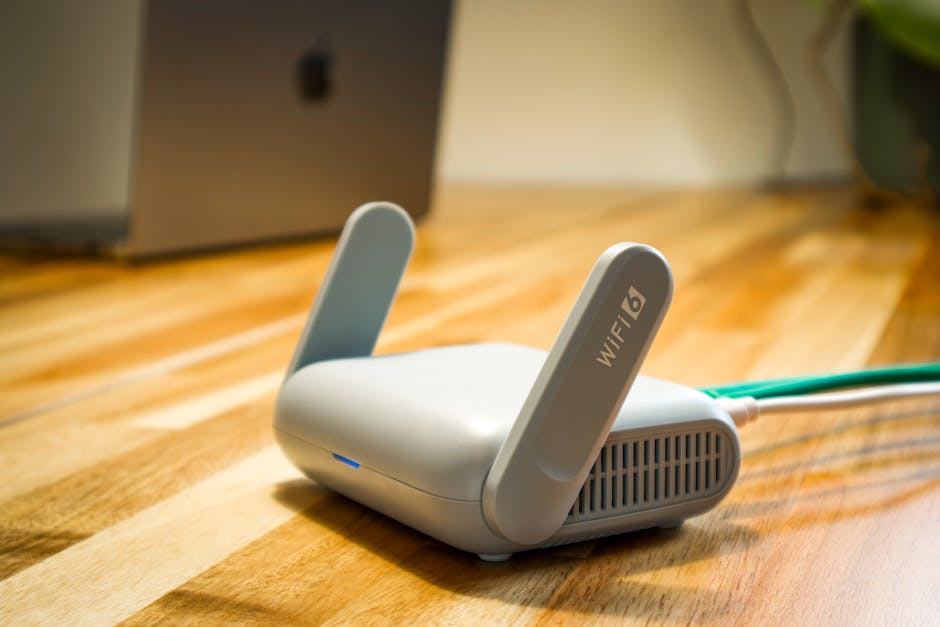
    Wi-Fi router on a home office desk
    Photo by Pascal 📷 on Pexels

    First, what is a Wi-Fi router? It’s the box that connects your devices to each other and to your internet connection over Wi-Fi. Wi-Fi 7 is the generation of that wireless connection. Per the Wi-Fi Alliance, Wi-Fi 7 was introduced in 2024 and improves performance across the 2.4 GHz, 5 GHz, and 6 GHz bands.

    So what is a Wi-Fi router and modem, then? They do different jobs. The source documentation covers Wi-Fi capabilities. It says nothing about modem functions, provider certification, or Spectrum’s hardware policies. That means the “Wi-Fi 7” label doesn’t settle the “wifi 7 router modem combo” question. It tells you about Wi-Fi capability. It doesn’t tell you whether a device can work as the modem for a particular U.S. cable provider.

    For a U.S. household, that leaves a simple split. First, figure out which equipment provides the internet connection. Then check whether the router and your devices can use the Wi-Fi bands and features on offer. A Wi-Fi 7 badge is not a provider-approval badge. That’s obvious once you say it, but it’s exactly where shopping-cart logic tends to fall apart.

    Spec Teardown

    Specification What official documentation says Figures / numbers
    Generation Wi-Fi CERTIFIED 7 was introduced in 2024. 2024
    Supported bands Wi-Fi 7 improves performance across the 2.4 GHz, 5 GHz, and 6 GHz bands. 2.4 GHz; 5 GHz; 6 GHz
    Wide channels 320 MHz channels are available in the 6 GHz band. 320 MHz; 6 GHz
    Throughput Those 320 MHz channels provide twice the throughput of Wi-Fi 6, enabling multigigabit device speeds. Twice Wi-Fi 6
    Modulation 4K QAM delivers 20% higher transmission rates than Wi-Fi 6’s 1024 QAM. 4K QAM; 20%; 1024 QAM
    Named use cases AR/VR/XR, immersive 3D training, and ultra-high-definition video streaming. 3D

    Here’s the useful part of that table. Wi-Fi 7 adds tools for capacity, and they matter most when your local wireless network is the bottleneck. Think lots of active devices, demanding wireless apps, or newer gear that can actually reach the 6 GHz band. The Wi-Fi Alliance specifically promises higher throughput, lower latency, and greater reliability for demanding applications.

    The less useful reading is “Wi-Fi 7 makes every internet plan faster.” The documentation never says that. Features like 320 MHz channels and 4K QAM depend on a compatible Wi-Fi environment. They don’t guarantee a result on every device, in every room, or over every provider connection.

    What the Specs Confirm, and What They Don’t

    Home devices connected to a wireless network
    Photo by Jakub Zerdzicki on Pexels
    What the specs confirm What the specs don’t tell you
    Wi-Fi 7 operates across 2.4 GHz, 5 GHz, and 6 GHz. Whether a given Spectrum setup supports a particular router or modem arrangement.
    320 MHz channels are available in the 6 GHz band. Whether your phone, laptop, or streaming box can use those channels.
    4K QAM gives 20% higher transmission rates than Wi-Fi 6’s 1024 QAM. What rate you’ll actually see in a real room or on your internet plan.
    Wi-Fi 7 targets demanding apps such as ultra-high-definition streaming and AR/VR/XR. Whether any specific app will perform better in your home.

    The no-nonsense version: the specs set a ceiling on features, not a forecast for your living room. A new router may offer three bands on paper while an older phone, laptop, or smart-home gadget runs on a different band or an earlier Wi-Fi generation. The source documentation includes no device-compatibility list, so claiming a universal benefit would be fiction.

    As for “wifi 7 router scp”: that term doesn’t appear in the official Wi-Fi Alliance material, so don’t treat it as a Wi-Fi feature. Stick to the questions that matter. Which bands and Wi-Fi generation does the router support? What can your devices use? What does your internet provider’s setup require?

    How the Decision Flow Works

    Start by separating your internet access equipment from your local Wi-Fi. Then compare what the router offers with what your devices can actually use. The official documentation supports the Wi-Fi part of that chain. Provider approval and activation details have to come from the provider.

    Wi-Fi 7 router decision flowFlow diagram: Identify your internet equipment → Check router band support → Check each device’s Wi-Fi support → Weigh features against your needs. Note: Official Wi-Fi documentation describes capability, not Spectrum compatibility.Identify your internet equipmentCheck router band supportCheck each device’s Wi-Fi supportWeigh features against your needsOfficial Wi-Fi documentation describescapability, not Spectrum compatibility.
    Diagram: Wi-Fi 7 router decision flow. Drawn from the official sources linked in this article; it adds no new data.

    That order is deliberately boring, and boring keeps you from buying a headline feature before checking whether the rest of your setup can use it. If the draw is 6 GHz and 320 MHz channels, “does the router say Wi-Fi 7?” isn’t enough. You need to know whether your devices support those capabilities. The Wi-Fi Alliance overview doesn’t list qualifying devices, so check each device maker’s official specs rather than a retailer’s catch-all “compatible” line.

    Wi-Fi 7 Versus Earlier (and Later) Generations

    According to the Wi-Fi Alliance, Wi-Fi 6 arrived in 2018 with higher data rates, greater capacity, better performance in crowded places, and improved power efficiency. It also brought Wi-Fi into the 6 GHz band, alongside the 2.4 GHz and 5 GHz bands. Wi-Fi 5, introduced in 2014, offered higher capacity, better power management, lower latency, and multi-gigabit-per-second data rates.

    Two side notes from the same source. Wi-Fi HaLow, introduced in 2017, runs in sub-1 GHz spectrum for range of roughly 0.6 mile (1 km) and strong wall penetration. That’s a different tool from a home Wi-Fi 7 router. And the Alliance already describes Wi-Fi 8 as the next generation, focused on reliability. (So “newest” has a shelf life.)

    That’s the context that matters: “newest” isn’t the same as “necessary.” Wi-Fi 7’s documented advantages are real. But if your active devices don’t support them, the router still works as a router, just without every advertised benefit reaching every device. No brochure can negotiate around that.

    Keep / Skip / Wait

    If you’re deciding based on Spectrum modem approval or guaranteed speed gains, the official Wi-Fi documentation doesn’t settle either one. I’d confirm provider requirements and device support first.

    Verdict: Wait — The Wi-Fi 7 specs are strong, but they don’t confirm a Spectrum equipment match or a better result in your home.

    FAQ

    What is a WiFi 7 router?

    It’s a router that uses Wi-Fi 7 for local wireless networking. Per the Wi-Fi Alliance, Wi-Fi 7 improves performance across the 2.4 GHz, 5 GHz, and 6 GHz bands and supports 320 MHz channels in 6 GHz.

    Is a WiFi 7 router the same as a modem?

    The Wi-Fi 7 documentation doesn’t answer that. Wi-Fi 7 describes wireless networking features. It doesn’t cover modem functions, Spectrum approval, or whether any router can replace your modem.

    What is a WiFi router and how does it work at home?

    A router gives your devices a local network connection over Wi-Fi. With Wi-Fi 7, compatible devices can use the 2.4 GHz, 5 GHz, or 6 GHz bands. Real performance depends on your whole setup, and the official material doesn’t promise any specific household result.

    Does Wi-Fi 7 make Spectrum internet faster?

    Not necessarily. The Wi-Fi Alliance describes higher throughput, lower latency, and greater reliability at the Wi-Fi layer. It doesn’t promise a particular internet speed, provider compatibility, or performance outcome.


    This article was written by the site’s author with the assistance of AI tools, and reviewed before publication.

  • Treasury Yields Today: 10-Year, 2-Year and Fed Funds

    At a glance

    • The data: FRED’s latest readings put the longer-maturity Treasury yield at 5.27% and the shorter-maturity yield at 4.79%.
    • What moved: Both Treasury yields rose from their month-earlier readings of 4.78% and 4.37%.
    • What it means: Both Treasury yields sat above the 3.88% effective federal funds rate on the same date.

    When you check treasury yields today, what are those numbers actually telling you? The latest 10-Year Treasury constant maturity yield was 5.27% on October 6, 2026. It was 4.78% on September 4, 2026, and 4.18% on October 6, 2025. A Treasury yield is the yield the market sets on U.S. government debt at a given maturity. It is not the same thing as the Federal Reserve’s policy-rate reference.

    5.284.01 Oct 7, 2024Oct 6, 2026
    10-Year Treasury constant maturity yield (%). Latest: 5.27 on Oct 6, 2026. Source: FRED, series DGS10 (Federal Reserve Bank of St. Louis), retrieved October 8, 2026.

    The 2-Year Treasury constant maturity yield was 4.79% on October 6, 2026. It was 4.37% on September 4, 2026, and 3.6% on October 6, 2025. The effective federal funds rate was 3.88% on October 6, 2026. It was 3.63% on September 6, 2026, and 4.09% on October 6, 2025.

    Most searches for “treasury yields today,” “treasury yields 10 year” and “what is government bond yields” come back to these figures. The main point is narrow but useful. In the latest observations, both Treasury maturities stood above the effective federal funds rate.

    What treasury yields today actually measure

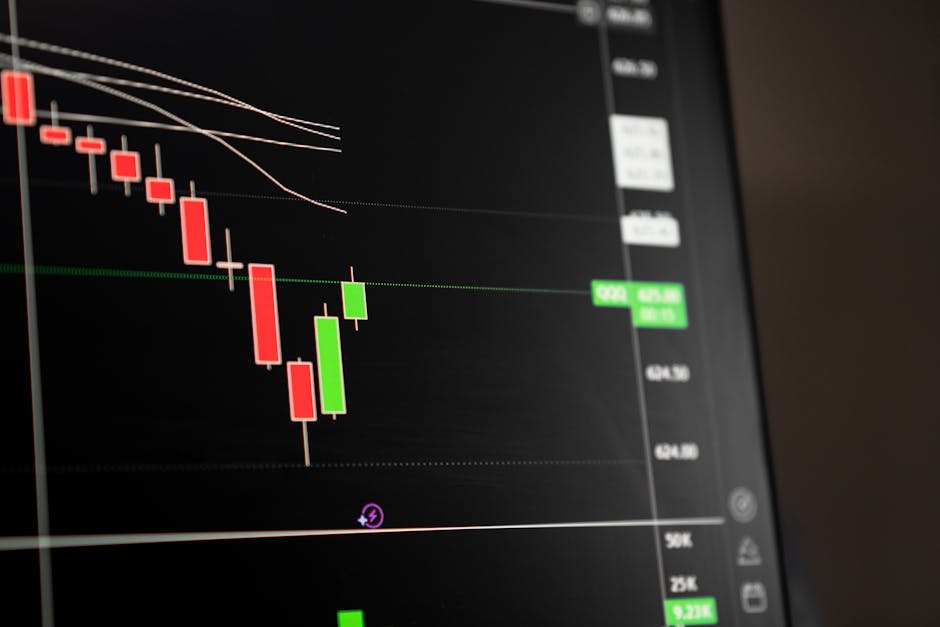
    U.S. Treasury market yields shown on a financial data display
    Photo by Alex Luna on Pexels

    Treasury yields are market yields on U.S. government debt at different maturities. The two FRED series here are constant-maturity yields, one shorter (2-year) and one longer (10-year). The effective federal funds rate is a separate series that FRED publishes on its own.

    For a quick benchmark, people usually mean the 10-year figure. On October 6, 2026, that benchmark was 5.27%. A single reading can’t tell you why the yield is at that level, whether it will stay there or what a future Treasury auction will produce.

    Comparing across time and maturities tells you more. The 10-year yield rose from 4.78% on September 4, 2026, to 5.27% on October 6, 2026. Over the same observation dates, the 2-year yield rose from 4.37% to 4.79%. The effective federal funds rate also rose from its month-earlier reading, from 3.63% on September 6, 2026, to 3.88% on October 6, 2026.

    The year-earlier view is less uniform. Both Treasury yields were higher than on October 6, 2025: the 10-year was up from 4.18% and the 2-year from 3.6%. The effective federal funds rate was lower than its year-earlier reading of 4.09%. If you only looked at the policy-rate series over that year, you would miss that Treasury yields moved the other way.

    Note that the month-earlier dates are not identical across series. The Treasury readings come from September 4, 2026, and the federal funds reading from September 6, 2026. If you line them up yourself on FRED, use the dates each series actually reports rather than assuming a shared calendar.

    Treasury yields vs. rates: the distinction that matters

    The difference between “treasury yields vs rates” can sound like wordplay, but the data shows it isn’t. Treasury yields are quoted at different maturities, and the effective federal funds rate is its own series. On October 6, 2026, the 10-year Treasury yield was 5.27%, the 2-year Treasury yield was 4.79% and the effective federal funds rate was 3.88%.

    If Treasury yields are above the effective federal funds rate, then the market is quoting higher yields on those Treasury maturities than the policy-rate reference. That observation alone doesn’t explain why. It doesn’t settle future Fed decisions, future inflation readings, future borrowing costs or the path of any single Treasury security.

    The latest data also shows a gap between the two maturities: the 10-year yield was above the 2-year yield on October 6, 2026. If you’re looking for the highest Treasury yields among these series, the 10-year was the higher of the two on that date. That comparison covers only these series. It says nothing about every Treasury maturity or every government security.

    The chain the data can support is modest. The policy-rate reference and Treasury yields are separate observations that can sit at different levels. Over the past year, they even moved in different directions. The data doesn’t support a rule that one must move by a fixed amount when the other changes.

    Policy-rate reference vs. Treasury yields: separate seriesFlow diagram: Effective federal funds rate: 3.88% → Shorter-maturity Treasury yield: 4.79% → Longer-maturity Treasury yield: 5.27%. Note: Separate series at different levels on the latest date; the data shows no fixed linkEffective federal funds rate: 3.88%Shorter-maturity Treasury yield: 4.79%Longer-maturity Treasury yield: 5.27%Separate series at different levels on thelatest date; the data shows no fixed link
    Diagram: Policy-rate reference vs. Treasury yields: separate series. Drawn from the official sources linked in this article; it adds no new data.

    What the data says—and what it does not say

    Printed government bond certificate beside interest-rate charts
    Photo by RDNE Stock project on Pexels
    What the data says What it does not say
    The 10-year Treasury yield was 5.27% on October 6, 2026, higher than 4.78% on September 4, 2026. Why the 10-year yield rose or how long that move will last.
    The 2-year Treasury yield was 4.79% on October 6, 2026, while the effective federal funds rate was 3.88% on the same date. That the Federal Reserve will take any particular action.
    The 10-year yield was above the 2-year yield on October 6, 2026. That every Treasury maturity had the same relationship.
    The effective federal funds rate was 3.88% on October 6, 2026, below 4.09% on October 6, 2025, while both Treasury yields were higher than a year earlier. That Treasury yields must follow the federal funds rate in direction or by a fixed amount.

    How to read treasury yields after a bond auction

    People searching “treasury yields after bond auction” usually want a direct read on a market move. These series don’t include auction results, bidding details, issuance amounts or auction-specific yields. So they can’t show how any auction affected Treasury yields.

    They can show the broader comparison. The 10-year Treasury yield was 5.27% on October 6, 2026, up from 4.78% on September 4, 2026. The 2-year yield was 4.79%, up from 4.37% on September 4, 2026. If an auction is in the day’s market news, these series are still useful reference points. Without auction data, though, they don’t prove what the auction did.

    Three ways to frame the current readings

    Scenario What it assumes What you’d see in the data
    Bull The latest rise in the listed Treasury yields does not persist. Later observations would show the 10-year or 2-year yield below the October 6, 2026, readings.
    Bear The latest rise in the listed Treasury yields continues. Later observations would show the 10-year or 2-year yield above the October 6, 2026, readings.
    Base The listed yields stay near their latest observations without a clear direction. Later observations would stay near 5.27% for the 10-year and 4.79% for the 2-year.

    These scenarios are ways to watch the data, not price or return forecasts. They keep the question specific: if the data changes, what would look different from the latest reading? That answer is more useful than building a big story around one trading period.

    What would change my mind

    I’d revise this description if later readings changed how the series line up. If the 10-year yield moved below the 2-year yield, then the current maturity comparison would no longer apply. If either Treasury yield fell below the effective federal funds rate, then the comparison with the 3.88% reading would no longer hold.

    Better evidence on the specific question would also change my view. Conclusions about an auction need auction data. A claim about all Treasury maturities needs more than the 2-year and 10-year series. Explaining a move needs evidence beyond the levels and dates reported here. Until then, I’d treat these readings as a snapshot of levels, not a verdict on where rates are headed.

    FAQ

    What are treasury yields today?

    In the latest FRED data, the 10-year Treasury yield was 5.27% and the 2-year Treasury yield was 4.79%, both on October 6, 2026. These are market yields on Treasury securities at those maturities.

    What is the 10-year Treasury yield today?

    The latest 10-year Treasury yield was 5.27% on October 6, 2026. It was 4.78% on September 4, 2026, and 4.18% on October 6, 2025.

    Are Treasury yields the same as the federal funds rate?

    No. FRED publishes them as separate series. On October 6, 2026, the 10-year Treasury yield was 5.27%, the 2-year Treasury yield was 4.79% and the effective federal funds rate was 3.88%.

    Which listed Treasury yield was higher?

    Of the two Treasury series, the 10-year yield was higher on October 6, 2026: 5.27%, compared with 4.79% for the 2-year yield.

    Related on Longview Desk


    Not investment advice: This article describes public economic data for general education. It is not a recommendation to buy, sell, or hold any security or asset, and it does not forecast prices or returns. Past data does not predict future results, and investing involves risk, including loss of principal.

    This article was written by the site’s author with the assistance of AI tools, and reviewed before publication.
  • Is There a Limit on HSA Contributions? Reset for 2026

    At a glance

    • The number: For calendar year 2026, the self-only HSA limit is $4,400.
    • What changed: The self-only figure rose from $4,300 for 2025 to $4,400.
    • What to do: Reset your payroll election to the new figure and count deposits to every HSA.

    Is there a limit on HSA contributions, and does last year’s number still work for your 2026 paychecks? Yes, there’s a limit. No, last year’s number doesn’t carry over. The IRS sets HSA contribution limits each year. A payroll election you set once and forgot will not update itself. Payroll systems are loyal like that. Loyal to the wrong year.

    For calendar year 2026, the IRS annual limitation for someone with self-only coverage under a high-deductible health plan is $4,400. That answers the question “what is HSA maximum contribution for 2026?” if you have self-only coverage.

    The 2025 self-only figure was $4,300, according to IRS Publication 969. The difference is $100. It’s small. It’s also easy to leave on the table, year after year, because nobody changed one box on a benefits form.

    What the HSA limit means

    Person updating a paycheck budget at a kitchen table
    Photo by Leeloo The First on Pexels

    An HSA contribution limit is the most that can go into your HSA for a tax year. Your exact number depends on your coverage and eligibility. The IRS publishes new inflation-adjusted amounts, so the limit can change from one year to the next.

    The 2026 amounts come from Internal Revenue Bulletin 2025-21. It covers HSAs under § 223 of the Internal Revenue Code. It sets the 2026 self-only deduction limit at $4,400.

    The limit is per person, not per account. Publication 969 says that if you have more than one HSA, your total contributions to all of them can’t be more than the limit. A new job and a new HSA provider don’t come with a fresh cap. Your old account still counts.

    Coverage matters too. Publication 969 gives a 2025 family limit of $8,550. It also says that if you are 55 or older at the end of your tax year, your limit goes up by $1,000. For 2025, that made a self-only limit of $5,300. The pack’s 2026 bulletin excerpt states only the self-only figure. If you have family coverage or are 55 or older, check the IRS guidance for your 2026 number.

    The 1% Fix

    One habit: once a year, when the new IRS figure for your coverage comes out, reset your HSA payroll election to match it.

    That’s it. No new account. No new app. Just one form, once a year.

    Here’s why it helps. Many people set a per-paycheck amount once and never look at it again. When the limit rises, you leave unused room. When your situation changes, you can go over without noticing. A yearly reset catches both.

    Tie the reset to something you already do. Open enrollment works. So does your first paycheck of the year. Pick one and stick with it. You aren’t trying to love your benefits portal. You just need to visit it on purpose once a year.

    The steps go like this. Confirm your coverage type. Look up the IRS figure for that year. Add up what’s going into every HSA you hold. Then set payroll so the total stays at or under the cap.

    Resetting your HSA deposits for a new tax yearFlow diagram: Check your HDHP coverage type → Find the new IRS figure for the year → Add up deposits to every HSA you hold → Reset payroll so the total stays under the cap. Note: Total contributions to all your HSAs share one limit.Check your HDHP coverage typeFind the new IRS figure for the yearAdd up deposits to every HSA you holdReset payroll so the total stays underthe capTotal contributions to all your HSAs share onelimit.
    Diagram: Resetting your HSA deposits for a new tax year. Drawn from the official sources linked in this article; it adds no new data.

    A worked illustration in USD

    Health savings account statement next to a notebook and pen
    Photo by Atlantic Ambience on Pexels

    Illustration only. Assumptions: you have self-only high-deductible health plan coverage for all of both years. You’re paid 24 times a year. Your employer deposits $1,000 into your HSA each year. That amount is invented for this example, and the example assumes employer deposits count toward the same limit. Confirm how your employer’s money is treated in Publication 969. This table isn’t a ruling on your eligibility or your personal limit.

    Item 2025 (Publication 969) 2026 (IRB 2025-21)
    Self-only limit $4,300 $4,400
    Illustrative employer deposits (assumed) $1,000 $1,000
    Room left for your contributions $3,300 $3,400
    Per paycheck, 24 paychecks $137.50 $141.67
    Unused room if you keep the 2025 election in 2026 n/a $100

    The numbers are modest. That’s the point. The habit isn’t about a windfall. It’s about making your election match the year you’re actually in. A $4.17 change per paycheck is easy to miss and also easy to fix.

    The opposite mistake matters too. If you open a second HSA partway through the year, that money joins the same running total. Publication 969 explains that contributions above the limit count as excess contributions. Nobody wants that surprise when the tax forms show up.

    When this approach fits

    A yearly reset works best when your situation is stable and your only real change is the IRS figure. It needs more care when your coverage, your age bracket, or your number of accounts changes during the year.

    This fits if Think twice if
    You have self-only high-deductible health plan coverage for all of 2026 and want to use the $4,400 figure. Your coverage changed during the year. Publication 969 shows how a limit can be prorated, for example $2,650 ($5,300 × 6 ÷ 12).
    You can add up deposits to every HSA you hold. You assume each HSA gets its own separate limit. Publication 969 says total contributions to all HSAs share one limit.
    You’re setting payroll for the 2026 tax year. You’re reviewing a 2025 contribution. Use the 2025 figures in Publication 969 instead.
    You’re under 55 at the end of the tax year. You’re 55 or older. Publication 969 describes a $1,000 additional contribution, so check the IRS guidance for your figure.

    One more mix-up to avoid: not every health account follows the HSA cap. Publication 969 lists a separate 2025 limit of $3,300 for health FSA salary reductions. The 2026 bulletin also sets $2,200 as the most that can be made newly available for an excepted benefit HRA. Those are different accounts with different rules. Don’t add them to your HSA total, and don’t use them as your HSA limit.

    Checklist

    • Confirm your coverage type for the year: self-only, family, or a change during the year.
    • Use $4,400 only for calendar year 2026 self-only coverage, and $4,300 only for 2025 self-only coverage.
    • Add up deposits to every HSA you hold, including any account from an old job.
    • Reset your payroll election once a year so your total lands at or under the new cap.
    • If you’re 55 or older, or your coverage changed partway through the year, check Publication 969 before you settle on a number.
    • Keep FSA and HRA amounts out of your HSA total.

    Why the year matters

    HSA contribution limits are tied to a tax year. The 2026 bulletin gives the new inflation-adjusted amounts. Publication 969 (2025) covers 2025. Both are official. They answer different questions.

    If you’re planning 2026 payroll with self-only coverage, start at $4,400. If you’re cleaning up a 2025 contribution, use $4,300 and the 2025 rules. Mixing them up is like using last year’s calendar. Dates mostly line up, until they don’t.

    Keep a short note each year: the limit, your coverage, and your per-paycheck amount. It’ll be dull. Dull notes are good notes.

    FAQ

    Is there a limit on HSA contributions?

    Yes. The IRS sets an annual limit. For calendar year 2026, the limit for someone with self-only high-deductible health plan coverage is $4,400.

    What is the HSA maximum contribution for 2026?

    For self-only coverage, it’s $4,400, according to Internal Revenue Bulletin 2025-21. If you have family coverage or are 55 or older, check the IRS guidance for your figure.

    What is the HSA maximum contribution for 2025?

    Publication 969 lists $4,300 for self-only coverage and $8,550 for family coverage. If you were 55 or older at the end of the tax year, the limit was $1,000 higher.

    What if you have more than one HSA?

    Your contributions to all of them count toward one limit. Add the deposits together before you add more.

    Related on Longview Desk


    Not financial advice: This article is general education about personal finance and does not consider your income, taxes, debts, or goals. Limits, rates, and rules change; confirm current figures with the official sources linked above, or talk with a qualified tax or financial professional, before you act.

    This article was written by the site’s author with the assistance of AI tools, and reviewed before publication.
  • Hyde Park NY Bed and Breakfast: Plan an Unhurried Stay

    At a glance

    • Where: Hyde Park is a Hudson Valley town about a 1.5 hour drive from New York City.
    • Why go: The town is the birthplace of Franklin D. Roosevelt and home to a national historic site.
    • What to plan: Check the National Park Service park map and visit information before you arrive.

    Could a Hyde Park NY bed and breakfast stay be the quiet Hudson Valley pause you want after leaving New York City? When people search that phrase, they are usually looking for a place to sleep near Hyde Park, New York, close to the historic sites, gardens, museums and food stops of the wider Hudson Valley. Our sources don’t list individual inns, rates or amenities. So the useful answer is simpler: pick lodging that leaves room for an unhurried day centered on the Home of Franklin D. Roosevelt National Historic Site, then confirm current details directly with the property you’re considering.

    Hyde Park sits in Roosevelt country, where a small town casts a long historical shadow. The National Park Service describes the surrounding Hudson Valley National Heritage Area as a region of museums, historic houses, gardens, nature preserves and “culinary adventures.” A bed-and-breakfast-style stay makes sense if you don’t want a packed itinerary. It gives you a base for exploring at your own pace.

    What a Hyde Park NY Bed and Breakfast Search Means

    Historic estate grounds near Hyde Park in the Hudson Valley
    Photo by Marije Kouyzer on Pexels

    When you type “hyde park ny bed and breakfast,” you’re likely looking for more than a room. You may be comparing Hyde Park NY hotels and inns or checking how close a place is to the Roosevelt site. You may also be checking whether a search for “Hyde Park NYC” is actually pointing you to this Hudson Valley town. It isn’t in the city: the National Park Service places the site midway between New York City and Albany.

    The National Park Service lists the historic site at 4097 Albany Post Rd, Hyde Park, NY 12538. That answers a common question: what is the Hyde Park NY ZIP code for the area’s main visitor destination? It’s 12538.

    The official sources don’t include a list of places to stay. So don’t assume that a particular inn is open, serves breakfast, allows a certain arrival time or charges a particular price. Treat your lodging search as the evening end of a day spent outdoors and in historic places. Then confirm the details that matter most to you with the property itself: availability, accessibility, meals, parking and cancellation terms.

    One Slow Day in Hyde Park

    Morning: leave New York City without racing the clock

    You leave New York City early and watch the city thin out into the Hudson Valley. The National Park Service directions place the Roosevelt National Historic Site midway between New York City and Albany, about a 1.5 hour drive from either direction. That makes Hyde Park a realistic slow-road destination for an overnight stay or a deliberately early start.

    The last stretch gives you a simple landmark. The same NPS page puts the site approximately 5 miles (8 km) north of Poughkeepsie along Route 9. Once you pass Poughkeepsie, you know you’re close, and the pace of the day can drop a gear. The directions page doesn’t give a mileage figure from New York City, so plan around the drive time rather than an assumed distance.

    As you get closer, resist the urge to turn the day into a checklist. The National Park Service itself calls Hyde Park a small town, and the region around it gives you room to choose how much history, walking, garden time or sitting still belongs in your day.

    Midday: get your bearings at the Roosevelt site

    Make the Home of Franklin D. Roosevelt National Historic Site the center of your day. This is the birthplace of Franklin D. Roosevelt. The National Park Service suggests looking at its online park map before you arrive. Pull it up before you set out or while you’re parked, and use it to plan a manageable visit instead of improvising every turn.

    The park’s planning page also covers the national parks and the presidential library in Hyde Park, and it asks visitors to follow park policies to keep the grounds clean and safe. Read those before you walk in, so you can spend your time looking around instead of guessing.

    Keep the address handy: 4097 Albany Post Rd, Hyde Park, NY 12538. It helps you tell the town apart from the wider Hudson Valley when you check directions, message a lodging host or work out how much time you have before dinner.

    Afternoon: explore a little farther, slowly

    After your time at the historic site, keep the afternoon loose. The National Park Service points beyond Hyde Park to museums, historic houses, gardens, nature preserves and food stops in the Hudson Valley National Heritage Area. Take that as an invitation to choose a single extra interest rather than chase every category.

    Maybe you spend more time with the park map and the setting. Maybe you treat Hyde Park as a pause between bigger destinations. The appeal is permission to leave some of the day open: a window seat, an unhurried drive, a long talk over dinner or an early return to where you’re staying.

    A slow day from New York City to Hyde ParkFlow diagram: Leave New York City for about a 1.5 hour drive north → Roosevelt National Historic Site in Hyde Park → Afternoon Hudson Valley stop: a garden, museum or preserve → Evening at your Hyde Park lodging. Note: The site is about 5 miles north of Poughkeepsie, midway between New York City and Albany.Leave New York City for about a 1.5 hourdrive northRoosevelt National Historic Site in HydeParkAfternoon Hudson Valley stop: a garden,museum or preserveEvening at your Hyde Park lodgingThe site is about 5 miles north ofPoughkeepsie, midway between New York City andAlbany.
    Diagram: A slow day from New York City to Hyde Park. Drawn from the official sources linked in this article; it adds no new data.

    Evening: make lodging the last stop, not an afterthought

    By evening, your Hyde Park NY bed and breakfast search is less about the label and more about how you want the day to end. Staying in or near town turns the visit into an overnight trip instead of a long drive home. If you’re comparing Hyde Park NY hotels and inns, use the Roosevelt site address and the day’s route as reference points, then confirm each property’s current details directly.

    For errands, some visitors search “Hyde Park NY Stop and Shop.” The official sources here don’t confirm a store location, hours or services, so don’t build your schedule around a stop you haven’t checked. Rely on the NPS visitor information and the site address.

    Is This Slow Road a Good Fit?

    A quiet Hudson Valley road near Hyde Park New York
    Photo by Veronika Bykovich on Pexels
    Good fit if Maybe skip if
    You want a Hudson Valley base near the birthplace of Franklin D. Roosevelt. You expect an official source to compare lodging prices, amenities or availability for you.
    You like a day shaped by historic houses, gardens, museums or nature preserves. You want a tightly scheduled visit with every local stop picked in advance.
    You’re coming from New York City and don’t mind a drive of about 1.5 hours. You’d rather not drive from New York City.

    Practical Details Before You Book

    Practical box

    • Getting there: The National Park Service directions page puts the Roosevelt site midway between New York City and Albany, about a 1.5 hour drive from either direction. It’s about 5 miles (8 km) north of Poughkeepsie along Route 9.
    • Cost: The National Park Service visit page doesn’t list lodging prices or other costs, and they vary. Confirm costs directly before you book.
    • Season: Check the official visit page and online park map before you arrive for current planning information, since conditions can change.

    FAQ

    What is Hyde Park NY known for?

    Hyde Park is the birthplace of Franklin D. Roosevelt and home to the Home of Franklin D. Roosevelt National Historic Site. The National Park Service also places it in a Hudson Valley region of museums, historic houses, gardens, nature preserves and food stops.

    What is Hyde Park NY zip code?

    The National Park Service lists the Home of Franklin D. Roosevelt National Historic Site at 4097 Albany Post Rd, Hyde Park, NY 12538. For a lodging reservation or another stop, confirm that place’s own address and ZIP code directly.

    How far is Hyde Park from New York City?

    The National Park Service says the Roosevelt National Historic Site is midway between New York City and Albany, about a 1.5 hour drive from either direction. The official directions page doesn’t give a mileage figure from New York City. It does place the site about 5 miles (8 km) north of Poughkeepsie.

    Does the National Park Service list Hyde Park NY hotels and inns?

    Not in the official pages used for this guide. Use the NPS pages to plan the historic-site part of your trip, and confirm lodging details directly with the place you’re considering.

    Related on Longview Desk


    This article was written by the site’s author with the assistance of AI tools, and reviewed before publication.
  • What Is Resistance Training for Beginners? A 4-Week Start

    At a glance

    • The plan: Do muscle-strengthening activity on at least 2 days each week.
    • What’s new: Research compares different loads, sets, and training frequencies instead of naming one required method.
    • This week: Work your legs, hips, back, abdomen, chest, shoulders, and arms with simple moves.

    Could 2 short strength sessions a week be enough to start a resistance habit? Here is what resistance training for beginners means: muscle-strengthening activity where your muscles work against resistance. That resistance can be your body weight, a band, dumbbells, or a machine. The goal is simple. Choose moves you can manage, keep your form controlled, and do them regularly. Repetition over perfection gives a new routine time to feel familiar.

    So what is weight training for beginners? It is one kind of resistance training, the kind that uses weights. You do not need weights to begin, though. A wall push-up, a chair sit-to-stand, and a band row all count as resistance exercise. The Centers for Disease Control and Prevention says adults need muscle-strengthening activity on at least 2 days a week. That activity should work all major muscle groups: legs, hips, back, abdomen, chest, shoulders, and arms.

    Start with the idea, not the equipment

    Beginner using a resistance band for a home workout
    Photo by Pavel Danilyuk on Pexels

    For a beginner, resistance training is less about finding the “best” tool and more about matching a move to what you can do right now. Pick a version that lets you move steadily and stay balanced. Stop before your form gets hard to control. The research summarized below compares different loads, sets, and frequencies. It does not name one required beginner method.

    • Resistance: Anything that makes a muscle work, including your body weight, a band, a dumbbell, or a machine.
    • Repetition (rep): One complete movement, such as standing up from a chair and sitting back down.
    • Set: A group of reps of the same movement.
    • Major muscle groups: Legs, hips, back, abdomen, chest, shoulders, and arms.

    Use the CDC’s adult activity guidance as your broad target: muscle-strengthening activity on 2 or more days a week that works all major muscle groups. The Physical Activity Guidelines for Americans are the federal resource behind the national physical activity recommendations. Health professionals and policymakers use them to help people make activity part of their regular routine.

    How to start resistance training for beginners

    Begin with a short circuit of familiar patterns: sit and stand, push, pull, hinge, and brace. Save complicated variations for later. Plan each session so it is easy to repeat in a living room, an apartment gym, or a fitness center.

    1. Pick your spot. Clear enough space to move without tripping.
    2. Pick your resistance. Start with body weight, a band, a light dumbbell, or a machine setting you can control.
    3. Practice slowly. Move slowly enough to notice your posture and balance.
    4. Cover your whole body over the week. Include moves for your legs, hips, back, abdomen, chest, shoulders, and arms.
    5. Repeat the routine. Keep the same core moves long enough to learn them.

    Here is a rule I like: make a move easier before you make it harder. For example, do push-ups with your hands on a wall instead of forcing a floor push-up. That is not settling. It is a practical way to build a routine you will come back to.

    Core beginner movements

    Adult practicing dumbbell strength training with controlled form
    Photo by Anna Shvets on Pexels
    Movement Muscles worked How to start Substitute move
    Chair sit-to-stand Legs and hips Stand up from a stable chair. Sit back down with control. Use a higher chair, or hold a counter for support.
    Wall push-up Chest, shoulders, and arms Put your hands on a wall and press away. Do a countertop push-up.
    Band row Back and arms Pull a secured band toward your torso with control. Use a seated machine row.
    Hip hinge Hips, legs, and back Push your hips back and keep the movement controlled. Practice the pattern with your hands on a counter.
    Standing abdominal brace Abdomen Stand tall and gently tighten your midsection. Do a seated abdominal brace.

    Keep the list short. You do not need a separate exercise for every muscle. What matters is a week that covers the major muscle groups named in CDC guidance, using moves you can do and repeat.

    A sample session

    • Warm up. Walk around the house or march in place until you feel ready to move.
    • Run the circuit. Do each of the five moves for a few controlled reps.
    • Rest as needed. Take a break between moves whenever your form starts to slip.
    • Write it down. Note which version of each move you used, so next time starts from the same place.

    4-Week Plan

    Week Focus Do this If a move doesn’t fit
    Week 1 Learn the patterns Practice the chair sit-to-stand, wall push-up, band row, hip hinge, and standing abdominal brace on 2 days this week. Use the substitute move from the core table.
    Week 2 Repeat the routine Keep the same moves. Focus on a controlled range of motion. Lower the resistance or add more support.
    Week 3 Build familiarity Keep covering legs, hips, back, abdomen, chest, shoulders, and arms. Choose body-weight or machine versions as needed.
    Week 4 Make it regular Keep muscle-strengthening activity on 2 or more days. Note which moves are easiest to repeat. Keep whichever version lets you move with control.

    This plan starts slowly on purpose. It does not ask for a maximal lift, a complicated split routine, or training until you cannot do another rep. The core habit is showing up for muscle-strengthening activity and covering the major muscle groups over the week.

    Beginner resistance training: Week 1 to Week 4Flow diagram: Week 1: learn the patterns for major muscle groups → Week 2: repeat the same routine with control → Week 3: keep covering legs, hips, back, abdomen, chest → Week 4: muscle-strengthening on 2 or more days a week. Note: Based on CDC adult guidance: muscle-strengthening activity that works all major muscle groups.Week 1: learn the patterns for majormuscle groupsWeek 2: repeat the same routine withcontrolWeek 3: keep covering legs, hips, back,abdomen, chestWeek 4: muscle-strengthening on 2 ormore days a weekBased on CDC adult guidance:muscle-strengthening activity that works allmajor muscle groups.
    Diagram: Beginner resistance training: Week 1 to Week 4. Drawn from the official sources linked in this article; it adds no new data.

    What the research supports, and what it cannot promise

    What the research supports What it does not show
    Research has compared resistance-training prescriptions that differ in load, sets, and frequency among healthy adults. It does not set one required load, set count, or frequency for every beginner.
    Research has compared training to muscular failure with non-failure training for strength and hypertrophy. It does not mean a beginner must train to failure to start resistance exercise.
    Research has compared low-load and high-load resistance-training protocols. It does not make any particular piece of equipment necessary for a beginner routine.

    One systematic review and Bayesian network meta-analysis looked at how combinations of load, sets, and frequency affect muscle strength and hypertrophy in healthy adults: Currier and colleagues, British Journal of Sports Medicine, PMID: 37414459. For a new exerciser, that range is reassuring. There is more than one reasonable way to organize resistance training.

    Another systematic review and meta-analysis compared training to repetition failure with non-failure training: Grgic and colleagues, Journal of Sport and Health Science, PMID: 33497853. It is a useful reminder that effort does not mean pushing every set to the limit. Start with controlled reps and a version of each move you can repeat.

    A third systematic review and meta-analysis compared low-load with high-load protocols: Schoenfeld and colleagues, Journal of Strength and Conditioning Research, PMID: 28834797. Equipment affects convenience. It does not have to stand between you and learning the basic patterns.

    If you’re short on time, I’d keep just the two most comfortable moves on a busy day rather than skip the session entirely. Showing up for a short session still keeps the habit going.

    Who should check with a clinician first

    Check with a clinician before you start if you have a health condition, a recent injury, pain that changes how you move, or any concern about beginning physical activity. If a move causes pain or makes you feel unwell, stop it. Use a more comfortable substitute until you can get individualized guidance.

    FAQ

    What is resistance exercise for beginners?

    It is beginner-friendly movement that makes your muscles work against resistance. Body weight, resistance bands, dumbbells, and machines can all provide that resistance. Start with stable, controlled moves that, across the week, work all the major muscle groups.

    How do I start weight training at home as a beginner?

    Start with body-weight moves such as chair sit-to-stands and wall push-ups. Add a band row if you can secure the band safely. Keep the routine simple, use substitutes when you need them, and work toward muscle-strengthening activity on at least 2 days each week.

    Do beginners need heavy weights?

    No. The guidance in this article does not require any particular equipment. Research has compared both low-load and high-load approaches, and CDC guidance focuses on muscle-strengthening activity that works all major muscle groups. Choose a resistance you can move with control.

    Should a beginner train to failure?

    You don’t have to. Research has compared failure and non-failure approaches, but a practical first step is to stop while your form is still controlled. Build consistency first. Then reassess the move and the resistance as the routine becomes familiar.

    Related on Longview Desk


    Not medical advice: This routine is general exercise information, not a personalized program. Start gradually, stop if you feel chest pain, dizziness, or unusual shortness of breath, and check with your doctor or another qualified clinician first if you have a health condition or an injury, or are pregnant.

    This article was written by the site’s author with the assistance of AI tools, and reviewed before publication.

  • New Phone and Carrier: What to Ask Before You Port

    At a glance

    • What it is: Getting a new phone and carrier often means starting service with a new provider and porting your existing number.
    • What’s new: FCC rules require simple ports to be processed in one business day.
    • Who it is for: People changing providers in the same geographic area who want to keep their number.

    Getting a new phone and carrier at once, and wondering whether your old number can come along without a service gap? Usually it can. The Federal Communications Commission says that if you switch providers and stay in the same geographic area, you can keep your existing number. The process is called porting, and the order you do it in matters. The new company goes first and the old company goes last. This piece is based on specs and official documentation, mainly the FCC’s consumer guide on porting. No phone or carrier was tested for it.

    Carrier ads make switching sound like a big upgrade. In practice it’s a handoff between two companies (and it works as long as nobody cancels anything too early).

    Two Changes at Once: The Phone vs. the Number

    Smartphone showing a mobile carrier setup screen
    Photo by Matheus Bertelli on Pexels

    A new phone and carrier switch is really two separate projects that happen to land on the same day.

    • The device: the physical phone, whether it works on the new network, and how it gets activated.
    • The number: your existing number moving from the old provider to the new one.

    The FCC guidance covers the second project. It doesn’t cover the first. Nothing in the official documentation says a particular phone will work on a particular network, and that’s the gap carrier marketing likes to blur. Device compatibility, account requirements and activation steps are questions for the company taking over your service. The FCC sets the rules for the number.

    The FCC also says porting works between wireline, IP and wireless providers. That means a landline number or an internet-based phone number can move to a mobile carrier too, which matters if you’re folding a home line into a new cell plan.

    Spec Teardown

    Here’s what the FCC’s porting guidance actually commits to, broken out like a spec sheet. Every row comes from the same official source.

    Official documentation item What it says Figures / numbers
    FCC porting guide: starting the port Contact the new company to start porting, and give it your phone number plus any other information it requires. 10-digit phone number
    FCC porting guide: processing time FCC rules require simple ports to be processed in one business day. 1 business day (simple ports)
    FCC porting guide: what counts as “simple” Simple ports generally don’t involve more than one line or complex adjustments to telephone switching equipment. Not more than 1 line
    FCC porting guide: wireless-to-wireless timing When you move between wireless providers, you may be able to use your phone within a few hours. A few hours (may vary)
    FCC porting guide: emergency calling Before porting, ask the new company whether your 911 service will be affected during the process. 911 (ask first)
    FCC porting guide: unpaid bills Once you request service from a new company, the old company can’t refuse to port your number, even if you owe a balance or termination fee. No dollar amount specified

    The one-business-day rule is the strongest commitment in the table, and it only applies to simple ports. A family plan with several lines, or a setup that needs switching-equipment changes, may not qualify. If that describes you, don’t treat “one business day” as a deadline you can count on. Ask the new company what timeline applies to your account.

    The “few hours” figure is softer still. The FCC says you may be able to use your phone within that window. Treat it as possible, not promised.

    The unpaid-balance rule is also easy to misread. The old company can’t use the debt to block your port, but the debt doesn’t go away. You still owe the balance or termination fee. The old company just doesn’t get to hold your number hostage over it (which is a rule I like a lot).

    The Order of Operations

    Person moving a phone number to a new mobile carrier
    Photo by Monstera Production on Pexels

    The most important instruction in the FCC guidance: don’t cancel service with your current company before you start service with the new one. If you cancel first, the number you wanted to keep may not be there to port. Here’s the sequence the documentation supports. Contact the new company to start the port, give it your 10-digit number and anything else it asks for, ask about 911 service during the transfer, and only deal with the old account once the port is underway.

    Keeping your number with a new phone and carrierFlow diagram: Keep your current service active → Contact the new company to start the port → Give your 10-digit number and requested info → Ask whether 911 service is affected → Cancel old service only after the port. Note: FCC rules require simple ports to be processed in one business day.Keep your current service activeContact the new company to start theportGive your 10-digit number and requestedinfoAsk whether 911 service is affectedCancel old service only after the portFCC rules require simple ports to be processedin one business day.
    Diagram: Keeping your number with a new phone and carrier. Drawn from the official sources linked in this article; it adds no new data.

    Two more questions to ask the new company. First, long-distance: the FCC says your new wireless company will likely provide it, and tells you to verify that. “Likely” means you should check. Second, ask about the new phone itself. Will it work on their network, and how does activation work? The FCC guide doesn’t answer that, so get the answer from the carrier before you open the box.

    What the Specs Confirm and What They Don’t

    Here are the caveats from above in one place. The left column is what the FCC documentation actually says. The right column is what you’ll need to get from your new provider.

    What the specs confirm What the specs don’t tell you
    You can keep your number when you switch providers and stay in the same geographic area. Whether your new phone works with the new provider’s service.
    Simple ports must be processed in one business day. Whether your particular transfer counts as simple.
    Wireless-to-wireless changes may let you use your phone within a few hours. Exactly when your account will be active.
    The old company can’t refuse a port over an outstanding balance or termination fee. How that balance or fee will be settled.
    You should ask whether 911 service will be affected during porting. What will actually happen to 911 service during your transfer.
    Your new wireless company will likely provide long-distance service. Whether that holds for your specific plan.

    Reader scenarios

    • If you’re moving to a new geographic area: the FCC says you may not be able to keep your current number when you change providers. Check this before you count on keeping it.
    • If you’re moving a landline number to a cell phone: there may be a period when you have two phones with the same number. Ask the new wireless company whether you can keep using the landline during the one-day transfer.
    • If you still owe your old carrier: the balance can’t block the port once you’ve requested service from the new company. Plan to pay it separately.
    • If you’re moving several lines: that may not count as a simple port, so ask about timing up front.

    Keep / Skip / Wait

    The FCC rules are clear and work in your favor. You keep your number if you stay in the same area, simple ports have a one-business-day processing rule, and an unpaid bill can’t block the port. Only one step needs patience: canceling the old service. Leave it running until the new company has started the port and answered your questions about 911 service and whether your phone will work on its network.

    Verdict: Wait — the FCC says to start new service before you end the old one, so don’t cancel first.

    FAQ

    What does “new phone and carrier” mean for my number?

    It usually means getting a different phone and switching to a different service provider at the same time. The number part is called porting. The FCC says you can keep your existing number if you switch providers and stay in the same geographic area.

    Can I keep my number when I switch phone carrier?

    Generally, yes, if you stay in the same geographic area. According to the FCC, porting works between wireline, IP and wireless providers. If you’re moving to a new geographic area, you may not be able to keep your number.

    Should I cancel my old carrier before activating the new one?

    No. The FCC says not to end service with your current company before you start service with the new one. Contact the new company first and let it start the port.

    How long does a phone number transfer take?

    FCC rules require simple ports to be processed in one business day. Simple ports generally don’t involve more than one line or complex switching-equipment changes. If you’re moving between wireless providers, you may be able to use your phone within a few hours. More complex transfers can take longer, so ask your new provider.

    Related on Longview Desk


    This article was written by the site’s author with the assistance of AI tools, and reviewed before publication.

  • What Is CPI Inflation Today? Reading the Index vs. Rate

    At a glance

    • The data: BLS CPI-U was 334.98 in August 2026, up 3.4% from a year earlier.
    • What moved: The seasonally adjusted CPI-U rose from 332.813 in July 2026 to 334.131 in August 2026.
    • What it means: The CPI-U index level and its year-over-year change answer different parts of the inflation question.

    What is CPI inflation today, and what does the latest number actually tell you? The most recent broad U.S. consumer-price reading is the August 2026 CPI-U report. The Bureau of Labor Statistics reported a not-seasonally-adjusted U.S. city average all-items index of 334.98, up 3.4% from a year earlier. On the FRED CPI-U series page, the seasonally adjusted all-items index was 334.131 on August 1, 2026. That compares with 332.813 on July 1, 2026 and 323.291 on August 1, 2025. The year-over-year change there was also 3.4%.

    334314 Aug 1, 2024Aug 1, 2026
    CPI-U, all items, seasonally adjusted (index 1982-84=100). Latest: 334 on Aug 1, 2026. Source: FRED, series CPIAUCSL (Federal Reserve Bank of St. Louis), retrieved October 7, 2026.

    In plain terms, CPI inflation is the change in a consumer-price index over time. The index itself is not a percentage, and it is not a household bill. It measures the overall level of prices in the series. The 3.4% figure compares the latest August reading with the reading from a year earlier. So if you’re asking what CPI inflation data say “today,” the practical answer is the latest released CPI-U information, not a live reading for the current day.

    Start with the latest CPI inflation report

    Consumer price labels in a U.S. grocery store
    Photo by 乾 黄 on Pexels

    The BLS CPI page lists August 2026 CPI-U, U.S. city average, all items, at 334.98 on a not-seasonally-adjusted basis. The reported year-over-year change was 3.4%. In the source data, this is the headline all-items consumer-price measure.

    FRED publishes a related seasonally adjusted CPI-U series called CPIAUCSL. Its latest value was 334.131 on August 1, 2026. The prior monthly reading was 332.813 on July 1, 2026, and the reading a year earlier was 323.291 on August 1, 2025. The reported year-over-year change was 3.4%.

    The difference matters because the two series are labeled differently. The BLS figure is not seasonally adjusted, while FRED’s CPIAUCSL is. Do the two sources agree on year-over-year inflation? Yes: both report 3.4% for August 2026. Can you treat their index levels as interchangeable? No, because they use different seasonal-adjustment treatments.

    Consumer price inflation vs. the index

    When you read a CPI inflation chart, keep the level separate from the rate of change. CPI-U at 334.98 or 334.131 is an index level. CPI inflation at 3.4% is a year-over-year percentage change. Both are CPI inflation data, but they answer different questions.

    • The index: the level of the consumer-price series at a particular time.
    • The inflation rate: how that level compares with the matching reading a year earlier.
    • The seasonal-adjustment label: a description that has to stay attached to the series whenever you compare values.

    If the index is higher than it was a year earlier, then the year-over-year change is positive. In the FRED series, 334.131 in August 2026 was above 323.291 in August 2025, and the stated year-over-year change was 3.4%. That relationship is the core of today’s answer to “what is CPI inflation today?”

    How a CPI-U index reading becomes an inflation rateFlow diagram: Consumer prices tracked in the CPI-U all-items index → Latest index level is published → Level compared with the year-earlier reading → Year-over-year change is reported as inflation. Note: The federal funds rate is a separate series and is not part of this calculation.Consumer prices tracked in the CPI-Uall-items indexLatest index level is publishedLevel compared with the year-earlierreadingYear-over-year change is reported asinflationThe federal funds rate is a separate seriesand is not part of this calculation.
    Diagram: How a CPI-U index reading becomes an inflation rate. Drawn from the official sources linked in this article; it adds no new data.

    What the data says, and what it does not say

    Household budget documents and receipts on a table
    Photo by https://kaboompics.com/ on Pexels
    What the data says What it does not say
    BLS data show August 2026 CPI-U up 3.4% from a year earlier. It does not say every household’s expenses changed by 3.4%.
    The seasonally adjusted FRED CPI-U index rose from 332.813 in July 2026 to 334.131 in August 2026. It does not make the monthly index change the same measure as the year-over-year rate.
    The BLS CPI-U index and FRED CPIAUCSL carry different seasonal-adjustment labels. It does not support treating their index levels as interchangeable.
    The effective federal funds rate was 3.88% on October 5, 2026. It does not give a CPI inflation reading for October 5, 2026.

    Why the federal funds rate appears beside inflation data

    Inflation reports and interest-rate data are often discussed together, but they are separate series. The FRED effective federal funds rate series was 3.88% on October 5, 2026. It was 3.63% on September 5, 2026 and 4.09% on October 5, 2025.

    The rate data give policy context, and CPI-U gives consumer-price context. If you just want to know what the latest CPI inflation report says, the August 2026 answer is still 3.4% year over year. If you want to know whether a change in the effective federal funds rate proves where CPI will go next, these readings alone can’t tell you that.

    How to read the CPI inflation chart without overreading it

    First, identify the series and its adjustment label. The FRED chart uses CPIAUCSL: CPI-U, all items, seasonally adjusted, with an index base of 1982-84=100. The BLS figure in this article is CPI-U, U.S. city average, all items, not seasonally adjusted.

    Next, identify the comparison period. A year-over-year inflation figure compares the latest reading with the matching reading a year earlier. Here, the FRED series compares August 1, 2026 with August 1, 2025.

    Finally, keep the index level separate from the percentage change. If an index is rising, then prices in that series are higher than at the comparison point. A rising index alone doesn’t explain why prices changed or whether future readings will go up or down.

    Scenario check

    Scenario What it assumes What you’d see in the data
    Bull Consumer-price pressure is easing from the August 2026 reading. Later CPI-U releases would show a year-over-year change below 3.4%, and monthly index gains smaller than the July-to-August move from 332.813 to 334.131.
    Bear Consumer-price pressure is building beyond the August 2026 reading. Later CPI-U releases would show a year-over-year change above 3.4%, and monthly index gains at least as large as the July-to-August move.
    Base The August 2026 reading still describes broad price pressure fairly well. Later CPI-U releases would show a year-over-year change near 3.4%, with the BLS and FRED series continuing to agree on the annual rate.

    These are ways to read the data, not forecasts. The data show the latest reported level and change. They don’t show a future path for consumer prices, household budgets, or policy rates.

    What would change my mind

    This reading would change once a newer official CPI-U release replaces August 2026 as the latest report. A revision to either cited series would also change the numbers. If the BLS and FRED year-over-year figures stopped matching, that gap would need explaining before either number could carry much weight. If you’re comparing CPI-U with another price series, the definitions and seasonal-adjustment labels need to match before the comparison means much.

    For now, the data-first conclusion is simple. The latest CPI-U inflation figure is 3.4% year over year for August 2026. The BLS index was 334.98, and the related seasonally adjusted FRED index was 334.131. The effective federal funds rate, at 3.88% on October 5, 2026, is useful context but doesn’t replace the CPI reading. My own rule is to quote the rate and the index together, with the series label attached, and to wait for the next release before reading much into a single month.

    FAQ

    What is CPI inflation today?

    The latest CPI-U inflation reading is 3.4% year over year for August 2026. Here, “today” means the most recently available report, not a same-day price measurement.

    What is the difference between CPI inflation and the CPI index?

    The CPI index is the level of the series, such as 334.98 in the BLS August 2026 data. CPI inflation is the change in that index over a comparison period, such as the reported 3.4% year-over-year increase.

    Why do the BLS and FRED CPI numbers differ?

    The BLS CPI-U figure cited here is not seasonally adjusted, while the FRED CPIAUCSL series is. Because the two series are treated differently, their index levels shouldn’t be used interchangeably, even though both show 3.4% year over year for August 2026.

    Is the federal funds rate the same as CPI inflation?

    No. The effective federal funds rate was 3.88% on October 5, 2026, while the latest CPI-U inflation reading was 3.4% year over year for August 2026. They are separate series that measure different things.

    Related on Longview Desk


    Not investment advice: This article describes public economic data for general education. It is not a recommendation to buy, sell, or hold any security or asset, and it does not forecast prices or returns. Past data does not predict future results, and investing involves risk, including loss of principal.

    This article was written by the site’s author with the assistance of AI tools, and reviewed before publication.

  • Employer vs Employee HSA Deposits: Split the 2026 Cap

    At a glance

    • The number: The 2026 self-only HSA annual limitation is $4,400.
    • What changed: The self-only limit was $4,300 for 2025, per the IRS.
    • What to do: Count employer and employee deposits against the same annual limit.

    Does your employer’s HSA deposit leave less room for your own paycheck contribution? Yes. If you searched “HSA contribution limits 2025 employer vs employee,” here’s the short answer. The limit is one shared ceiling. Your employer and you don’t each get a separate allowance. Both deposits count toward the same HSA contribution limit. Charming. The ceiling doesn’t get taller because the money came in wearing different shoes.

    For 2026, the IRS sets the annual limitation for an eligible individual with self-only high-deductible health plan coverage at $4,400. See Internal Revenue Bulletin 2025-21. For 2025, IRS Publication 969 lists $4,300 for self-only coverage. The source pack doesn’t give a 2026 family amount, so this article sticks to the official figures it does include.

    Employer vs. employee: what actually counts?

    Health savings account paperwork spread on a desk
    Photo by Pavel Danilyuk on Pexels

    Your HSA has one annual contribution limit. You don’t get one limit and your employer another. If your employer puts money into your HSA, that money uses part of the same annual room.

    This matters most at benefits enrollment, when you pick a payroll contribution. You may see a yearly employee election, a per-paycheck amount, an employer contribution, or some mix of the three. The labels vary. The math doesn’t. Add up everything that will reach your HSA for the year. Then compare the total with your limit.

    Publication 969 also says that if you have more than one HSA, your total contributions to all of them can’t be more than the limit. A second account doesn’t come with a second limit. You just get another statement to file away.

    Publication 969 says you can deduct contributions that you make, or that someone other than your employer makes, even if you don’t itemize on Schedule A (Form 1040). So who deposits the money can change how it shows up on your tax forms. It doesn’t change the cap. Employer deposits still count toward it. The annual limit is not a buffet.

    Start with your coverage type and eligibility. Then find the limit that applies to you. Next, subtract the employer deposit you expect before you set your own amount. It’s dull. Dull is underrated in tax paperwork.

    HSA contribution limit: employer and employee depositsFlow diagram: Check eligible HDHP coverage → Find the annual contribution limit → Subtract the employer deposit → Set your own payroll share. Note: The contribution limit applies to total HSA contributions.Check eligible HDHP coverageFind the annual contribution limitSubtract the employer depositSet your own payroll shareThe contribution limit applies to total HSAcontributions.
    Diagram: HSA contribution limit: employer and employee deposits. Drawn from the official sources linked in this article; it adds no new data.

    The 1% Fix

    Here’s the habit. Before you set your payroll HSA election, subtract your employer’s stated annual HSA contribution from your annual limit. The remainder is the most you plan to contribute yourself. Check it again if your coverage or your employer’s deposit changes.

    This one subtraction helps keep you from putting in more than your limit allows. Publication 969 says contributions above the limits are excess contributions. It’s easier to spot a ceiling before you bump your head on it.

    A worked illustration in USD

    Employee reviewing health benefits enrollment materials
    Photo by RDNE Stock project on Pexels

    Assumptions (illustration only): This example uses the official IRS self-only limits: $4,300 for 2025 and $4,400 for 2026. It assumes you’re eligible for the full year, have self-only high-deductible health plan coverage, and are under 55. The $1,000 employer deposit is made up for the example. It doesn’t estimate tax savings, investment returns, or payroll frequency.

    Illustration item Amount Calculation
    2025 self-only contribution limit $4,300 IRS Publication 969
    2026 self-only annual limitation $4,400 IRS Revenue Bulletin 2025-21
    Employer contribution (assumed) $1,000 Illustration assumption
    Your room for 2025 $3,300 $4,300 − $1,000
    Your room for 2026 $3,400 $4,400 − $1,000
    Total 2026 HSA contributions $4,400 $1,000 + $3,400

    In this example, you wouldn’t add $4,400 of your own money after the employer’s $1,000. That would bring total contributions to $5,400, which is over the $4,400 limit. The employer deposit leaves you $3,400 for 2026.

    Keep in mind that a limit going up doesn’t automatically raise your payroll election. If you leave your share where you set it for 2025, you may not use the extra room. If you copy an old election without subtracting a new employer deposit, you may go over. Either way, recheck it.

    These numbers are only an illustration. Your employer may contribute a different amount. Your coverage may differ. You may not be eligible for the full year. Check the IRS rules and your plan’s information before you pick a payroll amount.

    When this approach fits, and when to pause

    This fits if Think twice if
    You have self-only high-deductible health plan coverage and are planning 2026 deposits. Your coverage changed during the year. Contribution rules can depend on coverage and timing.
    Your employer tells you its annual HSA contribution before you set your own payroll amount. You don’t know yet whether your employer will make a deposit, or how much it will be.
    You have more than one HSA and can add up deposits across all of them. You’re treating each HSA as if it had its own separate annual limit.
    You’re 55 or older and are checking the IRS additional amount. You’re assuming the additional amount applies without checking that you’re eligible at the end of the tax year.

    For 2025, Publication 969 lists a $4,300 limit for self-only coverage. Eligible people who are 55 or older at the end of the tax year get $1,000 more. It also lists an $8,550 limit for family coverage. If you’re asking, “What is the HSA maximum contribution for 2025?”, use those figures. Don’t carry them into a later year.

    For 2026, the IRS gives the $4,400 self-only figure. If you’re asking, “What is the HSA maximum contribution for 2026?”, that’s the number for eligible self-only coverage. Your actual allowable amount can depend on more than that headline figure.

    Why age and timing can change the answer

    Publication 969 says an eligible person who is 55 or older at the end of the tax year gets a limit that’s $1,000 higher. Its 2025 self-only example comes to $5,300: the $4,300 limit plus the extra $1,000.

    Timing matters too. Publication 969 has an example where the limit is $2,650 ($5,300 × 6 ÷ 12). It’s a reminder that months of eligibility can shrink your number.

    The publication also covers the last-month rule. If you had family HDHP coverage on the first day of the last month of your tax year, your 2025 limit is $8,550, even if your coverage changed during the year. Don’t guess here, especially from a benefits portal that looks like it was designed during a power outage.

    If your situation involves a coverage change, more than one HSA, the age-55 amount, or a qualified HSA funding distribution, read the IRS material carefully. Publication 969 covers contribution limits, excess contributions, and related HSA rules.

    Checklist

    • Confirm whether you have self-only or family high-deductible health plan coverage.
    • Find your annual HSA contribution limit in the IRS guidance for that year.
    • Ask your employer how much it expects to put into your HSA.
    • Subtract the employer amount before you set your own payroll contribution.
    • Add up deposits across every HSA you have instead of checking each account on its own.
    • Recheck your election when the year changes, when your coverage changes, or when you become eligible for the age-55 amount.

    FAQ

    Is there a limit on HSA contributions from an employer?

    Yes. Employer contributions count toward the same annual limit that applies to you. Your employer doesn’t get a separate allowance on top of yours.

    Can you contribute the full HSA maximum if your employer contributes?

    No. You can contribute only what’s left after the employer’s deposits are counted against your limit. In the illustration above, a $1,000 employer deposit leaves you $3,400 under the $4,400 limit for 2026 self-only coverage.

    What is the HSA maximum contribution for 2026?

    The IRS sets the 2026 annual limitation for an individual with self-only coverage under a high-deductible health plan at $4,400. See the IRS revenue procedure for the official wording.

    What is the HSA maximum contribution for 2025?

    Publication 969 lists a 2025 limit of $4,300 for self-only coverage and $8,550 for family coverage. Eligible people who are 55 or older at the end of the tax year can contribute an extra $1,000. See IRS Publication 969.

    Related on Longview Desk


    Not financial advice: This article is general education about personal finance and does not consider your income, taxes, debts, or goals. Limits, rates, and rules change; confirm current figures with the official sources linked above, or talk with a qualified tax or financial professional, before you act.

    This article was written by the site’s author with the assistance of AI tools, and reviewed before publication.