At a glance
- What it is: The router is the access point (AP) that hosts your Wi-Fi network, and the adapter is the radio a device uses to join it.
- What’s new: Wi-Fi Alliance material for Wi-Fi Certified 7 highlights coordination between APs and OFDMA channel sharing for efficiency and lower latency.
- Who it is for: People trying to work out whether a Wi-Fi problem comes from the router, the adapter, or coverage.
Is your Wi-Fi problem in the router, or in the adapter inside the laptop that won’t connect, and which one should you replace? Here’s the short answer to “what is wifi router and adapter”: the router creates and manages the wireless network, and the adapter is the radio inside (or plugged into) each device that joins it. Marketing likes to blur those two jobs. Keep them apart. This guide is based on specs and official documentation. No equipment was tested for it.
Router vs. Adapter: The Plain-English Answer

A Wi-Fi router sits on the network side. It works as an access point (AP), meaning it provides the Wi-Fi network that other devices connect to. The Wi-Fi Alliance’s Wi-Fi Certified 7 overview frames the newest features around APs. It describes “smarter coordination” that lets access points “collaborate instead of competing for spectrum,” which adds capacity in dense deployments.
A Wi-Fi adapter sits on the client side. It’s the hardware that gives a single device Wi-Fi in the first place. It can be built in (most phones and laptops) or added on (a USB stick or a desktop card). Either way, it connects one device and doesn’t manage the network.
This matters when you shop. A new adapter only helps when that one device’s Wi-Fi hardware is the bottleneck. A new router changes the network for everything in the house. An extender is a third category: it carries an existing network farther, and it doesn’t act as an adapter for anyone.
Spec Teardown
| Documented item | What the official documentation says | Figures / numbers | Why it matters for router vs. adapter |
|---|---|---|---|
| AP coordination | The Wi-Fi Alliance says smarter coordination allows APs to collaborate instead of competing for spectrum, which adds capacity in dense deployments. | Wi-Fi Certified 7 | This happens on the router/AP side. It doesn’t promise that any given client gets faster. |
| OFDMA | Orthogonal frequency division multiple access “effectively shares channels to increase network efficiency and lower latency.” | Not specified in the pack | It describes how airtime gets shared. It doesn’t tell you whether a particular router or adapter supports it. |
| WiGig spectrum | WiGig was introduced in 2016 and lets Wi-Fi devices use the uncongested 60 GHz band. | 2016; 60 GHz | Band support has to match on both ends. If the adapter doesn’t support a band, the router supporting it does nothing for that device. |
| 6 GHz market note | The page refers to 6 GHz chipset shipments in 2026 for Wi-Fi 6E and tri-band Wi-Fi 7. | 6 GHz; 2026 | A “Wi-Fi 7” label on the box isn’t a full spec. Check which bands the product and your clients actually support. |
The takeaway from the table isn’t “newer is better.” It’s “trace the whole connection path.” A router can list every new feature, but each laptop, phone, or desktop can only use what its own adapter supports. The router decides what’s possible on the network, and the adapter decides what one device actually gets. That’s less exciting than the box art, but it’s how compatibility works.
How a Router, Adapter, and Extender Fit Together
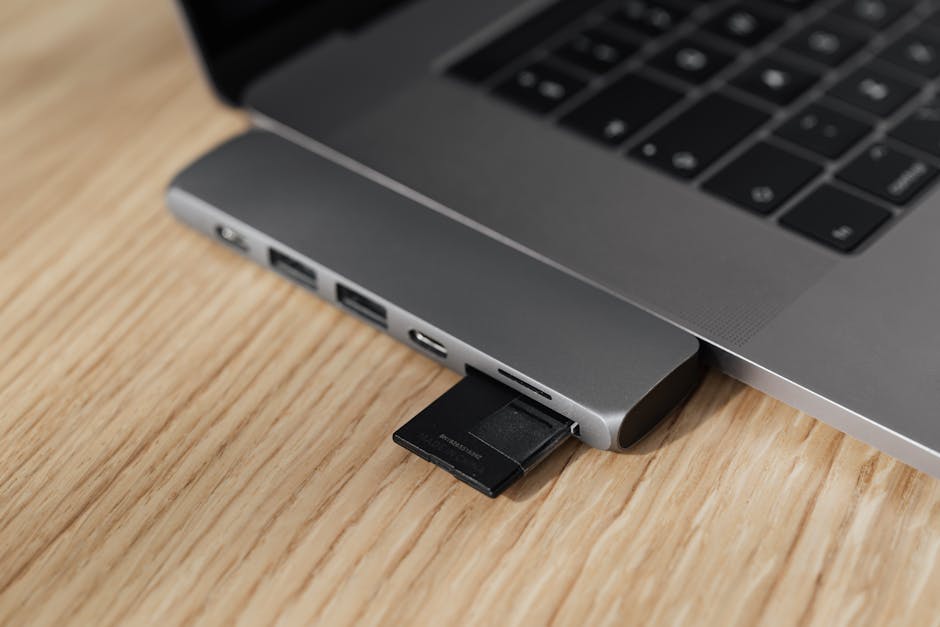
Start with the router, which hosts the network. Every device that joins it needs an adapter, built in or plugged in. An extender, if you use one, only handles coverage: it takes the existing network into rooms where the signal is weak. If you landed here searching “what is wifi router extender,” that’s the whole answer. It’s a coverage helper, not a router replacement and not an adapter.
Mixing these up is an easy way to buy the wrong small plastic box (consumer electronics’ favorite product genre). Before you buy anything, figure out which of the three jobs is failing: the network, one device, or the far bedroom.
What Is a WiFi Router IP Address?
A router’s IP address is the network address you use to reach the router itself, usually for settings. It isn’t the Wi-Fi standard, the network name, or an adapter spec. The Wi-Fi Alliance material in this pack covers AP coordination, channel sharing, and spectrum. It doesn’t list a universal router IP address or setup address, and this article won’t invent one.
Generic how-to advice often assumes every router uses the same login. That isn’t safe to assume. Your router’s own manual or support page is the right place to find its admin address and setup steps.
What Wi-Fi 7 Actually Changes in This Documentation
Wi-Fi 7 router reviews tend to squash everything into one word: speed. The official material points somewhere more useful, which is coordination and efficiency. APs collaborating instead of fighting over spectrum matters most in dense deployments, such as apartment buildings, offices, and homes with several APs. OFDMA is about sharing channels efficiently and cutting latency, not about a bigger number on the box.
Those are network-level capabilities. They tell you nothing about one router’s range, how its signal gets through your walls, its firmware quality, whether it works with your ISP, or how it pairs with a specific adapter. A spec sheet can show that a feature exists. It can’t tell you how that feature behaves in your floor plan.
About 60 GHz: the Wi-Fi Alliance lists WiGig uses including virtual reality, multimedia streaming, gaming, wireless docking, and enterprise applications. Those are niche scenarios, and both ends need hardware that supports the band.
What the Documentation Confirms, and What It Leaves Open
| What the specs confirm | What the specs don’t tell you |
|---|---|
| Wi-Fi Certified 7 material describes APs coordinating instead of competing for spectrum. | Whether your home is dense enough for that coordination to matter. |
| OFDMA shares channels to raise network efficiency and lower latency. | How a specific router and a specific device adapter will perform together. |
| WiGig gives supported Wi-Fi devices access to the 60 GHz band. | Whether a given router, extender, or adapter supports WiGig. |
| The page cites 6 GHz chipset shipments for Wi-Fi 6E and tri-band Wi-Fi 7. | Which retail model fits your internet plan, floor plan, or budget. |
What WiFi Router to Buy: Run the Boring Compatibility Check First
If you’re asking what wifi router to buy, start with the devices you already own instead of the router aisle. Is the problem the whole network, one device, or one dead zone? Each has a different fix.
- Router: when the whole network needs new capabilities or better central coverage.
- Adapter: when one device lacks Wi-Fi or has outdated wireless hardware.
- Extender: only when the issue is getting the existing network farther through the space.
- Documentation: check the supported standards and bands (such as 6 GHz) on both the router and the client before trusting a Wi-Fi label.
That last step gets skipped far too often. “WiFi 7 router ASUS” is a search phrase, not a spec. The Wi-Fi Alliance page explains standard-level concepts, but it doesn’t cover any ASUS model, its ports, its supported clients, its price in USD, or where to buy it in the U.S. Use brand searches and Wi-Fi 7 router reviews as a cue to open the model’s own documentation, not as a substitute for reading it.
If you’re on an older laptop whose adapter predates 6 GHz support, a new router alone won’t put that laptop on 6 GHz. You’d need a new adapter or a new laptop as well. (I’d sort that out before spending money on the router.)
Keep / Skip / Wait
The router, adapter, and extender each do a different job, and the official documentation describes standard features, not a specific retail model to upgrade to.
Verdict: Wait — find out which part of the connection path is actually holding you back before you buy a new box.
FAQ
What is a wifi router and adapter, in simple terms?
A Wi-Fi router provides the wireless network. A Wi-Fi adapter is the hardware that lets one device join that network. The router serves the network, and the adapter connects a single device to it.
Is a Wi-Fi extender the same as a Wi-Fi adapter?
No. An extender carries an existing Wi-Fi network into more of your space. An adapter is the hardware that lets a particular device join Wi-Fi at all.
Does a Wi-Fi 7 router make every device Wi-Fi 7?
No. The router and each device’s adapter are separate links in the chain. The Wi-Fi Alliance describes network capabilities, and nothing in that material says a router upgrades the hardware in the devices that connect to it.
What does the Wi-Fi documentation say about 60 GHz?
The Wi-Fi Alliance says WiGig was introduced in 2016 and lets Wi-Fi devices use the uncongested 60 GHz band for virtual reality, multimedia streaming, gaming, wireless docking, and enterprise applications.
Related on Longview Desk
This article was written by the site’s author with the assistance of AI tools, and reviewed before publication.