At a glance
- What it is: “WiFi 7 router SCP” is a search for Wi-Fi 7 router specs, and the official docs don’t define “SCP.”
- What’s new: Wi-Fi CERTIFIED 7 makes 320 MHz channels available in the 6 GHz band.
- Who it is for: Shoppers comparing routers and devices built around Wi-Fi CERTIFIED 7 features.
Is a WiFi 7 router SCP upgrade worth it for you, or can your current setup wait? Usually it can wait, unless your router and the devices connecting to it support the same useful features. “SCP” isn’t defined anywhere in the official Wi-Fi Alliance material, so there’s no honest way to treat it as a Wi-Fi 7 feature, setup mode, or router requirement. Treat it as a vague search term and work from the official Wi-Fi CERTIFIED 7 documentation, not retailer shorthand.
This piece is based on specs and official documentation, not on testing. That matters. A router box can promise the moon in glossy type, but the official material says less. Wi-Fi CERTIFIED 7 adds features meant to improve connectivity, and 320 MHz channels are available in the 6 GHz band. Is that useful? Yes. Does it guarantee faster internet in every U.S. home, from a Boston apartment to a Raleigh split-level? No.
What “WiFi 7 Router SCP” Most Likely Means
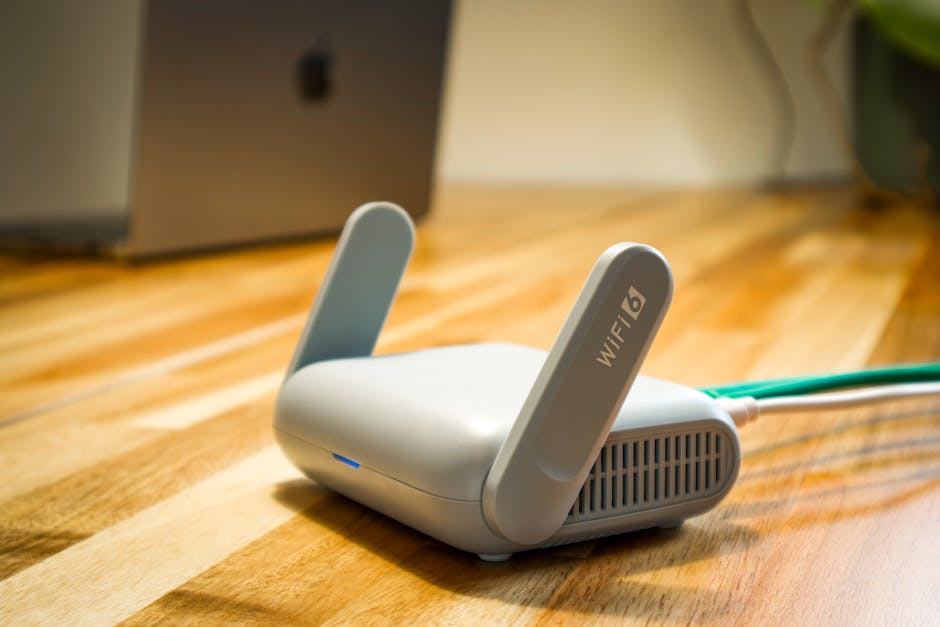
Start with the basics, because the confusion usually starts there. A Wi-Fi router is the local networking box that lets compatible wireless devices talk to your network. An adapter is the hardware inside your laptop, phone, or streaming stick that connects to that wireless network. A new router doesn’t upgrade an older adapter. People skip this boring part and then blame “Wi-Fi 7” when things don’t improve.
So for “what is wifi router and how it works,” here’s the practical answer: the router broadcasts a wireless network, and compatible devices join it. For “what is wifi router and adapter,” the router supplies the network and the adapter is the connection hardware on the device side. Wi-Fi CERTIFIED 7 is a certification generation from the Wi-Fi Alliance. It isn’t a magic label that gives every device on your network the same features.
The Wi-Fi Alliance’s Wi-Fi CERTIFIED 7 page says the generation delivers high speeds and “deterministic, low latency across a wide range of signal conditions.” It also highlights expanded capacity, reduced interference, and multi-gigabit-per-second speeds. Those are statements about what the technology can do. They don’t replace checking a specific router, the devices you’ll connect, and what the maker actually documents.
Here’s the order I’d check things in before any WiFi 7 router SCP listing gets near your shopping cart. (Short version: certification first, marketing last.)
Spec Teardown
| Specification | Figures / numbers | What the official documentation says |
|---|---|---|
| Certification generation | Wi-Fi CERTIFIED 7 | The Wi-Fi Alliance describes Wi-Fi CERTIFIED 7 as introducing new features that boost Wi-Fi performance and improve connectivity across a variety of environments. |
| Frequency band | 6 GHz | The widest channels the Alliance describes for Wi-Fi 7 are tied to the 6 GHz band. |
| Channel width | 320 MHz | 320 MHz channels are available in the 6 GHz band. |
| Throughput comparison | Twice the throughput of Wi-Fi 6 | The Alliance says 320 MHz channels in 6 GHz provide twice the throughput of Wi-Fi 6. |
| Device-speed language | Multi-gigabit per second | The Alliance says these channels enable multigigabit Wi-Fi device speeds. |
| Device scope | 20 MHz-only devices | The Wi-Fi Alliance has extended Wi-Fi CERTIFIED 7 to 20 MHz-only devices, so the same certification can cover very different classes of hardware. |
The 320 MHz line is the headline spec, and it’s easy to misuse. The official wording says those channels are available in the 6 GHz band. It doesn’t say every Wi-Fi 7 router includes them, that every client can use them, or that every home will see the same result. If a listing makes the feature sound universal, it’s pulling marketing’s favorite trick: turning a conditional capability into a blanket promise.
That last row matters more than it looks. If Wi-Fi CERTIFIED 7 can cover 20 MHz-only devices, then “Wi-Fi 7” on a box tells you which generation a product belongs to, not how wide its channels are. A small smart-home gadget and a flagship router can share the label and have very different capabilities. (That’s fine, as long as nobody pretends otherwise.)
For a U.S. shopper, the sensible reading is narrower. Look for documentation that says Wi-Fi CERTIFIED 7, names the 6 GHz band, and lists 320 MHz channel support where it applies. Then check the client devices you plan to connect. A Wi-Fi 7 router paired with older devices will still work as a router, but the official material doesn’t support claiming that every device gets Wi-Fi 7-class performance.
What the Official Specs Confirm, and What They Leave Out
| What the specs confirm | What the specs don’t tell you |
|---|---|
| Wi-Fi CERTIFIED 7 introduces features meant to boost Wi-Fi performance and connectivity. | What “SCP” means, or whether it has anything to do with the Wi-Fi Alliance. |
| 320 MHz channels are available in the 6 GHz band. | Whether a particular Wi-Fi 7 router offers those channels in every configuration. |
| 320 MHz channels in 6 GHz provide twice the throughput of Wi-Fi 6. | What speed you’ll get in a specific U.S. home, on a specific internet plan, with a specific device. |
| Wi-Fi CERTIFIED 7 extends to 20 MHz-only devices. | Which router, adapter, phone, or laptop supports which features. |
| The generation targets expanded capacity and reduced interference. | Retail prices in USD, which U.S. retailers stock which models, or FCC label details for any device. |
This is where a lot of wifi 7 router reviews go sideways. A review can be entertaining, but it can’t replace the official compatibility trail. The Wi-Fi Alliance documentation covers certification and which features are available. It doesn’t give you a ranked list of routers, pricing, internet-provider compatibility, or a performance scorecard. Those missing pieces aren’t minor footnotes. They’re the actual buying decision.
How to Read a Router Listing Without Getting Played
Start with the certification language. “Wi-Fi 7” tells you more than a vague “next-generation wireless” slogan, but it still isn’t enough by itself. Look for explicit mentions of Wi-Fi CERTIFIED 7 and the 6 GHz band. If the listing touts 320 MHz channels, check that it says where that applies. The Wi-Fi Alliance ties that channel width specifically to 6 GHz, so a listing that doesn’t mention 6 GHz but brags about 320 MHz deserves a raised eyebrow.
Next, separate the router from the client. A WiFi 7 router from Asus, for example, is still only one end of the connection. The official Wi-Fi Alliance material doesn’t cover individual Asus models, so any claim about a specific Asus router here would be a guess. The same goes for every brand: check the maker’s documentation for the exact model number instead of assuming a logo tells you the feature set.
Then stop treating the router’s IP address as a Wi-Fi 7 feature. A search for “what is wifi router ip address” is about finding your router on your local network. It has nothing to do with the capabilities the Wi-Fi Alliance describes for Wi-Fi 7. The official Wi-Fi 7 page covers certification, 6 GHz channels, capacity, interference, and device speeds. It doesn’t include router IP instructions, so check your router maker’s setup guide for that. Don’t mash unrelated setup questions into a made-up Wi-Fi 7 checklist.
A quick reader scenario: if you’re on a laptop with a Wi-Fi 6 adapter and you’re eyeing a Wi-Fi 7 router mainly because a listing says “SCP,” you’d be paying for capabilities your laptop can’t use, based on a term nobody officially defines. If you’ve already confirmed that your main devices document Wi-Fi 7 and 6 GHz support, the math changes.
Who Should Care About Wi-Fi 7?
Wi-Fi 7 matters most if you’re deliberately shopping for compatible networking gear and client devices, especially when 6 GHz and 320 MHz channels are part of the documented feature set. The official material gives you a real reason to care: wider channels in 6 GHz, more capacity, less interference, and the potential for multi-gigabit device speeds.
But if you’re replacing a router because of a vague “SCP” label, slow down. The acronym isn’t explained in the official documentation. A search phrase isn’t a standard. A product page isn’t proof of certification. And a certified feature isn’t proof that every device in your house will perform the same. That may sound fussy. Good. Networking gear punishes careless shopping.
Keep / Skip / Wait
Verdict: Wait — “SCP” isn’t defined in the official Wi-Fi 7 documentation, so confirm your router and devices actually document Wi-Fi CERTIFIED 7, 6 GHz, and 320 MHz support first.
FAQ
What is WiFi 7 router SCP?
The Wi-Fi Alliance documentation doesn’t define “SCP” as a Wi-Fi 7 feature. The reliable part of the search is Wi-Fi 7 itself. Wi-Fi CERTIFIED 7 is a certification generation that includes capabilities such as 320 MHz channels in the 6 GHz band.
What is Wi-Fi CERTIFIED 7?
According to the Wi-Fi Alliance, Wi-Fi CERTIFIED 7 introduces features that boost Wi-Fi performance and improve connectivity across different environments. The page highlights high speeds, deterministic low latency, expanded capacity, reduced interference, and multi-gigabit device speeds.
Does every Wi-Fi 7 router have 320 MHz channels?
The official documentation doesn’t say that. The Wi-Fi Alliance says 320 MHz channels are available in the 6 GHz band, and it has also extended the certification to 20 MHz-only devices. Check the documentation for the specific router and for the devices that will connect to it.
Will a Wi-Fi 7 router make every device faster?
The official documentation doesn’t promise that. It describes what Wi-Fi CERTIFIED 7 can do and the device speeds it makes possible, but each connected device’s adapter sets its own limits. Check what both the router and each device document before you assume an upgrade.
Related on Longview Desk
This article was written by the site’s author with the assistance of AI tools, and reviewed before publication.