At a glance
- What it is: A software update is a fix from the provider that can patch security weak spots in a device or application.
- What’s new: CISA urges installing all updates promptly and turning on automatic updates.
- Who it is for: Phone owners who keep tapping “Remind me later” on update alerts.
Should you tap “Install” on that phone update, or is “Remind me later” fine for now? Here’s the short answer to “what is software update in mobile”: it’s a change pushed by whoever makes the software. According to CISA’s update guidance, many of those changes exist to fix security risks. So the alert is a maintenance call, not a sales pitch (whatever adjectives the release notes use).
This piece looks at one distinction the alert screen often blurs: is this an update to the phone’s system, or to an app on it? CISA’s advice covers both, and the practical steps differ a little.
Spec Teardown

To be clear up front: this article is based on specs and documentation, not testing on a device. The only official source here is the U.S. Cybersecurity and Infrastructure Security Agency’s (CISA) guidance, not a manufacturer’s model sheet. So the table below shows what that guidance actually commits to. It can’t give you a Samsung menu path, a US carrier rollout date, or a version number.
| Item | What CISA’s guidance says | Count from CISA’s page |
|---|---|---|
| Purpose | Providers issue updates to “patch” security weak spots as quickly as they can. | No schedule or figures stated |
| Scope | Install ALL updates, especially for web browsers and antivirus software. | 2 software types singled out (browsers, antivirus) |
| Timing | When notified, especially about critical updates, install as soon as possible. | No deadline stated |
| Automatic updates | Look in device settings, possibly under Software or Security; search “automatic updates” if needed. | 2 settings areas named; 1 search term |
| No auto-update option | Every product should have auto-updates on by default; if not, ask your provider why not. | 1 follow-up: ask the provider |
| Example case | Veda regularly clicked “Remind Me Later” on her computer and phone. | 2 devices postponed |
| Further reference | CISA points readers to its Known Exploited Vulnerabilities Catalog. | 1 catalog referenced |
Those counts are about as granular as the source gets. CISA’s page names 2 places to look for the switch (Software or Security), 1 fallback search (“automatic updates”), and 2 kinds of software you shouldn’t skip (web browsers and antivirus). It gives no release schedule, download size or price. Any device-specific detail has to come from the notice itself and from the provider. Don’t stretch a general security recommendation into a promise about what one particular update will do.
What is system updates vs. app updates?
“Software update” is a catch-all term. CISA talks about updates to devices and to applications, and its example includes moving to the newest operating-system version. That gives you a workable split:
- System update: changes the phone’s underlying software, the operating system. In CISA’s example, the fix for a security flaw arrived this way.
- App update: changes one application. CISA singles out web browsers and antivirus software as ones you shouldn’t skip.
Both count. CISA says to install ALL updates, not just whichever one is nagging you this week. So if you’re asking “what is software update in phone” terms, the answer is either kind. The alert should tell you which one it is.
CISA’s example person, Veda, didn’t have time to update and regularly clicked “Remind Me Later” on her computer and phone. The fix in that story included updating her operating system to the newest version, which had fixed the security flaw. The point isn’t drama. A postponed system update is a known weak spot you’re choosing to leave open.
Reading the alert before you tap
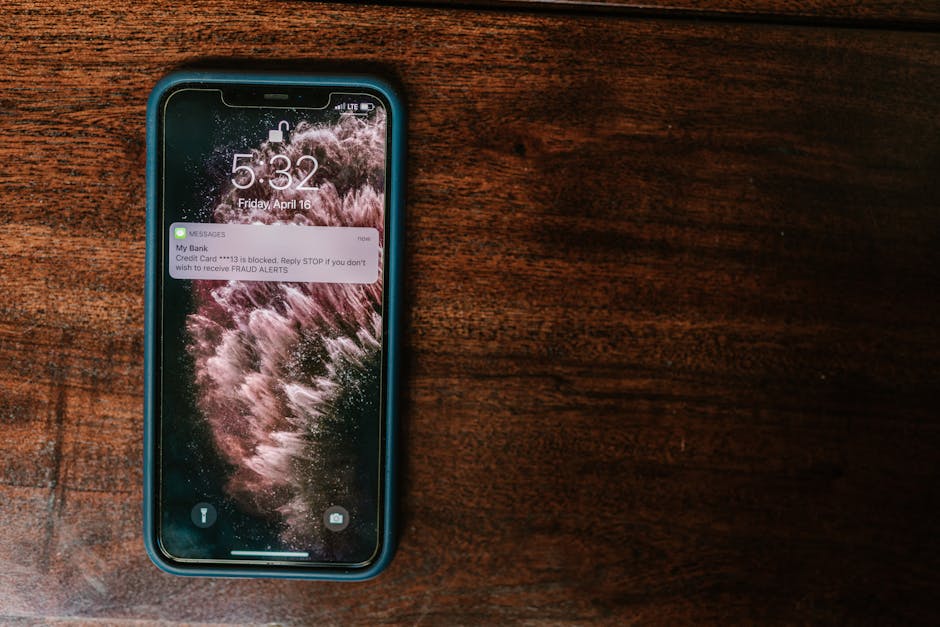
A new interface is easy to spot. A patched weak spot usually isn’t. That’s why update alerts are so easy to put off, and why CISA warns against putting them off. Start with two questions: where did this alert come from, and what does it say it changes?
CISA’s page tells you to look in settings for update controls. It does not vouch for any particular pop-up, message or website. The safer habit is to open the device’s settings, or the app’s settings, and check what’s actually waiting there. Don’t trust a generic message that just says “update now.”
Here’s the flow the official guidance supports. Respond to the notice and install promptly (critical updates first). Then find the automatic-update control so you aren’t making this choice every week. CISA says the control may sit under Software or Security. If it isn’t there, search settings for “automatic updates.” Labels vary by device, so treat this as a decision path, not a tap-by-tap tour.
Automatic updates: useful, not magic
According to CISA, with automatic updates on, devices install updates without any input from you as soon as they’re available. That takes “I’ll get to it later” out of the routine. I like this rule (boring defaults do a lot of work), especially if you dismiss alerts on reflex.
Check what the switch covers, though. CISA’s guidance doesn’t say a single setting handles both system and app updates on every phone. It also gives no availability dates for any US carrier. If a friend’s phone got an update and yours hasn’t, that doesn’t mean yours is broken. Check your own settings and notices.
If a product has no auto-update option at all, CISA’s advice is pointed: ask the provider why not. Its PRO TIP says every product you use should have auto-updates turned on by default. So a missing switch is a question for the provider, not a scavenger hunt through menus that may not exist.
What the specs confirm, and what they leave open
| What the specs confirm | What the specs don’t tell you |
|---|---|
| Many updates fix security risks, and CISA urges prompt installation, especially of critical updates. | Whether the specific update on your phone fixes a flaw, adds a feature, or both. |
| Automatic-update settings may be under Software or Security; settings search can find them. | The exact menu path on a Samsung phone or any other model. |
| CISA covers both device and application updates and highlights browsers and antivirus software. | Whether one device setting controls every app’s updates. |
| Devices usually notify you when updates need to run. | When a given provider or US carrier releases an update for your device. |
Same words, different devices
Searching “what is software update in samsung” doesn’t change the basic idea. A Samsung phone gets system notices and app notices like any other phone, but CISA’s guidance has no Samsung-specific steps. Use that phone’s own settings rather than a menu path copied from a different model. The security principle carries over; the exact taps may not.
“Software updates tesla” shows where a phone guide stops being useful. CISA’s page covers software updates across products, but it has no Tesla procedure or release details. Don’t apply phone-settings advice to a car. Check the update information for the product that actually showed the notice.
One more resource from the same CISA guidance: it points to the Known Exploited Vulnerabilities Catalog for software with flaws attackers are already using. You don’t need it to update a phone, but it shows why “later” carries a real cost.
Keep / Skip / Wait
For both system and app updates, CISA’s guidance points one way: install promptly and let automatic updates do the remembering.
Verdict: Keep — keep auto-updates on and install alerts promptly, critical ones first.
FAQ
Is a phone system update the same as an app update?
No. A system update changes the operating system; an app update changes one application. CISA says to install ALL updates, and it calls out browsers and antivirus software in particular.
Where do I find automatic updates?
CISA suggests looking in the device’s settings, possibly under Software or Security. If it isn’t there, search settings for “automatic updates.” The guidance doesn’t list exact paths for each phone.
What does “software updates are controlled by your organization” mean?
It usually shows up on a phone that an employer or school manages. CISA’s page has no steps for changing an organization’s controls. Don’t try to get around them. Ask whoever manages the device how its updates are handled.
Does every update add new features?
CISA’s guidance makes no such promise. It says many updates patch security weak spots. For feature details, read the notes attached to your specific update. As noted above, this article is based on documentation, not testing on a device.
Related on Longview Desk
This article was written by the site’s author with the assistance of AI tools, and reviewed before publication.