At a glance
- What it is: A software update installs changes to software on your phone, and many updates exist to fix security risks.
- What’s new: The update notice means software is available to install now, and CISA urges installing it promptly.
- Who it is for: Anyone staring at an update alert on a phone or hunting for the automatic updates setting.
What is that software update notice on your Android phone actually asking you to do? It’s asking you to install available software changes. Some of those changes patch security weak spots; the alert by itself doesn’t itemize everything inside. That’s the honest answer to “what is software update in Android,” and it’s a better starting point than assuming every alert is a shiny new feature (it usually isn’t).
One limit up front: the official guidance in play here comes from the U.S. Cybersecurity and Infrastructure Security Agency (CISA). It explains why updates matter and where to look for automatic-update controls. It does not document a specific Android version, phone model, or Samsung menu. This article is based on specifications and documentation, not hands-on testing.
Spec Teardown

There’s no phone spec sheet in the source material, so I’m not going to fake a processor, storage, or model-support chart. Instead, here’s a teardown of what CISA’s update guidance actually confirms, with a count of what the document names in each case. Treat it as a teardown of the update notice, not a review of a handset.
| Documented point | What CISA says | Count in the document | What it means for a phone owner |
|---|---|---|---|
| Where to look for the control | Look in the device’s settings, possibly under Software or Security. | 2 settings areas named | Check both before deciding your phone lacks the option. |
| Fallback if the menu isn’t obvious | Search settings for “automatic updates” if needed. | 1 search phrase | A settings search beats following instructions written for a different phone. |
| Software singled out as especially important | Install ALL updates, especially for web browsers and antivirus software. | 2 software types called out | App updates count, not just the big operating-system one. |
| Effort once automatic updates are on | Devices install updates without any input from us as soon as the update is available. | 0 taps required from you | Turn it on once; the device handles the reminders you’d otherwise snooze. |
| Devices in CISA’s “Remind Me Later” scenario | Veda kept clicking “Remind Me Later” on her computer and phone. | 2 devices in the example | The habit problem isn’t phone-specific; the fix is the same on both. |
| Follow-up material CISA points to | A Software Updates Tip Sheet, a patches-and-updates explainer, and the Known Exploited Vulnerabilities Catalog. | 3 resources referenced | The page is a starting point, not the agency’s whole position. |
That’s the whole supported spec story: 2 places to look, 1 phrase to search, 2 software types flagged, 0 taps once automation is on. The document gives no Android release number, Samsung update schedule, download size, installation time, or list of supported U.S. carrier phones. Those gaps matter: a broad security recommendation is not a promise about when your particular device gets its update.
What Is a System Update, Then?
If you searched “what is system updates,” you’re probably trying to decode the wording on your screen. In everyday phone language, a system update is the one aimed at the phone’s operating system, while app updates target individual applications. CISA treats both as software updates and specifically calls out web browsers and antivirus software as important to keep current. So “software update” is the umbrella term; the notice and the software it names tell you what’s actually changing.
The practical distinction is scope, not prestige. An operating-system update and an application update can both address security risks. Neither deserves to be ignored because the other sounds more important. CISA’s advice is to install all updates and to act promptly when notified, particularly for critical ones. Refreshingly unglamorous (security maintenance usually is).
What to Do When Your Phone Shows an Update
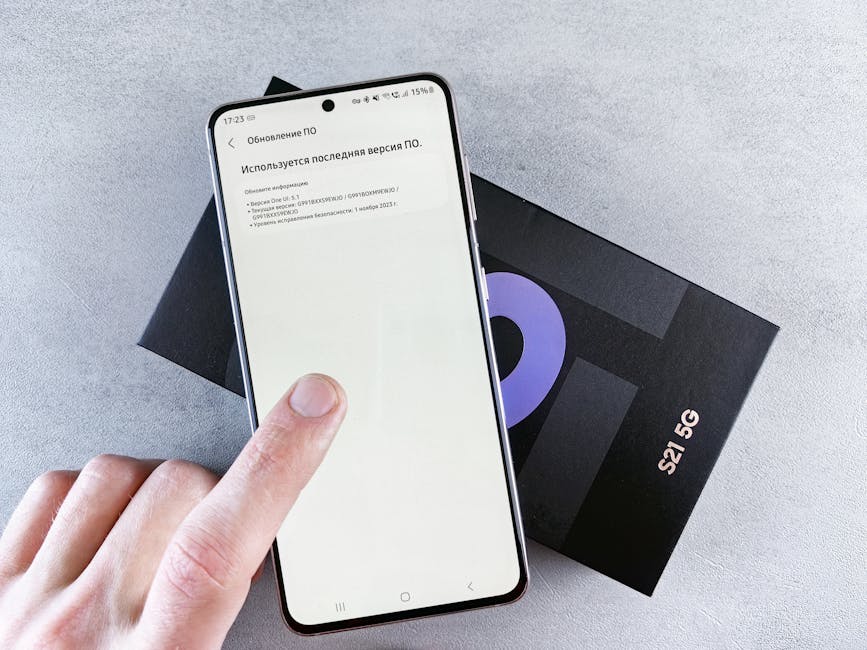
Start with the notice: figure out what software it says needs updating. CISA says devices usually notify us when updates are needed and urges prompt installation, especially for critical updates. Then check whether automatic updates are available in your device’s settings. CISA names 2 likely locations, Software or Security, and 1 fallback, searching settings for “automatic updates.” That’s a sensible flow that doesn’t pretend every Android phone uses identical labels.
Automatic updates are a convenience, not a license to stop paying attention. CISA says that, with the feature enabled, a device installs updates without any input from you as soon as they’re available. It also says every product you use should have auto-updates turned on by default, and if a product or device doesn’t offer the option, ask your provider why not. (I’d ask, too. A phone without that switch is a phone that’s counting on you to remember.) The documentation does not establish whether your particular phone ships with the option enabled, so check rather than assume.
For a U.S. reader with a carrier-supplied phone, the tempting follow-up is “When will my carrier push it?” The source pack contains no carrier rollout information. Same for a phone bought from a U.S. retailer: where you bought it doesn’t supply an update date in this documentation. Keep those questions separate from the one CISA can answer, which is whether installing available security updates matters. It does.
What the Guidance Confirms, and What It Leaves Open
Update advice gets slippery when a general safety page is treated like a device manual. Here’s the boundary line:
| What the specs confirm | What the specs don’t tell you |
|---|---|
| Many updates are created to fix security risks by patching weak spots. | Whether the notice on your phone fixes a particular flaw or adds a particular feature. |
| CISA recommends installing updates as soon as possible, especially critical ones. | How long installation will take on your device, or how large the download is. |
| Automatic-update controls may sit under Software or Security, and a settings search can help find them. | The exact menu path on a specific Android or Samsung phone. |
| Devices usually notify users when updates are needed. | When a given phone, retailer-sold model, or U.S. carrier will make an update available. |
What About Software Updates on Samsung?
“What is software update in Samsung” is the same question with a brand attached: what change is being offered, and should you deal with it? CISA’s answer to the second part is broad. Install updates, especially critical ones, and turn on automatic updates. The source pack doesn’t contain Samsung’s official instructions, so it can’t verify Samsung-specific labels, supported models, or an update timetable. Don’t borrow a menu screenshot or rollout claim from a different model and call it a spec; use the device in front of you for specifics and CISA’s guidance for the security decision.
The Verdict on the Update Habit
Keep / Skip / Wait
This isn’t a verdict on a handset; it’s a verdict on the behavior the update notice is asking for. CISA’s scenario of someone who kept clicking “Remind Me Later” on 2 devices until an operating-system update fixed the security flaw is the whole argument in miniature.
Verdict: Keep — keep installing available updates promptly; CISA says many of them patch security risks.
“Keep” means keep the habit. If a critical update notice is sitting there, CISA’s guidance favors installing it now rather than snoozing it again. If you’re checking automatic updates, look in settings under Software or Security, or search for the setting. If the control isn’t offered, CISA suggests asking the provider why not. (Fair question for a device you carry everywhere.)
FAQ
What is software update in mobile or in a phone?
It’s an available change to software running on the device. CISA emphasizes that many updates repair security weak spots and recommends installing them when notified, as soon as possible for critical ones. The notice may identify what software is affected; CISA’s general guidance doesn’t describe the contents of every phone update.
Is a system update the same as an app update?
In common phone usage, “system” points to the operating-system software, while an app update concerns an application. Both fall under CISA’s umbrella of software updates. The agency urges installing all updates and specifically highlights browsers and antivirus software, rather than treating the operating-system update as the only one that counts.
Where do I find automatic updates on Android?
CISA says to look in the device’s settings, possibly under Software or Security, and to search settings for “automatic updates” if needed. That’s general guidance, not a verified menu path for every Android or Samsung model. If the option is missing, CISA recommends asking the provider why it isn’t offered.
Related on Longview Desk
This article was written by the site’s author with the assistance of AI tools, and reviewed before publication.