At a glance
- What it is: A good router is one whose documented Wi-Fi features fit the devices and uses in your home.
- What’s new: Wi-Fi 7 enhances performance across the 2.4 GHz, 5 GHz, and 6 GHz bands.
- Who it is for: Shoppers comparing routers for demanding uses such as AR/VR/XR and ultra-high-definition video streaming.
What wifi router is good for your home without paying for a bigger number on the box? Start with the devices you have, the work you want the network to do, and the features the router’s documentation actually names. A Wi-Fi generation tells you about a family of capabilities. It does not tell you whether a particular router will cover your rooms or solve your connection problem. (That would be a remarkably convenient box label.)
For most shoppers, the useful answer is not “the newest router.” It is a router with documented features that match the devices and demands you can identify. The Wi-Fi Alliance’s generation overview describes Wi-Fi 6 as improving capacity and performance in dense environments, while Wi-Fi 7 adds features aimed at higher throughput, lower latency, and greater reliability.
This is based on specs and documentation, not on testing any router. The source describes Wi-Fi generations, not measured performance from a named router in a particular U.S. home. That distinction matters every time a search result turns a capability into a buying promise.
Spec Teardown

Here is the useful stuff from the official Wi-Fi Alliance documentation. The figures describe technology capabilities and generation history; they are not speed-test results for a router you can put in a cart.
| Specification | Figures in the official documentation | What it helps you judge |
|---|---|---|
| Wi-Fi 7 bands | 2.4 GHz, 5 GHz, and 6 GHz | Which bands the generation’s described performance features span; check a specific router’s documentation for its stated bands. |
| Wi-Fi 7 channel capability | 320 MHz channels in the 6 GHz band | A documented route to higher throughput, not a prediction of your household’s speed. |
| Wi-Fi 7 modulation | 4K QAM; 20% higher transmission rates than Wi-Fi 6’s 1024 QAM | A comparison of transmission modes, not a claim that a whole connection becomes 20% faster. |
| Wi-Fi 6 introduction | 2018 | Generation context for its capacity, dense-environment, and power-efficiency improvements. |
| Wi-Fi 7 introduction | 2024 | Generation context for its high-throughput and lower-latency features. |
The distinction in that 20% figure deserves its own warning label. The Wi-Fi Alliance applies it to the transmission-rate comparison between 4K QAM and Wi-Fi 6’s 1024 QAM. It does not say your downloads, game sessions, or video streams will improve by 20%. Likewise, its statement that 320 MHz channels in the 6 GHz band provide twice the throughput of Wi-Fi 6 is about that channel capability, not about every router, device, or room.
What makes a router “good” for your setup?
First, name the job. The Wi-Fi Alliance identifies demanding applications for Wi-Fi 7, including AR/VR/XR, immersive 3D training, and ultra-high-definition video streaming. It also describes Wi-Fi 6 as improving capacity and performance in dense environments. If your question is “what wi fi router do I need,” that gives you a starting point: compare the generation’s stated strengths with the activity you actually care about.
Next, inspect the router listing or manufacturer documentation for the bands and features it actually states. The Wi-Fi Alliance describes what a generation can do; that overview is not a specification sheet for every product carrying a generation name. In a U.S. retail listing, make the exact model earn its place on your shortlist. If the listing does not make a feature clear, leave that question open rather than filling it in from the generation badge.
Finally, separate device capabilities from router capabilities. A router’s stated Wi-Fi features are only part of the picture; the Wi-Fi Alliance overview does not identify the devices in your home or their supported features. If you cannot establish what your devices support, “buy the biggest generation number” is a guess dressed as a plan.
The decision flow is short. Begin with your devices and uses, read the router’s stated generation, check its documented bands, and compare its listed features with those needs. Nothing in that process requires pretending that a technology overview is a test of your floor plan.
What the label can and cannot settle
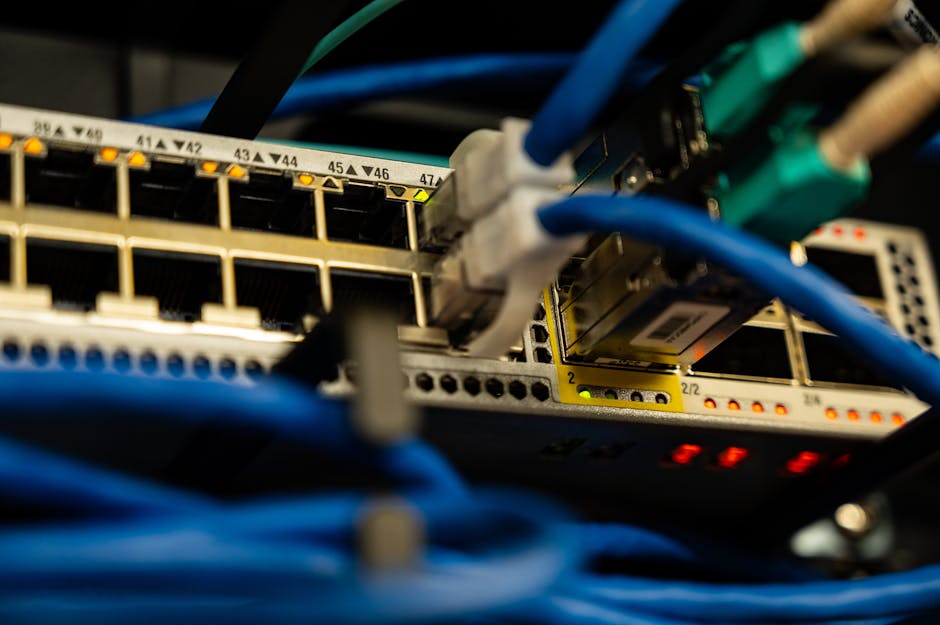
Router shopping gets messy because solid technical claims and unanswered buying questions often sit in the same sentence. Put them in separate columns and the sales pitch loses some of its magic.
| What the specs confirm | What the specs don’t tell you |
|---|---|
| Wi-Fi 7 enhances performance across the 2.4 GHz, 5 GHz, and 6 GHz bands. | Which bands a particular router listing documents, or how that router performs in your rooms. |
| Wi-Fi 7 supports 320 MHz channels in the 6 GHz band. | Whether a specific router and your devices can make use of that capability in your setup. |
| Wi-Fi 7’s 4K QAM has a stated transmission-rate advantage over Wi-Fi 6’s 1024 QAM. | Your real-world download speed, latency, or improvement from changing routers. |
| Wi-Fi 6 brought improvements in capacity, dense-environment performance, and power efficiency. | Whether a particular Wi-Fi 6 router is sufficient for your home without product-specific information. |
That table is why “what wifi router is the fastest” has no honest model-name answer from this source alone. The Wi-Fi Alliance identifies capabilities associated with Wi-Fi 7; it does not rank retail routers or provide measured home results here. Fastest under which conditions, with which devices, and in which room? Without those answers and product-level evidence, a speed crown is marketing speak (and not even especially creative marketing speak).
The same restraint applies to a search for “wifi 7 router tp-link.” The Wi-Fi Alliance overview contains no TP-Link model specification, price, or test result. It supports explaining what Wi-Fi 7 means; it does not support endorsing or dismissing a TP-Link router. Look for documentation for the exact model before treating the brand name and generation label as a complete specification.
Keep / Skip / Wait: the practical call
If a router already serves your devices and your needs, the Wi-Fi Alliance’s generation overview supplies no reason to replace it merely because Wi-Fi 7 exists. If you are choosing equipment for demanding uses, Wi-Fi 7’s documented capabilities give you specific features to investigate: its bands, 320 MHz channels in the 6 GHz band, and 4K QAM. Just keep capability and outcome in different drawers.
For a U.S. shopper, the missing pieces here include the particular router’s retail price and product documentation. The generation overview also supplies no FCC label for a named router, no carrier-specific setup terms, and no measurements from a home network. Do not infer any of those from a Wi-Fi generation description.
Keep / Skip / Wait
Verdict: Wait — choose a specific router only after its documented features match your devices and needs.
FAQ
What wifi router is good for a typical home?
There is no universal model answer in the Wi-Fi Alliance overview. A good choice is a router whose documented features fit your devices and intended uses. The Wi-Fi Alliance describes Wi-Fi 6 improvements in capacity and dense environments and Wi-Fi 7 features aimed at more demanding performance.
Is a Wi-Fi 7 router automatically faster than a Wi-Fi 6 router?
No automatic real-world result follows from the generation names. The Wi-Fi Alliance documents Wi-Fi 7 capabilities, including 320 MHz channels in the 6 GHz band and a transmission-rate improvement for 4K QAM compared with Wi-Fi 6’s 1024 QAM. Those statements do not measure the speed of a named router in your home.
What is wifi router password?
A router password is a setup and access question, not a Wi-Fi generation feature. The Wi-Fi Alliance overview used here does not provide a password for any router or instructions for finding one. Check the documentation for your exact equipment rather than guessing from a Wi-Fi 6 or Wi-Fi 7 label.
What is wifi router price?
The Wi-Fi Alliance overview contains no router prices, so a credible USD figure would be made up. Compare current U.S. retailer listings for the exact models you are considering, then check whether their documented features address your needs. A generation overview can explain the technology; it cannot tell you what a particular listing costs.
Related on Longview Desk
This article was written by the site’s author with the assistance of AI tools, and reviewed before publication.