At a glance
- What it is: Wi-Fi Alliance documentation describes Wi-Fi technologies, including Wi-Fi 7 and Wi-Fi 6E.
- What’s new: The documentation describes access-point coordination and OFDMA channel sharing for higher capacity and lower latency.
- Who it is for: Readers who want to check router marketing against published Wi-Fi documentation before spending money.
Can wifi 7 router reviews tell you which router will actually work in your home, or are they mostly repeating the box? Too often it is the box. A useful review has to separate what a Wi-Fi generation permits from what a particular router delivers, and most reviews blur that line on purpose (the blur sells). The Wi-Fi Alliance documentation helps with the first half; it says nothing about any specific retail router. That gap is the whole story here.
Plain statement up front: this is based on specs and documentation, not hands-on testing. There is no measured throughput, range, latency, or reliability number in this piece, and no basis for ranking retail models. Treat it as a filter for reading other people’s reviews: which claims have documentary support, and which still need evidence about the actual hardware and your actual rooms?
Spec Teardown
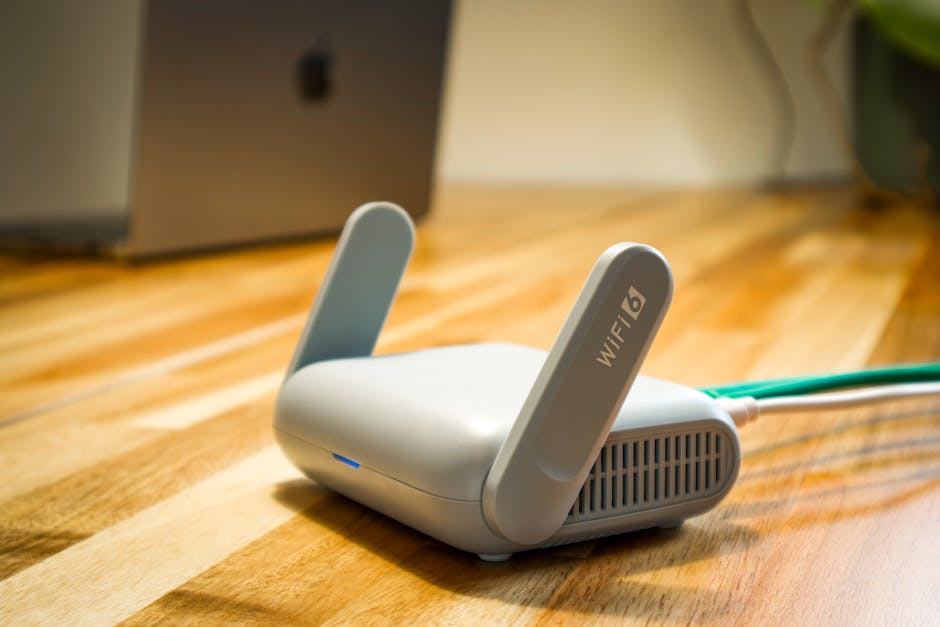
The source is Wi-Fi Alliance documentation about Wi-Fi technologies. It describes mechanisms and use cases, and it drops a few concrete figures, but it is not a spec sheet for a router sold in the United States. Here is what the documentation establishes, with no gaps filled in by guesswork.
| Documented item | Figures or terms in the documentation | What it establishes |
|---|---|---|
| Wi-Fi 7 | 7 | Names a Wi-Fi generation. The generation number is not a measured result for any router. |
| Wi-Fi 6E and tri-band Wi-Fi 7 | 6E; 7; 6 GHz; chipset shipments in 2026 | The documentation ties these technologies to 6 GHz chipset shipments in 2026, not to any tested retail model’s coverage. |
| WiGig | 60 GHz; introduced in 2016 | A separate Wi-Fi technology for the uncongested 60 GHz band, aimed at VR, multimedia streaming, gaming, wireless docking, and enterprise uses. Not a Wi-Fi 7 router figure. |
| OFDMA | No device-specific figure supplied | Shares channels effectively to increase network efficiency and lower latency, per the documentation. |
| Access-point coordination | No device-specific figure supplied | Access points collaborate instead of competing for spectrum, providing higher capacity in dense deployments. |
| Wi-Fi 4 | 4 | Described as delivering plenty of throughput for music and video, extending reach throughout the home, and supporting many users at once. |
Read the numbers carefully, because reviews love to shuffle them. The documentation mentions 6 GHz in connection with Wi-Fi 6E and tri-band Wi-Fi 7 chipset shipments in 2026. It mentions 60 GHz for WiGig, a technology introduced in 2016 for things like VR and wireless docking. Those are different bands for different purposes, and neither is a router performance figure. The “7” in Wi-Fi 7 names a generation; it does not say how fast a given device will push a file from your office to the far bedroom. A review has to do that harder work on the product itself.
OFDMA and access-point coordination are the useful clues, and they are more useful than any “fastest ever” sticker. OFDMA is about sharing a channel efficiently among devices, which the documentation links to better efficiency and lower latency. Coordination means access points collaborating rather than fighting over spectrum, which the documentation links to higher capacity in dense deployments (think an apartment building, not a quiet cul-de-sac). Both describe what a network can do. Neither promises that a box on a U.S. retailer’s shelf will fix your dead zone. When a review turns either mechanism into a guaranteed household outcome, ask where the product evidence went.
What a Router Review Should Prove
Start with the subject of the claim. Is the writer describing Wi-Fi as a technology, a named router’s published features, or observed behavior in a particular setup? Those are three different kinds of evidence. Wi-Fi Alliance documentation supports the first. A retailer listing may support the second. Only product testing in a described environment supports the third, and that is the part most reviews skip while borrowing the vocabulary of the first.
For a U.S. shopping decision, keep the listing and the documentation side by side. Identify the exact model being discussed, then check whether the writer supplies evidence for each performance claim about that model. The source pack contains no U.S. prices, carrier terms, retailer listings, or FCC labels, so none of those can be verified here, and this piece will not pretend otherwise. A price-based verdict or a regulatory claim pulled from thin air would be theater (and not the entertaining kind).
A plain reading path keeps the categories straight: start with the router’s claim, consult the published Wi-Fi description, then mark what remains unproven about that particular device. It will not pick a winner for you. It will stop a technology description from dressing up as a review.
Confirmed vs. Still Unknown
| What the specs confirm | What the specs don’t tell you |
|---|---|
| OFDMA shares channels to increase network efficiency and lower latency. | How much latency a particular router will deliver in your home. |
| Access points can collaborate instead of competing for spectrum, providing higher capacity in dense deployments. | Whether a specific retail setup produces that benefit in your layout. |
| The documentation ties 6 GHz chipset shipments in 2026 to Wi-Fi 6E and tri-band Wi-Fi 7. | The band configuration, coverage, or performance of any listed router. |
| WiGig uses the uncongested 60 GHz band and was introduced in 2016. | Whether any WiGig claim applies to the Wi-Fi 7 router you are looking at. |
| Wi-Fi 4 can handle music and video, extend reach throughout the home, and support many users. | Whether replacing your current router would produce a noticeable improvement. |
This table is the core of honest wifi 7 router reviews. The left column explains why the technology deserves attention; the right column keeps those capabilities from turning into fictional product results. A review that never leaves the left column is a standards explainer with a shopping headline bolted on.
Keep / Skip / Wait
If your current setup already handles what you do, the documentation alone gives you no reason to rush a replacement. Wi-Fi Alliance’s own description credits Wi-Fi 4 with plenty of throughput for music and video and support for many users. That does not prove an older router meets every household’s needs, but it does undercut the idea that a bigger generation number automatically settles the question.
If you are shopping because your setup disappoints, name the problem first: coverage, crowding, or one specific activity. Then demand evidence about that problem from the exact model you are considering. The source pack cannot resolve model availability, U.S. pricing, retailer claims, or installation details, and a review that cannot show its product-specific basis should not get to decide the purchase for you.
Verdict: Wait — wait for product-specific evidence before treating a Wi-Fi 7 label as a performance verdict.
FAQ
What wifi router is good for my home?
One that solves the problem you actually have, backed by evidence about that specific product. The Wi-Fi Alliance documentation explains technologies, not which retail router fits your rooms or devices. It also says Wi-Fi 4 can handle music and video and support many users. Start by defining what your current setup does poorly; do not let a generation label diagnose it for you.
Does a wifi 7 router tp-link listing prove it is faster?
No. The source pack contains no TP-Link product documentation and no measured comparison. A brand-plus-generation listing identifies a shopping candidate, nothing more. Check any claimed feature against the exact model’s published information, and treat speed language as unproven until the review supplies product evidence.
What wifi router is the fastest?
There is no defensible winner in this source pack. The documentation describes mechanisms such as OFDMA and access-point coordination, but it supplies no measured router comparison. “Fastest” also needs a stated measurement and a stated environment; without both, it is marketing speak wearing a lab coat.
Are wifi 7 router mesh systems covered by the access-point coordination claim?
The documentation says access points can collaborate instead of competing for spectrum, and that this provides higher capacity in dense deployments. It does not name a retail mesh system or report how one performs. Use the statement to understand the possible benefit, not to hand a particular mesh kit a passing grade.
Bottom line: read Wi-Fi 7 as a technology description first and a buying claim only when a review supplies evidence for the actual router. The official documentation is valuable precisely because it says something concrete about channel sharing, access-point behavior, and which bands belong to which technology. It also leaves the most important product question wide open: what happens with the specific hardware you are about to pay for?
Related on Longview Desk
This article was written by the site’s author with the assistance of AI tools, and reviewed before publication.