At a glance
- What it is: USB Power Delivery lets compatible devices receive power through USB.
- What’s new: USB PD Revision 3.1 extends supported power delivery up to 240W.
- Who it is for: People powering or charging devices that use USB.
How does USB C charging work when the same-looking plug might power a phone or a laptop? The short answer: the device draws power from a charger through a cable, and USB Power Delivery (USB PD) lets the device request a voltage the charger can supply. USB-C describes the connector; USB PD describes a way to deliver power. The plug shape alone does not tell you the charging speed (annoying, but important).
The practical move is to check the device’s power requirements, the charger’s stated output, and the cable’s rating. Those are separate pieces of the setup. A USB-C plug is not proof that every combination supports the highest power level in the standard. Everything here is based on USB-IF specifications and documentation, not on testing actual chargers or cables, so treat it as a reading of the spec, not a lab result.
Spec Teardown
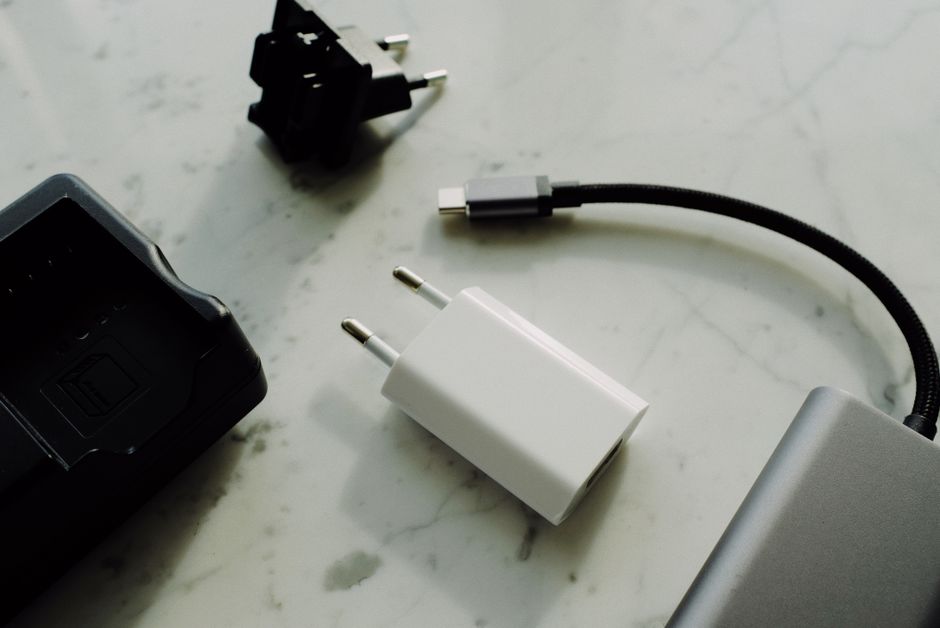
Here is what USB-IF actually documents. Read the figures as limits or specification milestones, not as a promise about any particular charger on a U.S. store shelf.
| USB-IF documentation | Figure | What it means for charging |
|---|---|---|
| USB PD Revision 3.1, announced in 2021 | Up to 240W | The updated specification enables higher-power delivery over a full-featured USB Type-C cable and connector. |
| USB PD before that update | Up to 100W | The earlier limit used a solution based on 20V with USB Type-C cables rated at 5A. |
| Adjustable voltage supply mode | From 15V up to the charger’s maximum available fixed voltage | The powered device can request an intermediate voltage within the documented range. |
| USB Type-C specification update | Release 2.1 | The update defines requirements for 240W cables. |
Source: USB-IF’s USB Charger (USB Power Delivery) documentation. The useful distinction is between what a standard enables and what a product implements. USB-IF says the revision extends power delivery up to 240W; it does not say every USB-C charger, cable, phone, or laptop supports 240W. Treat that number as the ceiling described by the specification, not the default setting for anything with an oval port.
What happens when you plug it in?
Start with the power source: a USB charger offers the power it can supply. The connected device has its own power needs. With USB PD, the device can request an intermediate voltage between 15V and the maximum available fixed voltage of the charger, according to USB-IF. The charger’s available output matters; the device cannot simply demand a voltage the charger does not offer (no amount of wishing changes the brick).
Then account for the cable. USB-IF ties the 240W capability to a full-featured USB Type-C cable and connector, and says USB Type-C Release 2.1 defines 240W cable requirements. The older 100W approach cited by USB-IF used cables rated at 5A. So if a charger’s box advertises a big power figure, that claim does not settle what the cable or connected device supports.
For a setup decision, follow the documentation rather than the connector’s appearance: identify the device’s power requirements, inspect the charger’s available output, and verify the cable rating. USB-IF’s description of adjustable voltage makes the last part of the flow clear: the device requests power the charger can make available. None of this establishes how fast a particular battery will charge.
USB PD is also designed to coexist with standard USB Battery Charging implementations. That matters when a device charges without reaching the power level you expected: “it charges” and “it uses a particular USB PD capability” are not the same claim. The USB-IF page establishes the standards relationship, but it does not diagnose an individual product combination.
The USB-C label is not a speed rating

What is a Type-C charger? In everyday shopping language, it generally means a charger with a USB-C connection. For an actual power match, that description is too thin. USB-IF’s documentation distinguishes the USB Type-C cable and connector from the USB PD protocol and power-supply definition. Ask what the charger can supply, what the device can request, and what the cable is rated to carry. A familiar-looking port answers none of those questions by itself.
USB-IF notes that many devices get power or charge from USB, and that USB power bricks or chargers can pass power through a laptop’s USB ports. That is a useful reminder not to treat every USB port as having the same role in every setup. Check the relevant device and charger documentation before assuming a port will deliver the power a connected product needs.
There is a licensing wrinkle worth knowing, too. USB-IF says USB Power Delivery is covered by the relevant adopters agreements for USB 2.0, USB 3.0, or USB4, depending on which specification a product implements. In plain terms, PD rides on top of the underlying USB specification rather than being a separate thing you can spot from the outside of a cable.
The 240W figure is a good example of why marketing shorthand gets messy. USB PD Revision 3.1 raised the specification’s supported maximum from the previous 100W limit. But the USB-IF source does not list the supported wattage of a particular Samsung phone, iPhone, Android device, charger sold at a retailer, or cable you already own. A standard’s maximum cannot fill in those missing product specs.
Confirmed by the spec, missing from the spec
Keep the caveats together. If you are deciding whether an existing charger is suitable, the right-hand column is the homework the USB-IF overview cannot do for you.
| What the specs confirm | What the specs don’t tell you |
|---|---|
| USB PD Revision 3.1 enables up to 240W over a full-featured USB Type-C cable and connector. | Whether a particular charger, cable, and device combination supports that maximum. |
| The earlier USB PD limit was 100W, using a 20V solution with USB Type-C cables rated at 5A. | The rating of a cable already in your drawer. |
| Adjustable voltage supply mode lets the powered device request intermediate voltages from 15V up to the charger’s maximum available fixed voltage. | Which voltages a specific charger offers or a specific device requests. |
| USB PD is designed to coexist with standard USB Battery Charging implementations. | Whether a given charging session is using USB PD or another supported charging implementation. |
For U.S. shoppers, this also sets a boundary on price questions. The USB-IF page is a standards source, not a U.S. retailer listing. It provides no USD price for a Type-C charger, no store inventory, and no brand-by-brand buying recommendation. If the question is “how much,” you need a current listing for the exact product; if the question is “will it supply the power my device needs,” you need that product’s specifications.
Keep / Skip / Wait on an upgrade
Keep a charger in consideration if its documented output matches the device’s documented requirements and the cable rating is appropriate for the intended setup. Skip the assumption that a USB-C plug or a “240W” headline makes the entire chain 240W-capable. Wait before replacing working gear solely because USB PD Revision 3.1 supports a higher maximum; the USB-IF overview does not establish that your device will use it.
That is not anti-upgrade. It is anti-guesswork. The USB-IF documentation gives a concrete reason to care about matching components: the older 100W arrangement specified a 20V solution and cables rated at 5A, while the later specification defines requirements for 240W cables. The cable is part of the power story, not a decorative string between the interesting boxes (I’d put it on the checklist right next to the charger).
Keep / Skip / Wait
Verdict: Wait — check device, charger, and cable specifications before replacing a USB-C charging setup for a higher advertised wattage.
FAQ
Does USB-C always mean USB Power Delivery?
No. USB-C names the connector, while USB PD is a power-delivery specification. USB-IF also says USB PD is designed to coexist with standard USB Battery Charging implementations. Confirm the capabilities of the actual products rather than inferring them from the plug shape.
How much is a Type-C charger for Samsung, iPhone, or Android?
The USB-IF source contains no prices or brand-specific charger listings, so it cannot support a USD figure for Samsung, iPhone, or Android. It also cannot establish a single power requirement for every device under those names. Check the exact device’s requirements and the prospective charger’s stated output before comparing U.S. retailer prices.
How much is a Type-C charger at Pep?
This source pack has no Pep listing, location, or price. A standards page cannot confirm that retailer’s current inventory or what a charger costs there. Use the exact product’s specifications to assess compatibility, then consult the retailer’s current listing for price and availability.
Will a 240W USB-C charger make every device charge faster?
USB-IF says USB PD Revision 3.1 enables delivery up to 240W over a full-featured USB Type-C cable and connector. It does not say every device requests that power, every charger supplies it, or every cable meets the requirements. Without the specifications for all the components, a faster-charge claim would be guesswork.
Related on Longview Desk
This article was written by the site’s author with the assistance of AI tools, and reviewed before publication.